

編輯:關於 Android 程式設計
在 Android 開發過程中,我們時常需要確認自己的服務是否仍在後台運行。原因很單純:後台服務的優先級會被系統調降,也就更容易遭到回收。那麼該如何得知服務是否已退居後台呢?Google 的建議是將服務拉到前台執行,而判斷依據,則可以藉由取得任務堆疊、檢查棧頂的 Activity 是否屬於本應用來達成。
使用前別忘了先在清單中加上權限:
<uses-permission android:name="android.permission.GET_TASKS"/>
其中 mPackageName 代表本應用的套件名稱,mActivityManager 則是 Activity 管理物件:
mActivityManager = ((ActivityManager) getSystemService(Context.ACTIVITY_SERVICE));
mPackageName = getPackageName();
public boolean isAppOnForeground() {
    List<RunningTaskInfo> tasksInfo = mActivityManager.getRunningTasks(1);
    if (tasksInfo.size() > 0) {
        L.i("top Activity = " + tasksInfo.get(0).topActivity.getPackageName());
        // 應用程式位於堆疊的頂層
        if (mPackageName.equals(tasksInfo.get(0).topActivity.getPackageName())) {
            return true;
        }
    }
    return false;
}
接著會面臨一個新問題:究竟該在何時呼叫它?實務上有兩種思路——主動與被動。
① 主動方式:在服務中開啟一條執行緒,每隔一段時間就呼叫一次這個方法。
② 被動方式:自訂一個繼承自 Activity 的 BaseActivity,並在它的 onPause 中回呼通知服務,再讓應用內的所有 Activity 都繼承這個 BaseActivity,如此一來便能掌握棧頂是否還有本應用的 Activity。
當我們確認棧頂已不是本應用的 Activity,服務的優先級也會隨之降低,一旦系統需要記憶體,這個服務就會優先被回收。此時只需把它設為前台執行即可:
① 設為前台:第一個參數是通知 ID,第二個參數是 Notification 物件。
startForeground(SERVICE_NOTIFICATION, n);
② 停止前台服務可呼叫(true 代表同時清除通知欄):
stopForeground(true);
public void updateServiceNotification(String message) {
    if (!PreferenceUtils.getPrefBoolean(this, PreferenceConstants.FOREGROUND, true)) return;
    String title = PreferenceUtils.getPrefString(this, PreferenceConstants.ACCOUNT, "");
    Notification n = new Notification(R.drawable.login_default_avatar, title, System.currentTimeMillis());
    n.flags = Notification.FLAG_ONGOING_EVENT | Notification.FLAG_NO_CLEAR;
    Intent notificationIntent = new Intent(this, MainActivity.class);
    notificationIntent.setFlags(Intent.FLAG_ACTIVITY_CLEAR_TOP);
    n.contentIntent = PendingIntent.getActivity(this, 0, notificationIntent, PendingIntent.FLAG_UPDATE_CURRENT);
    n.setLatestEventInfo(this, title, message, n.contentIntent);
    startForeground(SERVICE_NOTIFICATION, n);
}

// 判斷程式是否退到後台的週期性任務
Runnable monitorStatus = new Runnable() {
    public void run() {
        try {
            L.i("monitorStatus is running... " + mPackageName);
            mMainHandler.removeCallbacks(monitorStatus);
            // 如果在後台運行
            if (!isAppOnForeground()) {
                L.i("app run in background...");
                updateServiceNotification(getString(R.string.run_bg_ticker));
                return; // 服務已在前台運行,可停止重複執行
            } else {
                stopForeground(true);
            }
            mMainHandler.postDelayed(monitorStatus, 1000L);
        } catch (Exception e) {
            e.printStackTrace();
            L.i("monitorStatus:" + e.getMessage());
        }
    }
};
以上僅是筆者的一點實作心得,若有思考不周之處,还请各位讀者明辨採用。
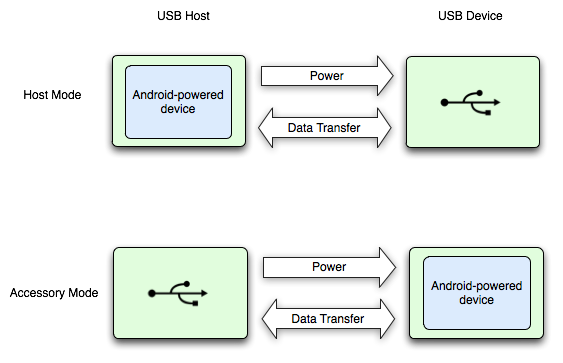 Android USB 主機(Host)與配件(Accessory)開發指南
原文地址:https://developer.android.com/guide/topics/connectivity/usb/host.html Android 支援
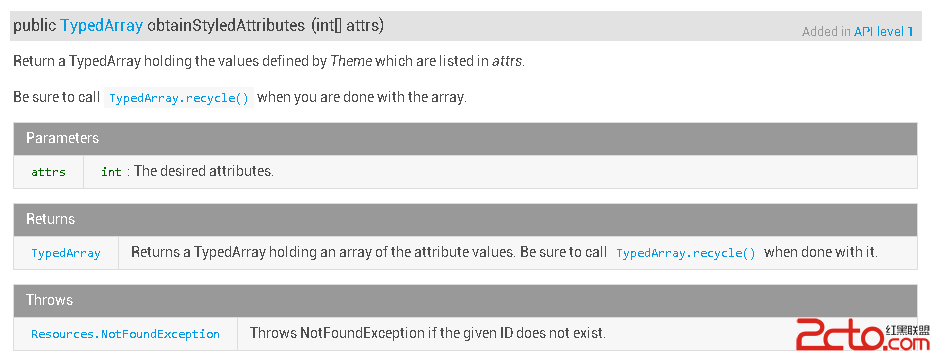 自定義控件第三講:obtainStyledAttributes 四大方法逐一拆解
寫自定義控件的時候,或多或少都會碰到 obtainStyledAttributes(AttributeSet, int[], int, int) 或者 obtainAtt
 Android 筆記(八):Intent 元件的各種用法與 APK 反編譯
前面幾節已經談過 Intent 的作用、屬性以及 Activity 之間的值傳遞,這一節把重點放在「怎麼用」。在我的語音辨識專案裡,就是靠 Intent 來啟動 App
 Android 動態改變布局:隨軟鍵盤伸縮的登錄界面
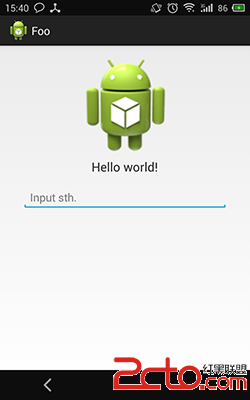
先來看個需求,見下圖: 這是一個軟件的登錄界面:初始是第一張圖的樣子,當軟鍵盤彈出後變成第二張圖的樣子。因為登錄界面有用戶名、密碼和登錄按鈕,若不這麼處理,軟鍵盤彈出後