

編輯:關於 Android 程式設計
在 Eclipse RCP 插件開發中,常會有這樣的需求:執行某個 command 時想一併攜帶一些資訊,並在 command 內取得這些資訊。該怎麼實作呢?答案是利用 ExecutionEvent 物件來承載資料(例如透過它攜帶的 ApplicationContext 傳遞物件,也可以傳遞 Map 等其他型別)。
先取得 ICommandService,再呼叫 command 並透過 ExecutionEvent 把要傳遞的物件帶入:
// 獲取 ICommandService
ICommandService commandService = (ICommandService) PlatformUI.getWorkbench()
    .getActiveWorkbenchWindow().getActivePage().getActivePart()
    .getSite().getService(ICommandService.class);

// 調用 Command 並傳遞對象
commandService.getCommand("CommandId")
    .executeWithChecks(new ExecutionEvent(null, Collections.EMPTY_MAP, null, sendObject));
接著在與該 command 關聯的 handler 中,從 ExecutionEvent 取出傳入的資訊:
package command_test.handlers;

import org.eclipse.core.commands.AbstractHandler;
import org.eclipse.core.commands.ExecutionEvent;
import org.eclipse.core.commands.ExecutionException;
import org.eclipse.ui.IWorkbenchWindow;
import org.eclipse.ui.handlers.HandlerUtil;
import org.eclipse.jface.dialogs.MessageDialog;

/**
 * Our sample handler extends AbstractHandler, an IHandler base class.
 */
public class SampleHandler extends AbstractHandler {
    public SampleHandler() {
    }

    /**
     * the command has been executed, so extract the needed information
     * from the application context.
     */
    public Object execute(ExecutionEvent event) throws ExecutionException {
        IWorkbenchWindow window = HandlerUtil.getActiveWorkbenchWindowChecked(event);
        MessageDialog.openInformation(
            window.getShell(),
            "Command_Test",
            "Hello, Eclipse world");
        return null;
    }
}
關鍵就在 handler 的 execute 方法會收到 ExecutionEvent 參數,接著即可從中取出傳值階段放入的物件,完成 command 之間的資料傳遞。
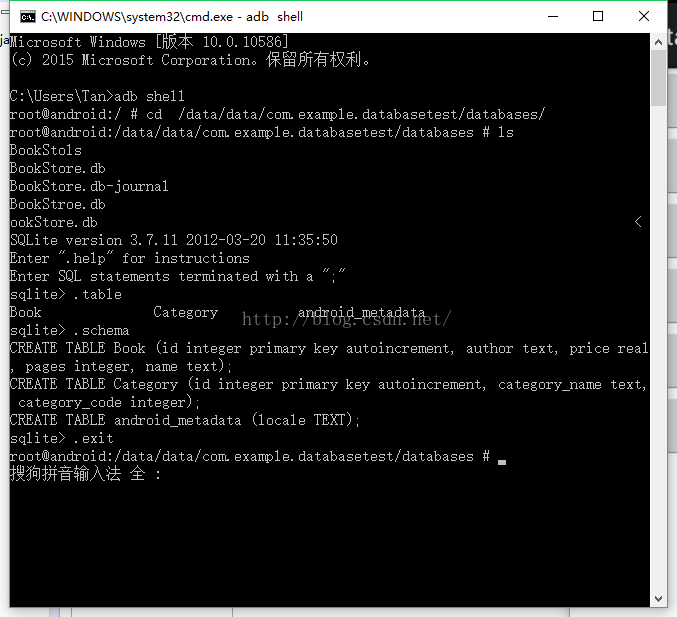 Android SQLite 資料庫儲存詳解:建表、升級與 CRUD 完整實踐
SQLite 是一款相當輕量的關聯式資料庫,也是 Android 預設的本地儲存方案。 為了讓我們更省心,Android 專門提供了一個 SQLiteOpenHelper
 Android 在 Activity 之間傳遞物件(Serializable/Parcelable)實作
Activity 之間要傳物件,可以走 Bundle.putSerializable(Key, Object),也可以走 Bundle.putParcelable(Key
 Android 基礎再學習:AIDL 進程間通信完整解析
AIDL 是 Android Interface Definition Language 的縮寫,本質上是一份「跨進程接口的契約」。它解決的是一個很現實的問題:Andro
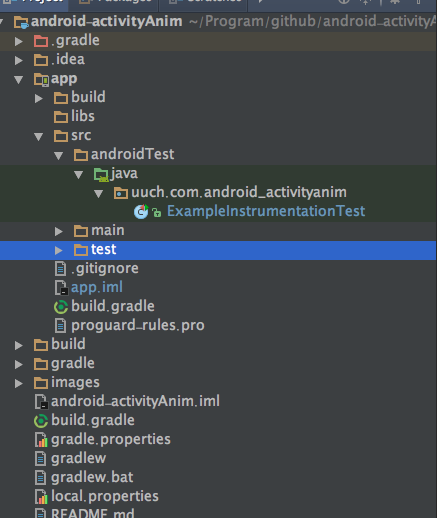 Android 產品研發(十九)——Android Studio 中的單元測試實踐
上一篇整理了 WebView 的常見問題:效能優化、注入 Cookie、Activity 退出時清理 WebView 導致的報錯、Java 與 JS 互相呼叫、WebVi