

編輯:關於 Android 程式設計
WebService 是一種基於 SOAP 協議的遠程調用標準,透過它可以整合不同作業系統平台、不同語言與技術。由於 Android SDK 並未提供調用 WebService 的庫,因此需要借助第三方 SDK。PC 版的 WebService 客戶端庫非常豐富(如 Axis2、CXF),但這些開發包對行動系統而言過於龐大、也不易移植,因此並不適合。
適合手機的 WebService 客戶端 SDK 中,最常用的是 Ksoap2,可從官方下載頁取得。將下載的 ksoap2-android-assembly-2.4-jar-with-dependencies.jar 複製到 Eclipse 工程的 lib 目錄並加入引用即可。調用流程如下:
(1)指定命名空間與方法名:
SoapObject request = new SoapObject("https://service", "getName");
第一個參數是 WebService 的命名空間(可從 WSDL 找到),第二個是要調用的方法名。
(2)設定調用方法的參數值(若無參數可省略):
request.addProperty("param1", "value");
request.addProperty("param2", "value");
注意:addProperty 的第一個參數雖代表參數名,但實際上只需保證參數順序與服務端一致即可。
(3)生成 SOAP 請求信封:
SoapSerializationEnvelope envelope = new SoapSerializationEnvelope(SoapEnvelope.VER11);
envelope.bodyOut = request;
建立時需依服務端版本設定 SOAP 協議版本號,並別忘了設定 bodyOut 屬性。
(4)建立 HttpTransportSE 物件,可指定 WSDL 的 URL:
HttpTransportSE ht = new HttpTransportSE("https://192.168.18.17:80/axis2/service/SearchNewsService?wsdl");
(5)呼叫 WebService 方法:
ht.call(null, envelope);
(6)取得返回結果:
SoapObject soapObject = (SoapObject) envelope.getResponse();
以下是一個查詢天氣的完整範例:
public class WebService extends Activity {
    private static final String NAMESPACE = "https://WebXml.com.cn/";
    private static String URL = "https://www.webxml.com.cn/webservices/weatherwebservice.asmx";
    private static final String METHOD_NAME = "getWeatherbyCityName";
    private static String SOAP_ACTION = "https://WebXml.com.cn/getWeatherbyCityName";
    private String weatherToday;
    private Button okButton;
    private SoapObject detail;

    @Override
    public void onCreate(Bundle savedInstanceState) {
        super.onCreate(savedInstanceState);
        setContentView(R.layout.main);
        okButton = (Button) findViewById(R.id.ok);
        okButton.setOnClickListener(new Button.OnClickListener() {
            public void onClick(View v) {
                showWeather();
            }
        });
    }

    private void showWeather() {
        getWeather("武漢");
    }

    public void getWeather(String cityName) {
        try {
            SoapObject rpc = new SoapObject(NAMESPACE, METHOD_NAME);
            rpc.addProperty("theCityName", cityName);
            AndroidHttpTransport ht = new AndroidHttpTransport(URL);
            ht.debug = true;
            SoapSerializationEnvelope envelope = new SoapSerializationEnvelope(SoapEnvelope.VER11);
            envelope.bodyOut = rpc;
            envelope.dotNet = true;
            envelope.setOutputSoapObject(rpc);
            ht.call(SOAP_ACTION, envelope);
            SoapObject result = (SoapObject) envelope.bodyIn;
            detail = (SoapObject) result.getProperty("getWeatherbyCityNameResult");
            Toast.makeText(WebService.this, detail.toString(), Toast.LENGTH_LONG).show();
            parseWeather(detail);
        } catch (Exception e) {
            e.printStackTrace();
        }
    }

    private void parseWeather(SoapObject detail) throws UnsupportedEncodingException {
        String date = detail.getProperty(6).toString();
        weatherToday = "今天:" + date.split(" ")[0];
        weatherToday = weatherToday + "\n天氣:" + date.split(" ")[1];
        weatherToday = weatherToday + "\n氣溫:" + detail.getProperty(5).toString();
        weatherToday = weatherToday + "\n風力:" + detail.getProperty(7).toString() + "\n";
        Toast.makeText(WebService.this, weatherToday, Toast.LENGTH_LONG).show();
    }
}
透過 Ksoap2,我們就能在 Android 上以 SOAP 協議調用遠端 WebService,並解析回傳的資料應用到介面上。
 Android ScrollView:如何偵測已經滑到底部
做「滑到底自動載入更多」的時候,第一個要解決的問題是:怎麼知道使用者已經滑到底了?做法是透過 OnTouchListener 攔截 ACTION_UP 事件,再比對 S
 Android 沉浸式狀態欄:讓狀態欄與頂部元件同色
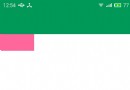
這個特性從 Android 4.4 開始支援,最低需要 API 19。做法出乎意料地簡單,但真正要用得好看,還有幾個細節要處理。 兩行關鍵程式碼 public class
 動手寫一個 Android 文件管理器:項目資源層梳理
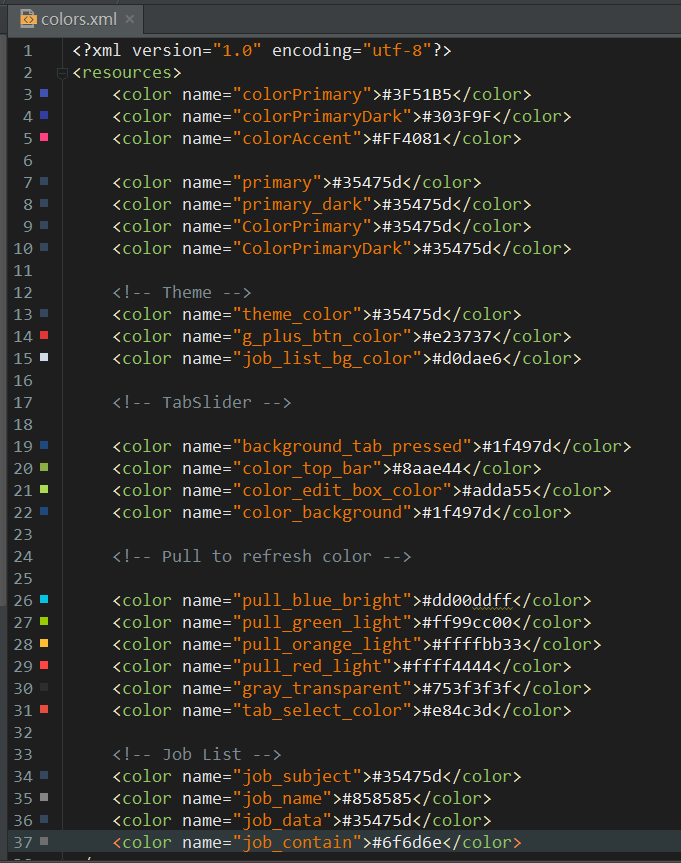
文件管理器是幫助用戶處理本地與網絡文件的工具,基本能力包括創建、打開、查看、編輯、移動、刪除,很多還擴展了網絡訪問、應用管理、解壓縮與搜索。動手實現一個,能把 Activ
 用 Java 實作餘弦相似度(Cosine)匹配演算法完整範例
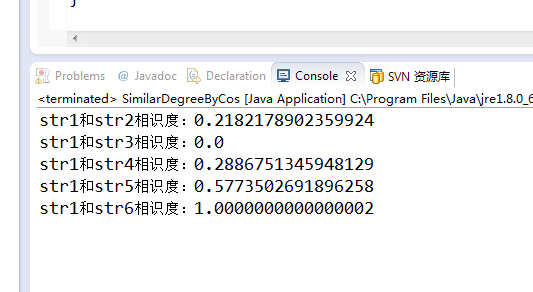
用 Java 實作餘弦相似度匹配演算法最近在做一个通訊交友專案,裡面有個需求:根據使用者填寫的興趣愛好,幫他推薦興趣相近的朋友。思路其實不複雜——把每個使用者的興趣標籤互