

編輯:關於 Android 程式設計
要讀取 Android 自帶瀏覽器的上網記錄,第一步是在 Manifest 中加上讀取權限:
<uses-permission android:name="com.android.browser.permission.READ_HISTORY_BOOKMARKS"/>
有了這個權限,就能同時讀取上網記錄與書簽。一開始我以為只有上網記錄,但仔細一想 bookmarks 明明就是書簽,而書簽通常是不帶時間的。因此查詢時最好加上條件限制,把書簽排除掉。
查詢語句如下:
contentResolver.query(Uri.parse("content://browser/bookmarks"), new String[] {
        "title", "url", "date" }, "date!=?", new String[] { "null" }, "date desc");
這行的意思是:在 content://browser/bookmarks 這個 URI 中查詢 title、url、date 三個欄位,條件是 date != null,並依日期降序排序。
一開始我沒加時間限制,後來想想「讀上網記錄」應該要關心時間,就想加入 date 屬性,卻發現某款三星手機上行不通。原因是:不加上限制條件時,連沒有時間屬性的書簽都會被檢索出來(書簽一般沒有時間)。奇怪的是,同樣沒改的程式碼在小米手機上卻能正常執行,而且只撈出上網記錄、不含書簽——這反而是特殊情況,應該是小米做了修改。唉,Android 的碎片化真是令人頭痛。
以下為完整程式碼:
public class GetInternetRecord {

    String records = null;
    StringBuilder recordBuilder = null;

    public void getRecords(ContentResolver contentResolver) {
        // ContentResolver contentResolver = getContentResolver();
        Cursor cursor = contentResolver.query(
                Uri.parse("content://browser/bookmarks"), new String[] {
                        "title", "url", "date" }, "date!=?",
                new String[] { "null" }, "date desc");
        while (cursor != null && cursor.moveToNext()) {
            String url = null;
            String title = null;
            String time = null;
            String date = null;

            recordBuilder = new StringBuilder();
            title = cursor.getString(cursor.getColumnIndex("title"));
            url = cursor.getString(cursor.getColumnIndex("url"));
            date = cursor.getString(cursor.getColumnIndex("date"));

            SimpleDateFormat dateFormat = new SimpleDateFormat(
                    "yyyy-MM-dd hh:mm;ss");
            Date d = new Date(Long.parseLong(date));
            time = dateFormat.format(d);

            System.out.println(title + url + time);
        }
    }
}
這裡用 date != null 的條件把沒有時間的書簽過濾掉,再用 SimpleDateFormat 把毫秒時間戳格式化為易讀的日期字串。實作時要特別留意不同廠商 ROM 對這個 URI 的行為差異,最好加上例外處理與空值判斷,避免在部分機型上出錯。
 自製 ClearEditText:為 Android 輸入框加上一鍵清除功能
這次要分享一個實用的小元件 ClearEditText:在 Android 輸入框右側放上一個小圖示,點一下就能清空輸入內容。iOS 只要設定某個屬性就能做到,但 And
 Android TCP客戶端Service與廣播通信實作
在Android中,若需要長期維持TCP連線並持續接收服務端訊息,通常會把網路邏輯放在Service中。這樣即使畫面切換,連線與接收任務仍能繼續運行。 Service中的
 Android 屬性動畫深入解析:Evaluator、Interpolator 與 ViewPropertyAnimator
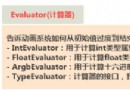
1. Evaluator 自定義 1)Evaluator 介紹 使用 ValueAnimator 時,常會透過 ofInt、ofFloat 或 ofObject 建立動畫
 Android 自定義 ViewGroup 實作 FlowLayout 流式版面配置(三)
本篇延續自定義 ViewGroup 的系列主題,動手做一個實用的範例:FlowLayout(流式版面配置)。 所謂 FlowLayout,指的是子控制項會依序往右排入容器