

編輯:關於 Android 程式設計
處理網路回應、檔案內容與字串時,這三種型別幾乎天天遇到。把常用的轉換收攏成一個工具類,可以省下不少重複程式碼。
import java.io.ByteArrayInputStream;
import java.io.ByteArrayOutputStream;
import java.io.IOException;
import java.io.InputStream;

public class InputStreamUtils {

    final static int BUFFER_SIZE = 4096;

    /** InputStream 轉 String */
    public static String InputStreamTOString(InputStream in) throws IOException {
        ByteArrayOutputStream outStream = new ByteArrayOutputStream();
        byte[] data = new byte[BUFFER_SIZE];
        int count;
        while ((count = in.read(data, 0, BUFFER_SIZE)) != -1) {
            outStream.write(data, 0, count);
        }
        return new String(outStream.toByteArray(), "UTF-8");
    }

    /** String 轉 InputStream */
    public static InputStream StringTOInputStream(String in) throws IOException {
        return new ByteArrayInputStream(in.getBytes("UTF-8"));
    }

    /** InputStream 轉 byte 陣列 */
    public static byte[] InputStreamTOByte(InputStream in) throws IOException {
        ByteArrayOutputStream outStream = new ByteArrayOutputStream();
        byte[] data = new byte[BUFFER_SIZE];
        int count;
        while ((count = in.read(data, 0, BUFFER_SIZE)) != -1) {
            outStream.write(data, 0, count);
        }
        return outStream.toByteArray();
    }

    /** byte 陣列轉 InputStream */
    public static InputStream byteTOInputStream(byte[] in) {
        return new ByteArrayInputStream(in);
    }

    /** byte 陣列轉 String */
    public static String byteTOString(byte[] in) throws IOException {
        return new String(in, "UTF-8");
    }
}
如果專案能使用 Java 8 以上,InputStream 轉位元組可以直接靠 in.readAllBytes() 一行搞定;若已引入 Apache Commons IO,IOUtils.toString(in, charset) 與 IOUtils.toByteArray(in) 更省事,也省去自己驗證邊界條件。
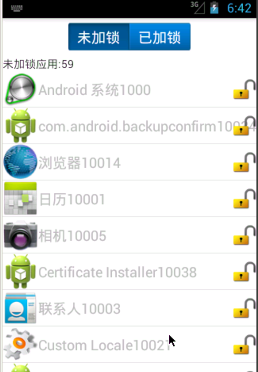 Android 程式鎖實作:看門狗服務與解鎖攔截
程式鎖可以用來保護特定應用,避免他人未經授權開啟。其原理是透過一個常駐服務持續監視目前最上層的 Activity,若發現啟動的是已加鎖應用,就跳出解鎖頁面。 基本資料設計
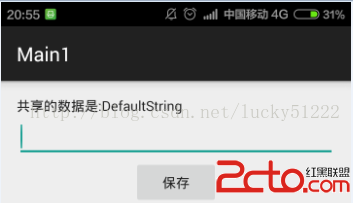 Android Studio 開發基礎:Context 的用途與用法詳解
一、什麼是 Context Context 可以說是 Android 中最常被使用、卻也最容易被忽略的核心類別之一。它提供了一個存取應用程式全域資訊的介面,例如圖片、字串
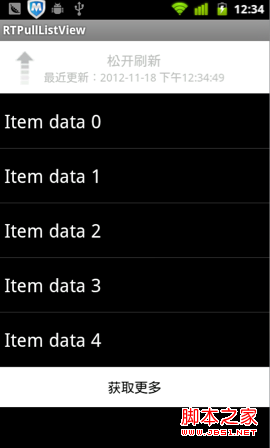 Android 下拉刷新 ListView 實作教學——RTPullListView(附範例)
下拉刷新已經成為越來越多 App 的標準互動,成了使用者根深柢固的操作習慣——遇到列表,手指很自然就往下一拉。本文要介紹如何在 Android 上實作下拉刷新,參考了 G
 Android Telephony 中的 Phone 詳解:由來、家族與職責
前言 本文聚焦 Telephony 框架中的 Phone,主要想說清三件事:Phone 是什麼?它從哪裡來?它承擔什麼職責? 一、Phone 是什麼 1.1 本質上是一