

編輯:關於 Android 程式設計
在 Android 中,耗時操作必須放在背景執行緒執行,而更新 UI 則需透過 Handler 將訊息回傳主執行緒。以下以一個模擬進度條遞增的範例,說明 Thread 與 Handler 的協作方式。
ThreadHandlerDownActivity.java:
package cn.sanbo.test.threadhandler;

import android.app.Activity;
import android.os.Bundle;
import android.os.Handler;
import android.os.Message;
import android.view.View;
import android.widget.TextView;
import android.widget.Toast;

public class ThreadHandlerDownActivity extends Activity implements
        View.OnClickListener {

    private TextView textView;
    private boolean isExits = false;

    private Handler handler = new Handler() {
        public void handleMessage(Message msg) {
            super.handleMessage(msg);
            int jd = (Integer) msg.obj;
            if (jd == 100) {
                textView.setText("耗時完成!");
            } else {
                textView.setText("耗時完成:" + jd + "%");
            }
        }
    };

    protected void onCreate(Bundle savedInstanceState) {
        super.onCreate(savedInstanceState);
        setContentView(R.layout.main);
        init();
    }

    private void init() {
        this.findViewById(R.id.btnThread).setOnClickListener(this);
        textView = (TextView) this.findViewById(R.id.tv_content);
    }

    public void onClick(View v) {
        if (v.getId() == R.id.btnThread) {
            if (!isExits) {
                isExits = true;
                new MyThread().start();
            } else {
                Toast.makeText(ThreadHandlerDownActivity.this, "耗時操作進行中,請等待~", 0).show();
            }
        }
    }

    class MyThread extends Thread {
        public void run() {
            super.run();
            boolean isGoOn = true;
            int jd = 0;
            while (isGoOn) {
                try {
                    jd++;
                    sleep(30);
                    Message msg = new Message();
                    msg.obj = jd;
                    handler.sendMessage(msg);
                    if (jd == 100) {
                        isGoOn = false;
                    }
                } catch (Exception e) {
                    e.printStackTrace();
                }
            }
        }
    }
}
<?xml version="1.0" encoding="utf-8"?>
<LinearLayout xmlns:android="https://schemas.android.com/apk/res/android"
    android:layout_width="fill_parent"
    android:layout_height="fill_parent"
    android:orientation="vertical">

    <TextView
        android:layout_width="fill_parent"
        android:layout_height="wrap_content"
        android:text="@string/hello" />

    <Button
        android:id="@+id/btnThread"
        android:layout_width="wrap_content"
        android:layout_height="wrap_content"
        android:text="threadhandler" />

    <TextView
        android:layout_width="fill_parent"
        android:layout_height="wrap_content"
        android:text="down "
        android:textColor="@android:color/white"
        android:gravity="center"
        android:textSize="25sp"
        android:id="@+id/tv_content"/>
</LinearLayout>
MyThread,透過 isExits 旗標避免重複啟動。jd,並以 Message.obj 攜帶數值,透過 handler.sendMessage() 送回主執行緒。handleMessage() 接收到訊息後,即可安全地更新 TextView 的內容,達到即時反映進度的效果。這種 Thread + Handler 的模式是 Android 早期常見的 UI 更新做法。在現代開發中,也可改用 AsyncTask(已不建議)、Kotlin 協程或 LiveData 等更簡潔的方案來達成相同目的。
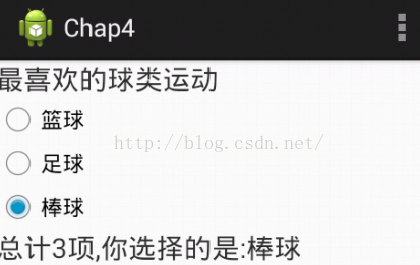 跟我學 Android 之五:常用輸入與圖像控件全解
本章目標 掌握單選按鈕的用法掌握復選框的用法掌握開關按鈕的用法掌握圖像視圖的用法掌握自動完成文本框的用法 單選控件——RadioButton 一個普通的單選控件示例:
 小米手環怎麼接入微信?開啟步數與排行榜推送
把小米手環接到微信之後,可以直接在微信裡查步數、看排行,不必每次切換 App。設定步驟如下。 先在手机上打开小米手环,点击右上角的「更多」图标。 在選項清單中點擊「服務
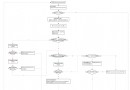 Android 7.0 PowerManagerService 解析(三):updatePowerStateLocked 的五個階段
前面我們已經理清了兩條主線:進程要用電時向 PMS 申請 WakeLock,用完之後釋放。而無論是申請還是釋放,PMS 的最終動作都是同一個——呼叫 updatePowe
 Android 自定義 Adapter 打造 ListView 的思路與完整程式碼
在開發中,我們經常使用 ListView 這個控制項。Android API 也提供了許多建立適配器的快捷方式,例如 ArrayAdapter、SimpleAdapter