

編輯:關於 Android 程式設計
Android 的幀動畫靠 animation-list 資源檔描述,再搭配 AnimationDrawable 在程式碼中啟動,非常適合做「錄影中」閃爍提示、載入指示這類簡單循環動畫。
建立 res/drawable/remote_recording_transition.xml:
<?xml version="1.0" encoding="utf-8"?>
<animation-list xmlns:android="https://schemas.android.com/apk/res/android"
    android:oneshot="false">

    <item android:drawable="@drawable/remote_recording"
          android:duration="800" />
    <item android:drawable="@drawable/remote_recording_run"
          android:duration="800" />
</animation-list>
false 為循環播放,true 只播一遍後停在最後一幀。private AnimationDrawable recordingTransition; recording = (ImageView) findViewById(R.id.recording); recording.setBackgroundResource(R.drawable.remote_recording_transition); recordingTransition = (AnimationDrawable) recording.getBackground(); recordingTransition.start();
onCreate() 中直接 start,因為此時背景可能尚未完成初始化,會出現「Drawable 沒有 callback」的錯誤。常見解法是放在 onResume(),或用 View 的 post() 延後一輪訊息迴圈再啟動。onPause() 中呼叫 recordingTransition.stop(),避免畫面不可見時仍在反覆切換圖片浪費資源。ValueAnimator/ObjectAnimator 或 AnimatedVectorDrawable 會更省資源。AnimationDrawable.addFrame(drawable, duration) 在執行期動態加入。 一次搞懂 Android 四大組件:Activity、Service、BroadcastReceiver 與 ContentProvider
Android 的四大組件分別是:活動(Activity),負責呈現功能與介面;服務(Service),在後台長期執行、不提供畫面;廣播接收器(BroadcastRece
 Android 音樂播放器製作(三):加入控制台
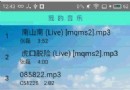
運行效果 本篇接續上一篇 Android 音樂播放器製作。其中這個效果(圓形 ImageView 與控件匀速旋轉)在之前的博客已經寫過,這裡就不細說了: 具體實現 首
 Android 讀取聯絡人姓名與電話號碼的實作程式碼
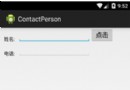
開發中常有取得聯絡人列表的需求,但這次要做的不是列出整個通訊錄,而是在使用者點選單一聯絡人之後,取出該聯絡人的姓名與電話,並自動填入指定的輸入框,省去手動輸入的麻煩。以下
 HyBrid 混合開發初探:原生 WebView 與 JsBridge 雙方案對比
最近研究了 HyBrid 的兩種實現路徑:一是直接用原生 WebView 的接口能力,二是引入第三方 JsBridge 庫。本文把兩者的用法完整跑一遍,便於對照取捨。