

編輯:關於 Android 程式設計
寫在前面:學 Android 時,很多人跟我一樣讀了大量基礎知識,知識點都能說上幾句,但這些零散的點始終不成體系。所以我以經典的「手機安全衛士」專案為例邊做邊練,也歡迎大家一起交流、共同進步。
當新版本下載成功後(即在 onSuccess 方法中),我們要能跳出系統安裝介面。做法是先寫一個安裝方法:
private void apkInstall(File t) {
    Intent intent = new Intent();
    intent.setAction(Intent.ACTION_VIEW);
    // 也可寫成 intent.setAction(android.intent.action.VIEW);
    intent.addCategory("android.intent.category.DEFAULT");
    intent.setDataAndType(Uri.fromFile(t), "application/vnd.android.package-archive");
    startActivity(intent);
}
這裡有一個關鍵要注意:不能用 setData 與 setType 分開設定,必須一次用 setDataAndType 同時指定資料 URI 與 MIME 類型,否則系統無法正確辨識這是一個 APK 安裝檔。
下載完成後呼叫這個方法,就會跳出系統安裝程式,使用者確認後即可完成更新。
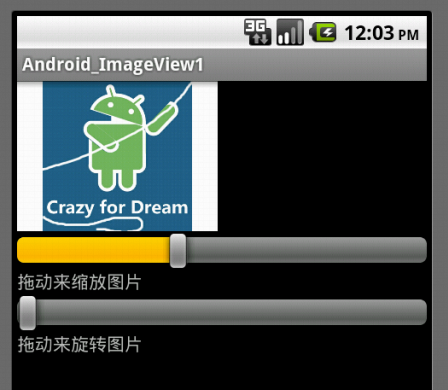 Android ImageView 圖片旋轉與縮放實作
ImageView 圖片處理 ImageView 主要用來顯示圖片,也可以搭配 Matrix 做旋轉、縮放等效果。scaleType 屬性則可控制圖片在控制項中的顯示方式
 仿墨跡天氣:在Android中透過自訂zip包換膚
這裡來聊聊墨跡天氣的換膚做法。需要先聲明:以下原理是我透過反編譯並參考網上一些資料推測出來的,僅供參考;如果你有更理想的方式,非常歡迎一起交流。墨跡天氣下載的皮膚本質上就
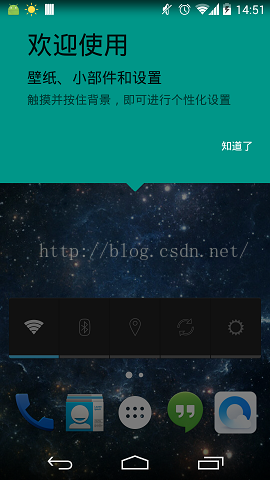 Launcher3 源碼解析:應用加載流程全揭秘
Launcher 本質上也是一個普通的應用程序,只不過它在主入口的 intent-filter 中加入了 屬性,這樣系統開機啟動後,就會首先找到並加載這個應用。 因
 Android Demo:用 Activity 樣式實作底部滑出視窗
前面幾篇聊過圓角按鈕與圓角圖片的做法,這次換個題目。用 App 時應該都碰過這種互動:點一下頭像,畫面底部滑出一個視窗,裡頭是「拍照」、「從相冊選擇」、「取消」,點下去就