

編輯:關於 Android 程式設計
想要讓載入中的進度圈更貼合 App 的視覺風格,自訂 ProgressBar 是常見需求。以下提供兩種做法:一種用連續切換的圖片幀動畫,另一種用旋轉加上漸層色彩。
先在 anim 資料夾建立一個 XML 檔 par1.xml,用 animation-list 把數張圖片排成動畫幀:
<?xml version="1.0" encoding="UTF-8"?>
<animation-list android:oneshot="false"
    xmlns:android="https://schemas.android.com/apk/res/android">
    <item android:duration="150" android:drawable="@drawable/about_logo" />
    <item android:duration="150" android:drawable="@drawable/btn_loc_bg_p" />
    <item android:duration="150" android:drawable="@drawable/auto_complete_m_pink" />
    <item android:duration="150" android:drawable="@drawable/back_top" />
    <item android:duration="150" android:drawable="@drawable/btn_loc_bg_p" />
</animation-list>
使用時,把它指定給 ProgressBar 的 indeterminateDrawable:
<ProgressBar
    android:id="@+id/progressBar"
    android:layout_width="wrap_content"
    android:layout_height="wrap_content"
    android:layout_gravity="center"
    android:indeterminate="false"
    android:indeterminateDrawable="@anim/par1" />
如果不想準備一堆圖片,也可以純用 shape 畫出灰色→彩色漸層的環,再讓它旋轉。建立 par2.xml:
<?xml version="1.0" encoding="utf-8"?>
<rotate xmlns:android="https://schemas.android.com/apk/res/android"
    android:fromDegrees="0"
    android:pivotX="50%"
    android:pivotY="50%"
    android:toDegrees="360" >
    <shape
        android:innerRadiusRatio="3"
        android:shape="ring"
        android:thicknessRatio="10"
        android:useLevel="false" >
        <gradient
            android:centerColor="#FF3030"
            android:centerY="0.50"
            android:endColor="#000000"
            android:startColor="#FFFFFF"
            android:type="sweep"
            android:useLevel="false" />
    </shape>
</rotate>
使用方式相同,只要替換 indeterminateDrawable 的來源:
<ProgressBar
    android:id="@+id/progressBar"
    android:layout_width="wrap_content"
    android:layout_height="wrap_content"
    android:layout_gravity="center"
    android:indeterminate="false"
    android:indeterminateDrawable="@anim/par2" />
兩種做法各有千秋:圖片幀動畫的視覺表現最自由,適合有設計素材的專案;而旋轉漸層圈不需任何圖片、改動顏色只需調整 XML,維護成本更低。依需求挑一種即可。
 Android 開源工具庫大盤點(六):依賴注入、圖片、網路、ORM 到插件化
這一篇整理的是各類好用的開發庫,涵蓋依賴注入框架、圖片緩存、網路相關、資料庫 ORM 建模、Android 公共庫、高版本 API 向低版本相容、多媒體處理等等。 一、
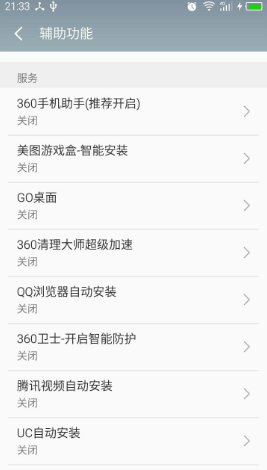 利用 AccessibilityService 實現微信自動回復
寫在前面:最近接到一個需求——在手機端攔截微信通知(Notification),獲取聯繫人與內容,發送給硬件產品展示,再把預設的回復內容傳回微信發送給對應聯繫人。老大提示
 Android TapBarMenu 底部導航欄的使用方式
TapBarMenu 是一個可快速做出中間凸起按鈕的底部選單元件。它支援展開與收合動畫,也能自訂中間按鈕的位置、大小、顏色與圖示。 方式一:直接依賴套件 在模組的建置
 Android AIDL 深入解析:跨進程通信的代理與樁
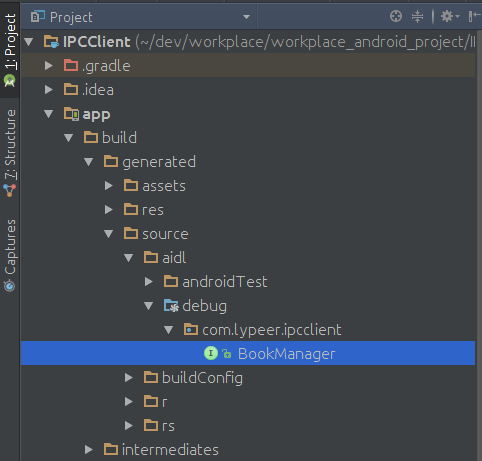
AIDL 是 Android 跨進程通信中常見的工具。它的目的不是發明新的通信方式,而是簡化 Binder 機制的使用。工程師只要定義介面,編譯器就會產生對應的 Java