

編輯:關於 Android 程式設計
本文提供一套完整的 Android 註冊與登入範例,涵蓋版面配置、輸入驗證,以及透過 HTTP 與伺服器溝通的流程,很適合作為入門的參考實作。
<?xml version="1.0" encoding="utf-8"?>
<LinearLayout xmlns:android="https://schemas.android.com/apk/res/android"
    android:layout_width="fill_parent"
    android:layout_height="fill_parent"
    android:orientation="vertical"
    android:background="@drawable/bg_01">
    <TextView
        android:layout_width="wrap_content"
        android:layout_height="wrap_content"
        android:text="注冊"
        android:textSize="22dip"
        android:textColor="#FFFFFF"
        android:paddingLeft="140dip"
        android:paddingRight="50dip"
        android:paddingTop="10dip"
        android:background="@drawable/topbg" />
    <EditText
        android:id="@+id/register_username"
        android:layout_width="wrap_content"
        android:layout_height="wrap_content"
        android:layout_marginTop="20dip"
        android:background="@drawable/search"
        android:layout_marginLeft="20dip"
        android:layout_marginRight="20dip"
        android:height="40dip"
        android:hint="用戶名" />
    <EditText
        android:id="@+id/register_passwd"
        android:layout_width="wrap_content"
        android:layout_height="wrap_content"
        android:layout_marginTop="20dip"
        android:background="@drawable/search"
        android:layout_marginLeft="20dip"
        android:layout_marginRight="20dip"
        android:height="40dip"
        android:hint="密碼" />
    <EditText
        android:id="@+id/reregister_passwd"
        android:layout_width="wrap_content"
        android:layout_height="wrap_content"
        android:layout_marginTop="20dip"
        android:background="@drawable/search"
        android:layout_marginLeft="20dip"
        android:layout_marginRight="20dip"
        android:height="40dip"
        android:hint="確認密碼" />
    <Button
        android:id="@+id/register_submit"
        android:layout_width="wrap_content"
        android:layout_height="wrap_content"
        android:background="@drawable/topbg"
        android:height="40dip"
        android:width="70dip"
        android:layout_marginTop="60dip"
        android:text="確定"
        android:textColor="#FFFFFF"
        android:textSize="22dip" />
</LinearLayout>
這個 Activity 負責三個輸入框的即時驗證:用戶名不可少於 4 字元、密碼不可少於 6 字元、兩次密碼必須一致,並在按下確定時把資料 POST 到伺服器。
public class UserRegister extends Activity {
    private EditText register_username, register_passwd, reregister_passwd;
    private Button register_submit;

    @Override
    protected void onCreate(Bundle savedInstanceState) {
        super.onCreate(savedInstanceState);
        StrictMode.ThreadPolicy policy = new StrictMode.ThreadPolicy.Builder().permitAll().build();
        StrictMode.setThreadPolicy(policy);
        setContentView(R.layout.user_register);
        register_username = (EditText) findViewById(R.id.register_username);
        register_passwd = (EditText) findViewById(R.id.register_passwd);
        reregister_passwd = (EditText) findViewById(R.id.reregister_passwd);
        register_submit = (Button) findViewById(R.id.register_submit);

        register_username.setOnFocusChangeListener(new OnFocusChangeListener() {
            @Override
            public void onFocusChange(View v, boolean hasFocus) {
                if (!hasFocus) {
                    if (register_username.getText().toString().trim().length() < 4) {
                        Toast.makeText(UserRegister.this, "用戶名不能小於4個字符", Toast.LENGTH_SHORT).show();
                    }
                }
            }
        });
        // 密碼與確認密碼的驗證類似,此處省略

        register_submit.setOnClickListener(new OnClickListener() {
            @Override
            public void onClick(View v) {
                if (!checkEdit()) return;
                String httpUrl = "https://192.168.1.100:8080/web-test/register.jsp";
                HttpPost httpRequest = new HttpPost(httpUrl);
                List<NameValuePair> params = new ArrayList<NameValuePair>();
                params.add(new BasicNameValuePair("username", register_username.getText().toString().trim()));
                params.add(new BasicNameValuePair("password", register_passwd.getText().toString().trim()));
                try {
                    httpRequest.setEntity(new UrlEncodedFormEntity(params, "utf8"));
                    HttpResponse httpResponse = new DefaultHttpClient().execute(httpRequest);
                    if (httpResponse.getStatusLine().getStatusCode() == 200) {
                        String strResult = EntityUtils.toString(httpResponse.getEntity());
                        Toast.makeText(UserRegister.this, strResult, Toast.LENGTH_SHORT).show();
                    } else {
                        Toast.makeText(UserRegister.this, "請求錯誤", Toast.LENGTH_SHORT).show();
                    }
                } catch (Exception e) {
                    e.printStackTrace();
                }
            }
        });
    }

    private boolean checkEdit() {
        if (register_username.getText().toString().trim().equals("")) {
            Toast.makeText(UserRegister.this, "用戶名不能為空", Toast.LENGTH_SHORT).show();
        } else if (register_passwd.getText().toString().trim().equals("")) {
            Toast.makeText(UserRegister.this, "密碼不能為空", Toast.LENGTH_SHORT).show();
        } else if (!register_passwd.getText().toString().trim().equals(reregister_passwd.getText().toString().trim())) {
            Toast.makeText(UserRegister.this, "兩次密碼輸入不一致", Toast.LENGTH_SHORT).show();
        } else {
            return true;
        }
        return false;
    }
}
<?xml version="1.0" encoding="utf-8"?>
<LinearLayout xmlns:android="https://schemas.android.com/apk/res/android"
    android:layout_width="fill_parent"
    android:layout_height="fill_parent"
    android:orientation="vertical"
    android:background="@drawable/bg_01">
    <TextView
        android:layout_width="wrap_content"
        android:layout_height="wrap_content"
        android:text="登錄"
        android:textSize="22dip"
        android:textColor="#FFFFFF"
        android:paddingLeft="140dip"
        android:paddingRight="50dip"
        android:paddingTop="10dip"
        android:background="@drawable/topbg" />
    <LinearLayout
        android:layout_width="fill_parent"
        android:layout_height="wrap_content"
        android:orientation="vertical">
        <EditText
            android:id="@+id/login_username"
            android:layout_width="fill_parent"
            android:layout_height="40dip"
            android:layout_marginLeft="20dip"
            android:layout_marginRight="20dip"
            android:layout_marginTop="30dip"
            android:hint="用戶名"
            android:paddingTop="10dip"
            android:textSize="18dip"
            android:background="@drawable/search">
        </EditText>
        <EditText
            android:id="@+id/login_password"
            android:layout_width="fill_parent"
            android:layout_height="40dip"
            android:layout_marginLeft="20dip"
            android:layout_marginRight="20dip"
            android:layout_marginTop="10dip"
            android:password="true"
            android:paddingTop="10dip"
            android:textSize="18dip"
            android:hint="密碼"
            android:background="@drawable/search">
        </EditText>
    </LinearLayout>
    <LinearLayout
        android:layout_width="fill_parent"
        android:layout_height="wrap_content"
        android:layout_gravity="center_horizontal"
        android:layout_marginTop="15dip">
        <CheckBox android:id="@+id/cb1"
            android:layout_width="wrap_content"
            android:layout_height="wrap_content"
            android:layout_marginLeft="50dip"
            android:layout_marginRight="30dip"
            android:text="記住密碼"
            android:button="@drawable/checkbox_icon_no" />
        <CheckBox android:id="@+id/cb2"
            android:layout_width="wrap_content"
            android:layout_height="wrap_content"
            android:text="自動登錄"
            android:paddingRight="50dip"
            android:button="@drawable/checkbox_icon_no" />
    </LinearLayout>
    <LinearLayout
        android:layout_width="fill_parent"
        android:layout_height="wrap_content"
        android:layout_gravity="center_horizontal"
        android:layout_marginTop="20dip">
        <Button android:id="@+id/user_login_button"
            android:layout_width="wrap_content"
            android:layout_height="wrap_content"
            android:text="登錄"
            android:layout_marginLeft="50dip"
            android:textColor="#F7FBFD"
            android:background="#FF0000"
            android:width="70dip"
            android:height="40dip"
            android:textSize="18dip" />
        <Button android:id="@+id/user_register_button"
            android:layout_width="wrap_content"
            android:layout_height="wrap_content"
            android:text="注冊"
            android:layout_marginLeft="50dip"
            android:textColor="#F7FBFD"
            android:width="70dip"
            android:height="40dip"
            android:background="#0F9000"
            android:textSize="18dip" />
    </LinearLayout>
</LinearLayout>
登入頁同樣做輸入驗證,並區分「登入」與「前往註冊」兩個按鈕的行為。登入成功後會把伺服器回傳的結果以 Toast 顯示,並跳轉到首頁 IndexActivity。
public class UserLogin extends Activity implements OnClickListener {
    private EditText login_username, login_password;
    private Button user_login_button, user_register_button;

    @Override
    protected void onCreate(Bundle savedInstanceState) {
        super.onCreate(savedInstanceState);
        StrictMode.ThreadPolicy policy = new StrictMode.ThreadPolicy.Builder().permitAll().build();
        StrictMode.setThreadPolicy(policy);
        setContentView(R.layout.user_login);
        initWidget();
    }

    private void initWidget() {
        login_username = (EditText) findViewById(R.id.login_username);
        login_password = (EditText) findViewById(R.id.login_password);
        user_login_button = (Button) findViewById(R.id.user_login_button);
        user_register_button = (Button) findViewById(R.id.user_register_button);
        user_login_button.setOnClickListener(this);
        user_register_button.setOnClickListener(this);
        // 輸入驗證的 OnFocusChangeListener 從略
    }

    @Override
    public void onClick(View v) {
        switch (v.getId()) {
            case R.id.user_login_button:
                if (checkEdit()) login();
                break;
            case R.id.user_register_button:
                startActivity(new Intent(UserLogin.this, UserRegister.class));
                break;
        }
    }

    private boolean checkEdit() {
        if (login_username.getText().toString().trim().equals("")) {
            Toast.makeText(UserLogin.this, "用戶名不能為空", Toast.LENGTH_SHORT).show();
        } else if (login_password.getText().toString().trim().equals("")) {
            Toast.makeText(UserLogin.this, "密碼不能為空", Toast.LENGTH_SHORT).show();
        } else {
            return true;
        }
        return false;
    }

    private void login() {
        String httpUrl = "https://192.168.1.102:8080/web-test/login.jsp";
        HttpPost httpRequest = new HttpPost(httpUrl);
        List<NameValuePair> params = new ArrayList<NameValuePair>();
        params.add(new BasicNameValuePair("username", login_username.getText().toString().trim()));
        params.add(new BasicNameValuePair("password", login_password.getText().toString().trim()));
        try {
            httpRequest.setEntity(new UrlEncodedFormEntity(params, "utf8"));
            HttpResponse httpResponse = new DefaultHttpClient().execute(httpRequest);
            if (httpResponse.getStatusLine().getStatusCode() == 200) {
                String strResult = EntityUtils.toString(httpResponse.getEntity());
                Toast.makeText(UserLogin.this, strResult, Toast.LENGTH_SHORT).show();
                startActivity(new Intent(UserLogin.this, IndexActivity.class));
            } else {
                Toast.makeText(UserLogin.this, "登錄失敗!", Toast.LENGTH_SHORT).show();
            }
        } catch (Exception e) {
            e.printStackTrace();
        }
    }
}
以上就是一個可運行的最小註冊/登入範例。實務上若要更嚴謹,建議把網路請求移到非主執行緒(例如 AsyncTask 或新的執行緒),並在伺服器端做好密碼雜湊與資料庫驗證,才能兼顧使用者體驗與安全性。
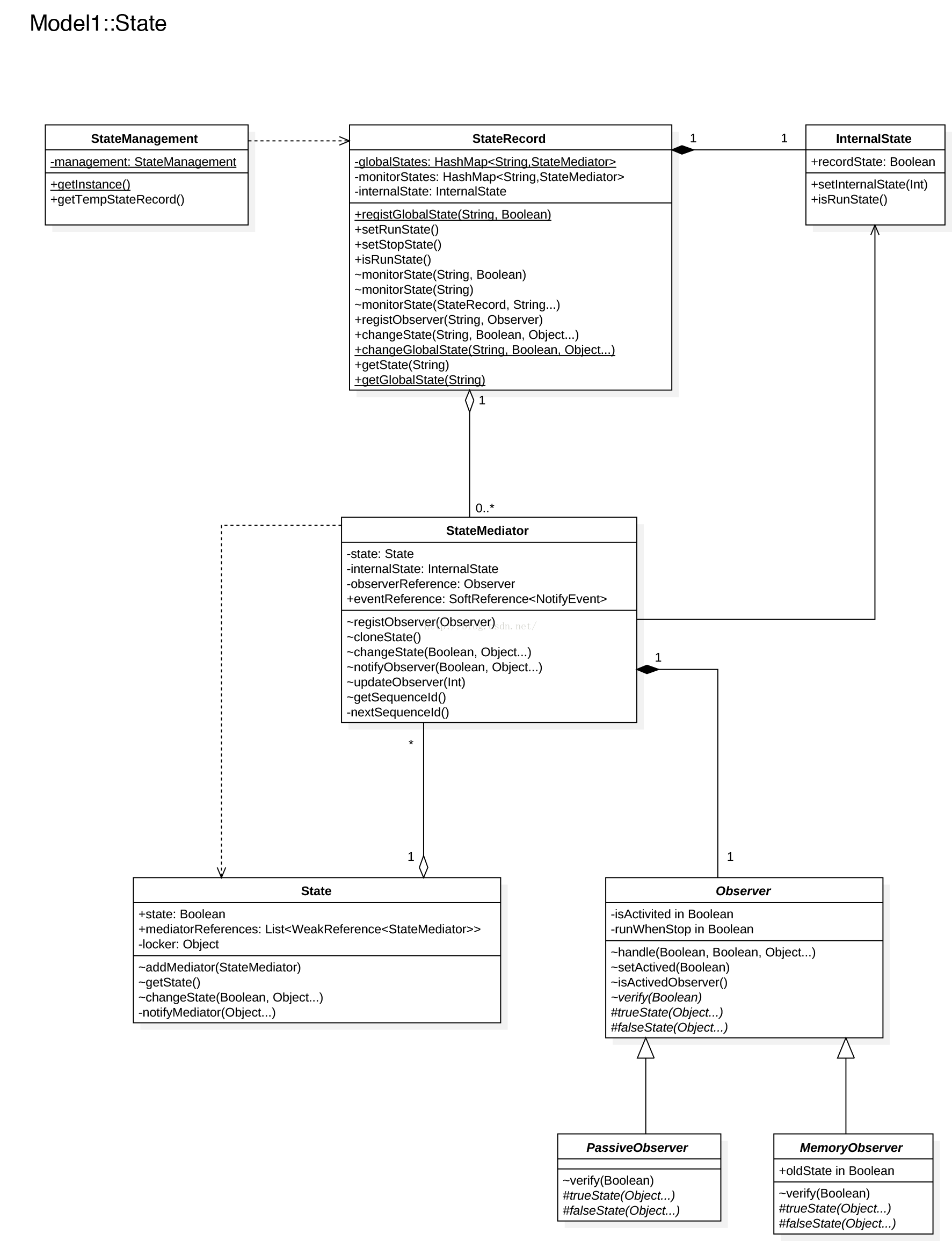 Android 跨執行緒通訊狀態框架 Simple2Develop 詳解
基本資訊 Simple2Develop 是一款基於 Android 平台的跨執行緒通訊框架,能讓你以簡單的方式完成複雜的通訊,支援同行程中多個 Activity 之間的即
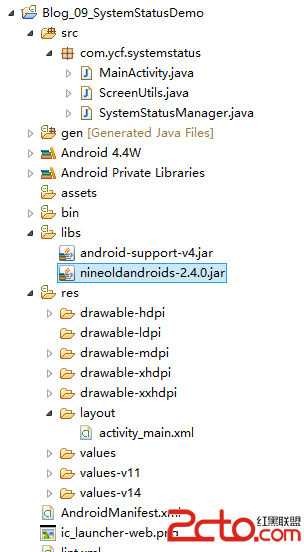 Android 4.4 狀態欄透明化與沉浸式效果實作
Android 4.4 之後,系統允許應用程式把狀態欄處理成半透明或全透明,讓下方內容延伸到系統列區域,形成更完整的沉浸式視覺。這種做法常用於首頁、相簿或視差捲動頁面。實
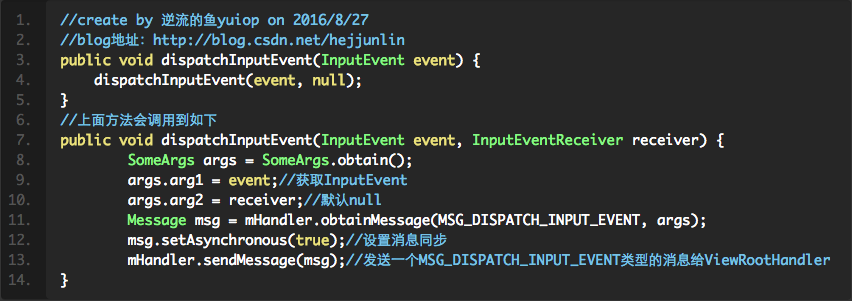 Android View 框架總結(九):KeyEvent 按鍵事件分發機制
本篇開始分析按鍵事件的分發流程(提醒:本文源碼基於 Android 6.0)。先列出要談的內容: ViewRootImpl 的 dispatchInputEvent →
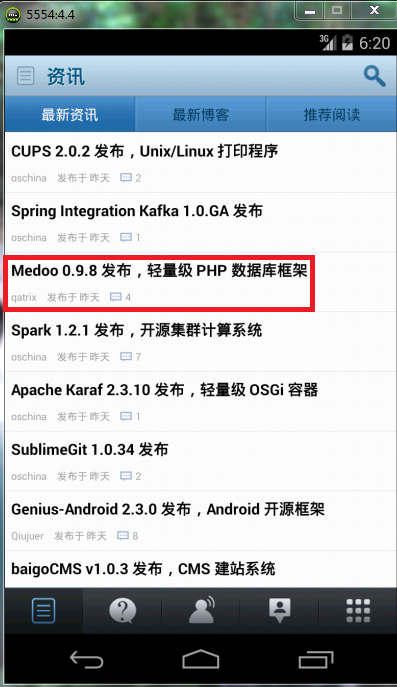 開源中國安卓客戶端解析:自訂 ScreenShotView 截圖元件
開源中國安卓客戶端中的截圖分享功能,是自訂 View 的實用範例。ScreenShotView 透過透明覆蓋層與觸控手勢,讓使用者可以框選區域、調整範圍並完成截圖。 功能