

編輯:關於 Android 程式設計
Intent 是 Android 元件之間溝通的核心,也是呼叫系統既有功能最省事的方式。以下把日常開發最常遇到的系統調用整理成速查表,直接複製即可使用。
Intent intent = new Intent();
intent.setAction(Intent.ACTION_WEB_SEARCH);
intent.putExtra(SearchManager.QUERY, "searchString");
startActivity(intent);
Uri uri = Uri.parse("https://www.google.com");
Intent it = new Intent(Intent.ACTION_VIEW, uri);
startActivity(it);
Uri uri = Uri.parse("geo:38.899533,-77.036476");
Intent it = new Intent(Intent.ACTION_VIEW, uri);
startActivity(it);
Uri uri = Uri.parse("https://maps.google.com/maps?f=d&saddr=startLat%20startLng"
        + "&daddr=endLat%20endLng&hl=en");
Intent it = new Intent(Intent.ACTION_VIEW, uri);
startActivity(it);
Uri uri = Uri.parse("tel:xxxxxx");
Intent it = new Intent(Intent.ACTION_DIAL, uri);
startActivity(it);
Intent it = new Intent(Intent.ACTION_VIEW);
it.putExtra("sms_body", "The SMS text");
it.setType("vnd.android-dir/mms-sms");
startActivity(it);
Uri uri = Uri.parse("smsto:0800000123");
Intent it = new Intent(Intent.ACTION_SENDTO, uri);
it.putExtra("sms_body", "The SMS text");
startActivity(it);
方法三:
String body = "this is sms demo";
Intent mmsintent = new Intent(Intent.ACTION_SENDTO, Uri.fromParts("smsto", number, null));
mmsintent.putExtra(Messaging.KEY_ACTION_SENDTO_MESSAGE_BODY, body);
mmsintent.putExtra(Messaging.KEY_ACTION_SENDTO_COMPOSE_MODE, true);
mmsintent.putExtra(Messaging.KEY_ACTION_SENDTO_EXIT_ON_SENT, true);
startActivity(mmsintent);
Uri uri = Uri.parse("content://media/external/images/media/23");
Intent it = new Intent(Intent.ACTION_SEND);
it.putExtra("sms_body", "some text");
it.putExtra(Intent.EXTRA_STREAM, uri);
it.setType("image/png");
startActivity(it);
StringBuilder sb = new StringBuilder();
sb.append("file://");
sb.append(fd.getAbsoluteFile());
Intent intent = new Intent(Intent.ACTION_SENDTO, Uri.fromParts("mmsto", number, null));
// 以下額外資料都是選填的
intent.putExtra(Messaging.KEY_ACTION_SENDTO_MESSAGE_SUBJECT, subject);
intent.putExtra(Messaging.KEY_ACTION_SENDTO_MESSAGE_BODY, body);
intent.putExtra(Messaging.KEY_ACTION_SENDTO_CONTENT_URI, sb.toString());
intent.putExtra(Messaging.KEY_ACTION_SENDTO_COMPOSE_MODE, composeMode);
intent.putExtra(Messaging.KEY_ACTION_SENDTO_EXIT_ON_SENT, exitOnSent);
startActivity(intent);
Uri uri = Uri.parse("mailto:xxx@abc.com");
Intent it = new Intent(Intent.ACTION_SENDTO, uri);
startActivity(it);
Intent it = new Intent(Intent.ACTION_SEND);
it.putExtra(Intent.EXTRA_EMAIL, "me@abc.com");
it.putExtra(Intent.EXTRA_TEXT, "The email body text");
it.setType("text/plain");
startActivity(Intent.createChooser(it, "Choose Email Client"));
Intent it = new Intent(Intent.ACTION_SEND);
String[] tos = { "me@abc.com" };
String[] ccs = { "you@abc.com" };
it.putExtra(Intent.EXTRA_EMAIL, tos);
it.putExtra(Intent.EXTRA_CC, ccs);
it.putExtra(Intent.EXTRA_TEXT, "The email body text");
it.putExtra(Intent.EXTRA_SUBJECT, "The email subject text");
it.setType("message/rfc822");
startActivity(Intent.createChooser(it, "Choose Email Client"));
Intent it = new Intent(Intent.ACTION_SEND);
it.putExtra(Intent.EXTRA_SUBJECT, "The email subject text");
it.putExtra(Intent.EXTRA_STREAM, "file:///sdcard/mysong.mp3");
it.setType("audio/mp3");
startActivity(Intent.createChooser(it, "Choose Email Client"));
Intent it = new Intent(Intent.ACTION_VIEW);
Uri uri = Uri.parse("file:///sdcard/song.mp3");
it.setDataAndType(uri, "audio/mp3");
startActivity(it);
Uri uri = Uri.withAppendedPath(MediaStore.Audio.Media.INTERNAL_CONTENT_URI, "1");
Intent it = new Intent(Intent.ACTION_VIEW, uri);
startActivity(it);
Uri uri = Uri.fromParts("package", strPackageName, null);
Intent it = new Intent(Intent.ACTION_DELETE, uri);
startActivity(it);
Uri installUri = Uri.fromParts("package", "xxx", null);
returnIt = new Intent(Intent.ACTION_PACKAGE_ADDED, installUri);
Intent intent = new Intent(Intent.ACTION_VIEW);
intent.setDataAndType(Uri.parse("file://" + filepath),
        "application/vnd.android.package-archive");
startActivity(intent); // 安裝
<1> Intent intent = new Intent("android.media.action.STILL_IMAGE_CAMERA"); // 呼叫相機
    startActivity(intent);

<2> Intent i = new Intent(Intent.ACTION_CAMERA_BUTTON, null);
    this.sendBroadcast(i);

<3> long dateTaken = System.currentTimeMillis();
    String name = createName(dateTaken) + ".jpg";
    fileName = folder + name;
    ContentValues values = new ContentValues();
    values.put(Images.Media.TITLE, fileName);
    values.put("_data", fileName);
    values.put(Images.Media.PICASA_ID, fileName);
    values.put(Images.Media.DISPLAY_NAME, fileName);
    values.put(Images.Media.DESCRIPTION, fileName);
    values.put(Images.ImageColumns.BUCKET_DISPLAY_NAME, fileName);
    Uri photoUri = getContentResolver().insert(
            MediaStore.Images.Media.EXTERNAL_CONTENT_URI, values);

    Intent inttPhoto = new Intent(MediaStore.ACTION_IMAGE_CAPTURE);
    inttPhoto.putExtra(MediaStore.EXTRA_OUTPUT, photoUri);
    startActivityForResult(inttPhoto, 10);
Intent i = new Intent();
i.setType("image/*");
i.setAction(Intent.ACTION_GET_CONTENT);
startActivityForResult(i, 11);
Intent mi = new Intent(Media.RECORD_SOUND_ACTION);
startActivity(mi);
Uri uri = Uri.parse("market://details?id=app_id");
Intent it = new Intent(Intent.ACTION_VIEW, uri);
startActivity(it);
// app_id 就是應用程式的 ID,可以在 Market 首頁點進應用程式頁面後
// 從網址列上看到
找 app id 找了一陣子之後,會發現其實用 package name 也可以,簡單多了:
Uri uri = Uri.parse("market://details?id=<packagename>");
Uri uri = Uri.parse("market://search?q=pname:pkg_name");
Intent it = new Intent(Intent.ACTION_VIEW, uri);
startActivity(it);
// pkg_name 是應用程式的完整套件路徑
<1> Intent i = new Intent();
    i.setAction(Intent.ACTION_GET_CONTENT);
    i.setType("vnd.android.cursor.item/phone");
    startActivityForResult(i, REQUEST_TEXT);

<2> Uri uri = Uri.parse("content://contacts/people");
    Intent it = new Intent(Intent.ACTION_PICK, uri);
    startActivityForResult(it, REQUEST_TEXT);
Intent i = new Intent();
ComponentName cn = new ComponentName("com.yellowbook.android2",
        "com.yellowbook.android2.AndroidSearch");
i.setComponent(cn);
i.setAction("android.intent.action.MAIN");
startActivityForResult(i, RESULT_OK);
Intent it = new Intent(Intent.ACTION_INSERT_OR_EDIT);
it.setType("vnd.android.cursor.item/contact");
// it.setType(Contacts.CONTENT_ITEM_TYPE);
it.putExtra("name", "myName");
it.putExtra(android.provider.Contacts.Intents.Insert.COMPANY, "organization");
it.putExtra(android.provider.Contacts.Intents.Insert.EMAIL, "email");
it.putExtra(android.provider.Contacts.Intents.Insert.PHONE, "homePhone");
it.putExtra(android.provider.Contacts.Intents.Insert.SECONDARY_PHONE, "mobilePhone");
it.putExtra(android.provider.Contacts.Intents.Insert.TERTIARY_PHONE, "workPhone");
it.putExtra(android.provider.Contacts.Intents.Insert.JOB_TITLE, "title");
startActivity(it);
Intent intent = new Intent(Intent.ACTION_INSERT_OR_EDIT);
intent.setType(People.CONTENT_ITEM_TYPE);
intent.putExtra(Contacts.Intents.Insert.NAME, "My Name");
intent.putExtra(Contacts.Intents.Insert.PHONE, "+1234567890");
intent.putExtra(Contacts.Intents.Insert.PHONE_TYPE, Contacts.PhonesColumns.TYPE_MOBILE);
intent.putExtra(Contacts.Intents.Insert.EMAIL, "com@com.com");
intent.putExtra(Contacts.Intents.Insert.EMAIL_TYPE,
        Contacts.ContactMethodsColumns.TYPE_WORK);
startActivity(intent);
更完整的清單可參考 SDK 內附文件:android_sdk/docs/guide/appendix/g-app-intents.html。
android.intent.action 系列:
ALL_APPS、ANSWER、ATTACH_DATA、BUG_REPORT、CALL、CALL_BUTTON、CHOOSER、CREATE_LIVE_FOLDER、CREATE_SHORTCUT、DELETE、DIAL、EDIT、GET_CONTENT、INSERT、INSERT_OR_EDIT、MAIN、MEDIA_SEARCH、PICK、PICK_ACTIVITY、RINGTONE_PICKER、RUN、SEARCH、SEARCH_LONG_PRESS、SEND、SENDTO、SET_WALLPAPER、SYNC、SYSTEM_TUTORIAL、VIEW、VOICE_COMMAND、WEB_SEARCH
android.net.wifi:PICK_WIFI_NETWORK
android.settings 系列:AIRPLANE_MODE_SETTINGS、APN_SETTINGS、APPLICATION_DEVELOPMENT_SETTINGS、APPLICATION_SETTINGS、BLUETOOTH_SETTINGS、DATA_ROAMING_SETTINGS、DATE_SETTINGS、DISPLAY_SETTINGS、INPUT_METHOD_SETTINGS、INTERNAL_STORAGE_SETTINGS、LOCALE_SETTINGS、LOCATION_SOURCE_SETTINGS、MANAGE_APPLICATIONS_SETTINGS、MEMORY_CARD_SETTINGS、NETWORK_OPERATOR_SETTINGS、QUICK_LAUNCH_SETTINGS、SECURITY_SETTINGS、SETTINGS、SOUND_SETTINGS、SYNC_SETTINGS、USER_DICTIONARY_SETTINGS、WIFI_IP_SETTINGS、WIFI_SETTINGS、WIRELESS_SETTINGS
使用時有兩個實務提醒:一是涉及通話、簡訊、相機、聯絡人的功能需要在 manifest 中宣告對應權限;二是新版 Android 對高風險權限改為執行期授權,若要正式上線,記得補上 runtime permission 的請求流程。
 Android SDK 下載與更新失敗?改 hosts 與設定代理一次講清楚
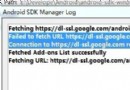
換了新機器,正準備動手搭 Android 開發環境,SDK 卻遲遲抓不下來,反覆跳出同一個錯誤: Failed to fetch URL https://dl-ssl.g
 Android 開源項目第三篇——值得學習的優秀完整項目
前言本文整理一些值得學習的 Android 開源專案,挑選標準主要是專案結構清楚、功能完整,或具有實際應用價值。基礎平台Linux 專案:https://github.c
 魅藍Note3如何啟用完整Root權限 補齊授權的方法
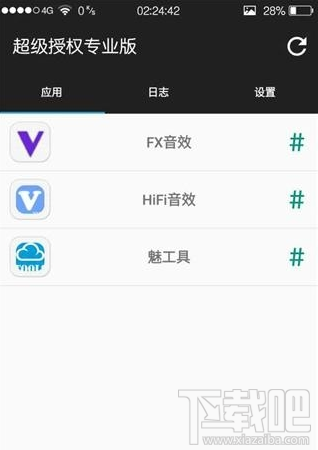
雖然不少同學已順利入手魅藍Note3,也照著網上教程拿到了Root權限,但使用部分修改類軟件時仍會提示「設備未取得Root權限」。這其實是因為魅藍Note3系統自帶的Ro
 Android NDK 開發入門:從 JNI 概念到第一個 so 庫
一、JNI 是什麼 JNI 是 Java Native Interface 的縮寫,它定義了一套讓 Java 程式碼與原生程式碼(以 C/C++ 撰寫)互相溝通的方式。在