

編輯:關於 Android 程式設計
本文以一個成員(member)表為例,示範如何透過 ContentProvider 對外提供數據,並在 Activity 中透過 ContentResolver 完成增刪改查。
把 authority、數據庫名、表名、字段名與 URI 等常量集中管理,便於維護:
package com.example.contentproviderprojecrt;
import android.net.Uri;
import android.provider.BaseColumns;
public interface MLDNbatabaseMetaData {
    public static final String AUTHORITY="com.example.contentproviderproject";
    public static final String DATABASE_NAME="mldn.db";
    public static final int VERSION=1;
    public static interface MemberTableMetaData extends BaseColumns{
        public static final String TABLE_NAME="member";
        public static final Uri CONTENT_URI=Uri.parse("content://"+ AUTHORITY+"/"+TABLE_NAME);
        public static final String CONTACT_LIST="vnd.android.cursor.dir/vnd.contentproviderproject.member";
        public static final String CONTACT_ITEM="vnd.android.cursor.item/vnd.contentproviderproject.member";
        public static final String MEMBER_NAME="name";
        public static final String MEMBER_AGE="age";
        public static final String MEMBER_BIRTHDAY="birthday";
        public static final String SORT_ORDER="_id DESC";
    }
}
public class MyDatabaseHelper extends SQLiteOpenHelper {
    public MyDatabaseHelper(Context context) {
        super(context, MLDNbatabaseMetaData.DATABASE_NAME, null, MLDNbatabaseMetaData.VERSION);
    }
    @Override
    public void onCreate(SQLiteDatabase db) {
        String sql="CREATE TABLE "+MLDNbatabaseMetaData.MemberTableMetaData.TABLE_NAME+" ("
            +MLDNbatabaseMetaData.MemberTableMetaData._ID+" INTEGER PRIMARY KEY,"
            +MLDNbatabaseMetaData.MemberTableMetaData.MEMBER_NAME+" VARCHAR(50) NOT NULL,"
            +MLDNbatabaseMetaData.MemberTableMetaData.MEMBER_AGE+" INTEGER NOT NULL,"
            +MLDNbatabaseMetaData.MemberTableMetaData.MEMBER_BIRTHDAY+" DATE NOT NULL"
            +")";
        db.execSQL(sql);
    }
    @Override
    public void onUpgrade(SQLiteDatabase db, int oldVersion, int newVersion) {
        String sql="DROP TABLE IF EXISTS "+MLDNbatabaseMetaData.MemberTableMetaData.TABLE_NAME;
        db.execSQL(sql);
        this.onCreate(db);
    }
}
用 UriMatcher 區分「查詢全部」與「按 ID 查詢」兩種情況,並分別實現增刪改查:
public class MemberContentProvider extends ContentProvider {
    private static UriMatcher uriMatcher=null;
    private static final int GET_MEMBER_LIST=1;
    private static final int GET_MEMBER_ITEM=2;
    private MyDatabaseHelper helper=null;
    static{
        uriMatcher=new UriMatcher(uriMatcher.NO_MATCH);
        uriMatcher.addURI(MLDNbatabaseMetaData.AUTHORITY, MLDNbatabaseMetaData.MemberTableMetaData.TABLE_NAME, GET_MEMBER_LIST);
        uriMatcher.addURI(MLDNbatabaseMetaData.AUTHORITY, MLDNbatabaseMetaData.MemberTableMetaData.TABLE_NAME+"/#", GET_MEMBER_ITEM);
    }
    @Override
    public int delete(Uri uri, String selection, String[] selectionArgs) {
        SQLiteDatabase db=this.helper.getWritableDatabase();
        int result=0;
        switch(uriMatcher.match(uri)){
            case GET_MEMBER_LIST:
                result=db.delete(MLDNbatabaseMetaData.MemberTableMetaData.TABLE_NAME, selection, selectionArgs);
                break;
            case GET_MEMBER_ITEM:
                long id=ContentUris.parseId(uri);
                String where="_id="+id;
                result=db.delete(MLDNbatabaseMetaData.MemberTableMetaData.TABLE_NAME, where, selectionArgs);
                break;
            default: throw new UnsupportedOperationException("NOT SUPPORT OPERATION "+uri);
        }
        return result;
    }
    @Override
    public String getType(Uri uri) {
        switch(uriMatcher.match(uri)){
            case GET_MEMBER_LIST: return MLDNbatabaseMetaData.MemberTableMetaData.CONTACT_LIST;
            case GET_MEMBER_ITEM: return MLDNbatabaseMetaData.MemberTableMetaData.CONTACT_ITEM;
            default: throw new UnsupportedOperationException("NOT SUPPORT OPERATION "+uri);
        }
    }
    @Override
    public Uri insert(Uri uri, ContentValues values) {
        SQLiteDatabase db=this.helper.getWritableDatabase();
        long id=0;
        switch(uriMatcher.match(uri)){
            case GET_MEMBER_LIST:
                id=db.insert(MLDNbatabaseMetaData.MemberTableMetaData.TABLE_NAME, MLDNbatabaseMetaData.MemberTableMetaData._ID, values);
                String uriPath=uri.toString();
                String path=uriPath+"/"+id;
                return Uri.parse(path);
            case GET_MEMBER_ITEM: return null;
            default: throw new UnsupportedOperationException("NOT SUPPORT OPERATION "+uri);
        }
    }
    @Override
    public boolean onCreate() {
        this.helper=new MyDatabaseHelper(super.getContext());
        return true;
    }
    @Override
    public Cursor query(Uri uri, String[] projection, String selection, String[] selectionArgs, String sortOrder) {
        SQLiteDatabase db=this.helper.getReadableDatabase();
        switch(uriMatcher.match(uri)){
            case GET_MEMBER_LIST:
                return db.query(MLDNbatabaseMetaData.MemberTableMetaData.TABLE_NAME, projection, selection, selectionArgs, null, null, sortOrder);
            case GET_MEMBER_ITEM:
                long id=ContentUris.parseId(uri);
                String where="_id="+id;
                return db.query(MLDNbatabaseMetaData.MemberTableMetaData.TABLE_NAME, projection, where, selectionArgs, null, null, sortOrder);
            default: throw new UnsupportedOperationException("NOT SUPPORT OPERATION "+uri);
        }
    }
    @Override
    public int update(Uri uri, ContentValues values, String selection, String[] selectionArgs) {
        SQLiteDatabase db=this.helper.getWritableDatabase();
        int result=0;
        switch(uriMatcher.match(uri)){
            case GET_MEMBER_LIST:
                result=db.update(MLDNbatabaseMetaData.MemberTableMetaData.TABLE_NAME, values, null, null);
                break;
            case GET_MEMBER_ITEM:
                long id=ContentUris.parseId(uri);
                String where="_id="+id;
                result=db.update(MLDNbatabaseMetaData.MemberTableMetaData.TABLE_NAME, values, where, selectionArgs);
                break;
            default: throw new UnsupportedOperationException("NOT SUPPORT OPERATION "+uri);
        }
        return result;
    }
}
透過 ContentResolver 進行操作,並用 SimpleAdapter 把查詢結果展示到 ListView:
public class MainActivity extends Activity {
    private Button insertBut=null;
    private Button updateBut=null;
    private Button deleteBut=null;
    private Button queryBut=null;
    private ListView memberList=null;
    @Override
    protected void onCreate(Bundle savedInstanceState) {
        super.onCreate(savedInstanceState);
        super.setContentView(R.layout.activity_main);
        this.insertBut=(Button)super.findViewById(R.id.insertBut);
        this.insertBut.setOnClickListener(new InsertOnClickListener());
        this.updateBut=(Button)super.findViewById(R.id.updateBut);
        this.updateBut.setOnClickListener(new UpdateOnClickListener());
        this.deleteBut=(Button)super.findViewById(R.id.deleteBut);
        this.deleteBut.setOnClickListener(new DeleteOnClickListener());
        this.queryBut=(Button)super.findViewById(R.id.queryBut);
        this.queryBut.setOnClickListener(new QueryOnClickListener());
        this.memberList=(ListView)super.findViewById(R.id.memberList);
    }
    private class QueryOnClickListener implements OnClickListener{
        @Override
        public void onClick(View v) {
            Cursor result=MainActivity.this.textQuery(null);
            List<Map<String, Object>> list=new ArrayList<Map<String,Object>>();
            for(result.moveToFirst();!result.isAfterLast();result.moveToNext()){
                Map<String,Object> map=new HashMap<String, Object>();
                map.put("_id", result.getInt(0));
                map.put("name", result.getString(1));
                map.put("age", result.getInt(2));
                map.put("birthday", result.getString(3));
                list.add(map);
            }
            MainActivity.this.memberList.setAdapter(new SimpleAdapter(
                MainActivity.this, list, R.layout.member,
                new String[]{"_id","name","age","birthday"},
                new int[]{R.id._id,R.id.name,R.id.age,R.id.birthday}));
        }
    }
    private Cursor textQuery(String _id){
        if(_id==null || "".equals(_id)){
            return super.getContentResolver().query(
                MLDNbatabaseMetaData.MemberTableMetaData.CONTENT_URI,
                null, null, null, MLDNbatabaseMetaData.MemberTableMetaData.SORT_ORDER);
        }else{
            return super.getContentResolver().query(
                Uri.withAppendedPath(MLDNbatabaseMetaData.MemberTableMetaData.CONTENT_URI, _id),
                null, null, null, MLDNbatabaseMetaData.MemberTableMetaData.SORT_ORDER);
        }
    }
    // textDelete / textInsert / textUpdate 同理透過 ContentResolver 操作
}
activity_main.xml 提供四個操作按鈕與一個 ListView:
<LinearLayout xmlns:android="https://schemas.android.com/apk/res/android"
    android:orientation="vertical"
    android:layout_width="fill_parent"
    android:layout_height="fill_parent" >
    <LinearLayout
        android:orientation="horizontal"
        android:layout_width="fill_parent"
        android:layout_height="wrap_content" >
        <Button android:id="@+id/insertBut" android:layout_width="wrap_content" android:layout_height="wrap_content" android:text="添加數據"/>
        <Button android:id="@+id/updateBut" android:layout_width="wrap_content" android:layout_height="wrap_content" android:text="修改數據"/>
        <Button android:id="@+id/deleteBut" android:layout_width="wrap_content" android:layout_height="wrap_content" android:text="刪除數據"/>
        <Button android:id="@+id/queryBut" android:layout_width="wrap_content" android:layout_height="wrap_content" android:text="查詢數據"/>
    </LinearLayout>
    <ListView
        android:id="@+id/memberList"
        android:layout_width="wrap_content"
        android:layout_height="wrap_content"/>
</LinearLayout>
member.xml 用 TableLayout 呈現每條記錄的四個字段:
<?xml version="1.0" encoding="utf-8"?>
<TableLayout xmlns:android="https://schemas.android.com/apk/res/android"
    android:layout_width="wrap_content"
    android:layout_height="wrap_content" >
    <TableRow>
        <TextView android:id="@+id/_id" android:layout_width="30px" android:layout_height="wrap_content"/>
        <TextView android:id="@+id/name" android:layout_width="100px" android:layout_height="wrap_content"/>
        <TextView android:id="@+id/age" android:layout_width="30px" android:layout_height="wrap_content"/>
        <TextView android:id="@+id/birthday" android:layout_width="150px" android:layout_height="wrap_content"/>
    </TableRow>
</TableLayout>
別忘了在 AndroidManifest.xml 中註冊這個 Provider,並讓 authorities 與元數據裡定義的一致,否則外部應用無法解析 URI。
 Android Studio 進階 Debug 技巧:那些少有人用的好用功能
斷點跟蹤是開發過程中定位 Bug 的核心手段。不同 IDE 的 Debug 工具介面各異,但該有的能力其實都在。問題在於,多數人的 Debug 功力停留在「單步執行」和「
 深入 Android 執行緒模型:一個進程為什麼只有一條執行緒在跑
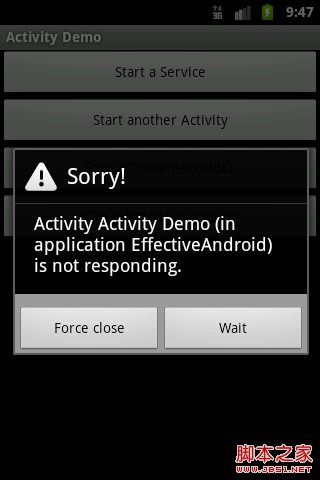
預設情況下,一個進程只有一條執行緒 這點跟 C/C++、Java 等語言的預設模型一致:在 Android 應用程式裡,一個進程只有一條執行緒,所有組件都跑在它上面。 應
 揭開 RecyclerView 的神秘面紗(二):三種實戰處理點擊事件
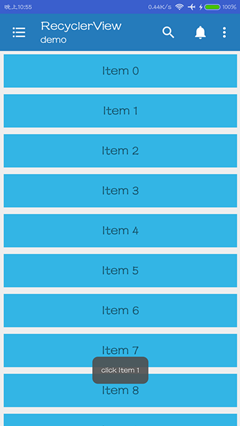
前言 上一篇《揭開 RecyclerView 的神秘面紗(一):RecyclerView 的基本使用》中介紹了 RecyclerView 的基本用法,以及不同版面配置管理
 Android 隨機驗證碼實作:用 Canvas 畫出帶干擾的驗證碼圖片
在 Android 客戶端開發中,驗證碼有兩種用途,目的完全不同:簡訊驗證碼用於身分認證,主要透過 HTTP 等通訊協議向伺服器索取並校驗;圖形隨機驗證碼則多用於「限制或