

編輯:關於 Android 程式設計
許多 App 需要從伺服器取得更新檔,下載新的 APK 後引導使用者安裝。整個流程通常包含下載、保存、驗證與安裝四個步驟。
可使用 HttpURLConnection 建立連線,確認回應碼成功後,將輸入流寫入外部儲存空間。
URL url = new URL(apkUrl);
HttpURLConnection connection = (HttpURLConnection) url.openConnection();
connection.setConnectTimeout(10000);

if (connection.getResponseCode() == HttpURLConnection.HTTP_OK) {
    InputStream inputStream = connection.getInputStream();
    FileOutputStream fileOutputStream = new FileOutputStream(apkFile);
    byte[] buffer = new byte[4096];
    int length;

    while ((length = inputStream.read(buffer)) != -1) {
        fileOutputStream.write(buffer, 0, length);
    }

    fileOutputStream.close();
    inputStream.close();
}
下載完成後,可利用 Intent 開啟系統安裝流程。傳統寫法會指定 APK 的 MIME 類型。
Intent intent = new Intent(Intent.ACTION_VIEW);
intent.setDataAndType(Uri.fromFile(file), "application/vnd.android.package-archive");
startActivity(intent);
若要移除應用,可使用 ACTION_DELETE,並以 package: 加上完整套件名稱。
Uri packageUri = Uri.parse("package:com.demo.DUJINYANG");
Intent uninstallIntent = new Intent(Intent.ACTION_DELETE, packageURI);
startActivity(uninstallIntent);
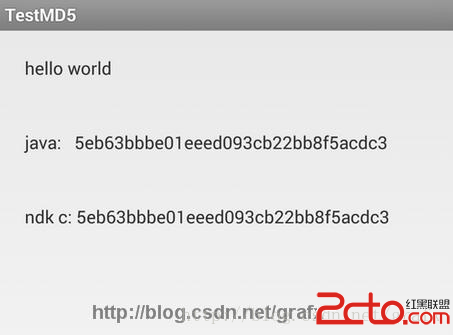 Android 上的兩種 MD5 加密實作:Java 層與 NDK 層
MD5 是日常開發中很常用的演算法,最典型的場景就是帳號註冊時,使用者輸入的密碼先經 MD5 加密再傳到伺服器保存,避免明文外洩。 不過說實話,MD5 的加密原理我還真說
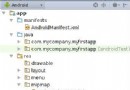 深入解析 Android Studio 專案的組成結構
原文鏈接 專案總覽 在 Android Studio 中,一個專案囊括了某支 App 所需的全部內容:原始碼、相依資源、測試程式碼,以及各項 build 組態。當你建立一
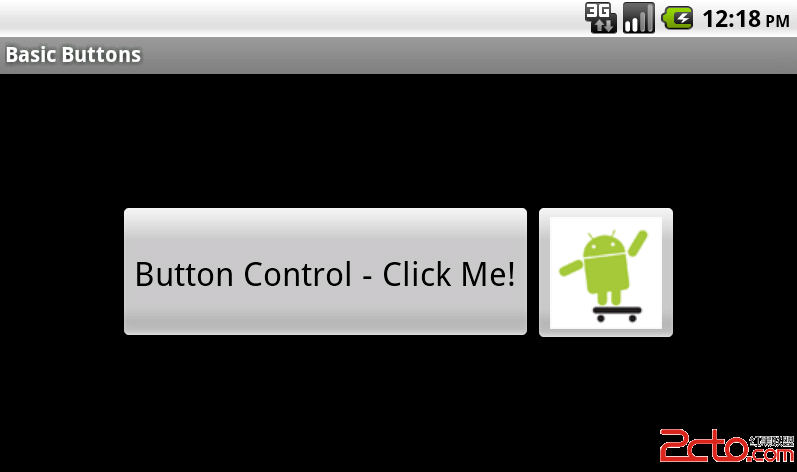 Android 介面設計入門:Button 與 ImageButton 怎麼用
本文示範如何在 Android 應用中建立一個簡單的 Button 或 ImageButton,從加入版面配置開始,接著說明兩種處理點擊事件的方式,最後補充這類控制項的其
 CollapsingToolbarLayout 詳解:Android 5.0 折疊式標題欄
CollapsingToolbarLayout 提供了一個可折疊的 Toolbar。它繼承自 FrameLayout,透過 layout_scrollFlags 設定,可