

編輯:關於 Android 程式設計
Android 的 RPC 機制參考自 Java 的 RMI(Remote Method Invocation),目的是讓一個行程能使用另一個行程中的遠端物件。Android 用 AIDL(Android Interface Definition Language)來描述這套介面:開發者定義一組方法,再透過遠端 Service 作為代理;客戶端在綁定這個 Service 時取得遠端物件,之後就能像呼叫本地方法一樣使用它。
1. 定義一個 .aidl 介面檔,ADT 會自動在 gen 目錄下產生對應的 .java 檔(自動產生,不可手改)。
2. 自動產生的 .java 中有一個抽象的 Stub 類別,建立一個繼承 Stub 的子類別並實作 .aidl 中定義的方法。
3. 建立一個 Service 子類別,在 onCreate 中建立步驟 2 的物件,在 onBind 中把它回傳。
4. 在 Activity 中呼叫 bindService(it, conn, BIND_AUTO_CREATE) 送出綁定請求。
5. 綁定成功後,在 ServiceConnection.onServiceConnected 中取得步驟 3 的物件。
6. 在 AndroidManifest.xml 中註冊這個遠端 Service。
package com.chris.rpc.aidl;

interface ITest {
    void setCustomerName(String name);
    String getCustomerName();
}
很簡單的兩個方法。ADT 會自動在 gen 目錄下產生 ITest.java,內容大致如下(可重點看 Stub、asInterface、onTransact 三處):
/*
 * This file is auto-generated.  DO NOT MODIFY.
 */
package com.chris.rpc.aidl;

public interface ITest extends android.os.IInterface
{
    /** Local-side IPC implementation stub class. */
    public static abstract class Stub extends android.os.Binder implements com.chris.rpc.aidl.ITest
    {
        private static final java.lang.String DESCRIPTOR = "com.chris.rpc.aidl.ITest";

        public Stub() {
            this.attachInterface(this, DESCRIPTOR);
        }

        public static com.chris.rpc.aidl.ITest asInterface(android.os.IBinder obj) {
            if ((obj == null)) {
                return null;
            }
            android.os.IInterface iin = obj.queryLocalInterface(DESCRIPTOR);
            if (((iin != null) && (iin instanceof com.chris.rpc.aidl.ITest))) {
                return ((com.chris.rpc.aidl.ITest) iin);
            }
            return new com.chris.rpc.aidl.ITest.Stub.Proxy(obj);
        }

        @Override public android.os.IBinder asBinder() {
            return this;
        }

        @Override public boolean onTransact(int code, android.os.Parcel data,
                android.os.Parcel reply, int flags) throws android.os.RemoteException {
            switch (code) {
                case INTERFACE_TRANSACTION: {
                    reply.writeString(DESCRIPTOR);
                    return true;
                }
                case TRANSACTION_setCustomerName: {
                    data.enforceInterface(DESCRIPTOR);
                    java.lang.String _arg0;
                    _arg0 = data.readString();
                    this.setCustomerName(_arg0);
                    reply.writeNoException();
                    return true;
                }
                case TRANSACTION_getCustomerName: {
                    data.enforceInterface(DESCRIPTOR);
                    java.lang.String _result = this.getCustomerName();
                    reply.writeNoException();
                    reply.writeString(_result);
                    return true;
                }
            }
            return super.onTransact(code, data, reply, flags);
        }

        private static class Proxy implements com.chris.rpc.aidl.ITest
        {
            private android.os.IBinder mRemote;

            Proxy(android.os.IBinder remote) {
                mRemote = remote;
            }

            @Override public android.os.IBinder asBinder() {
                return mRemote;
            }

            public java.lang.String getInterfaceDescriptor() {
                return DESCRIPTOR;
            }

            @Override public void setCustomerName(java.lang.String name)
                    throws android.os.RemoteException {
                android.os.Parcel _data = android.os.Parcel.obtain();
                android.os.Parcel _reply = android.os.Parcel.obtain();
                try {
                    _data.writeInterfaceToken(DESCRIPTOR);
                    _data.writeString(name);
                    mRemote.transact(Stub.TRANSACTION_setCustomerName, _data, _reply, 0);
                    _reply.readException();
                } finally {
                    _reply.recycle();
                    _data.recycle();
                }
            }

            @Override public java.lang.String getCustomerName()
                    throws android.os.RemoteException {
                android.os.Parcel _data = android.os.Parcel.obtain();
                android.os.Parcel _reply = android.os.Parcel.obtain();
                java.lang.String _result;
                try {
                    _data.writeInterfaceToken(DESCRIPTOR);
                    mRemote.transact(Stub.TRANSACTION_getCustomerName, _data, _reply, 0);
                    _reply.readException();
                    _result = _reply.readString();
                } finally {
                    _reply.recycle();
                    _data.recycle();
                }
                return _result;
            }
        }

        static final int TRANSACTION_setCustomerName = (android.os.IBinder.FIRST_CALL_TRANSACTION + 0);
        static final int TRANSACTION_getCustomerName = (android.os.IBinder.FIRST_CALL_TRANSACTION + 1);
    }

    public void setCustomerName(java.lang.String name) throws android.os.RemoteException;
    public java.lang.String getCustomerName() throws android.os.RemoteException;
}
package com.chris.rpc.aidl;

import android.os.RemoteException;
import android.util.Log;

import com.chris.rpc.aidl.ITest.Stub;

public class MyTest extends Stub {

    private final static String TAG = "ChrisRpcAidl";
    private String strName = "";

    @Override
    public void setCustomerName(String name) throws RemoteException {
        Log.d(TAG, "[MyTest] setCustomerName name = " + name);
        strName = name;
    }

    @Override
    public String getCustomerName() throws RemoteException {
        Log.d(TAG, "[MyTest] getCustomerName name = " + strName);
        return strName;
    }
}
package com.chris.rpc.aidl;

import com.chris.rpc.aidl.ITest.Stub;

import android.app.Service;
import android.content.Intent;
import android.os.IBinder;
import android.util.Log;

public class MyService extends Service {

    private final static String TAG = "ChrisRpcAidl";
    private Stub mTest = null;

    @Override
    public IBinder onBind(Intent arg0) {
        Log.d(TAG, "onBind ...");
        return mTest;
    }

    @Override
    public void onCreate() {
        Log.d(TAG, "onCreate ...");
        mTest = new MyTest();
        super.onCreate();
    }
}
package com.chris.rpc.aidl;

import android.os.Bundle;
import android.os.IBinder;
import android.os.RemoteException;
import android.util.Log;
import android.app.Activity;
import android.content.ComponentName;
import android.content.Intent;
import android.content.ServiceConnection;

public class MainActivity extends Activity {

    private final static String TAG = "ChrisRpcAidl";
    private final static String SERVICE_ACTION = "com.chris.rpc.aidl.action.MYSERVICE";
    private ITest mTest = null;

    @Override
    protected void onCreate(Bundle savedInstanceState) {
        super.onCreate(savedInstanceState);
        setContentView(R.layout.activity_main);

        Intent it = new Intent();
        it.setAction(SERVICE_ACTION);
        // 送出綁定 Service 請求,成功後會回呼 ServiceConnection
        bindService(it, conn, BIND_AUTO_CREATE);
    }

    private ServiceConnection conn = new ServiceConnection() {

        // 綁定成功,回傳的是 IBinder,需透過 asInterface 轉成自訂的 ITest
        @Override
        public void onServiceConnected(ComponentName name, IBinder service) {
            Log.d(TAG, "onServiceConnected ...");

            mTest = ITest.Stub.asInterface(service);
            if (mTest != null) {
                try {
                    mTest.setCustomerName("chris");
                    Log.d(TAG, "-------------------");
                    Log.d(TAG, "get name = " + mTest.getCustomerName());
                } catch (RemoteException e) {
                    e.printStackTrace();
                }
            }
        }

        @Override
        public void onServiceDisconnected(ComponentName name) {
        }
    };
}
<?xml version="1.0" encoding="utf-8"?>
<manifest xmlns:android="https://schemas.android.com/apk/res/android"
    package="com.chris.rpc.aidl"
    android:versionCode="1"
    android:versionName="1.0" >

    <uses-sdk
        android:minSdkVersion="10"
        android:targetSdkVersion="10" />

    <application
        android:allowBackup="true"
        android:icon="@drawable/ic_launcher"
        android:label="@string/app_name"
        android:theme="@style/AppTheme" >

        <activity
            android:name="com.chris.rpc.aidl.MainActivity"
            android:label="@string/app_name" >
            <intent-filter>
                <action android:name="android.intent.action.MAIN" />
                <category android:name="android.intent.category.LAUNCHER" />
            </intent-filter>
        </activity>

        <service android:name="com.chris.rpc.aidl.MyService">
            <intent-filter>
                <action android:name="com.chris.rpc.aidl.action.MYSERVICE" />
            </intent-filter>
        </service>
    </application>

</manifest>
理解 AIDL 的關鍵,是搞清楚自動產生的介面類別中那三個方法:Stub 負責在本地端承接 Binder 呼叫,asInterface 負責把 IBinder 轉成可用的介面(同行程時直接回傳本地物件,跨行程時才包成 Proxy),onTransact 則負責把 Parcel 中的參數解出來並分派到對應方法。這些在 Android Java Framework 裡都有對應實作,最終仍要落到 native 層由 Binder 驅動完成。
AIDL 最典型的應用場景就是音樂播放器這類服務:各個 Activity 與播放 Service 綁定之後,都能透過同一組介面控制播放、暫停、切歌等狀態,而不必各自維護一份狀態。若要進一步深入,就必須理解 Binder 在 framework 層的運作方式,那是另一個主題了。
 Android View 源碼剖析:requestLayout、invalidate 與 postInvalidate 的差異
requestLayout:請求重新布局當 View 的大小、位置或可見狀態可能改變時,可以呼叫 requestLayout。它會從目前 View 開始,沿著父容器層層向
 Android 上傳文件到服務端並實時顯示進度
最近在做文件上傳的服務,看了不少教程,多數只講客戶端、不給服務端,可沒有服務端根本沒法調試。所以這裡兩邊都給。 客戶端核心很簡單:HttpURLConnection 加上
 Android ImageView 圖片旋轉與縮放實作
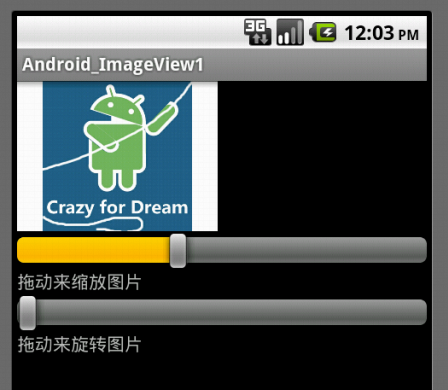
ImageView 圖片處理 ImageView 主要用來顯示圖片,也可以搭配 Matrix 做旋轉、縮放等效果。scaleType 屬性則可控制圖片在控制項中的顯示方式
 Android 架構模式 MVP 入門:讓 Activity 回歸視圖職責
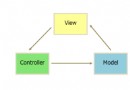
從 MVC 到 MVP在 Android 開發中,MVC 常被用來區分資料、視圖與控制邏輯。但隨著介面越來越複雜,Activity 往往同時肩負視圖渲染與流程控制,導致職
