

編輯:關於 Android 程式設計
在 Android 開發中,我們偶爾會需要一些在後台默默執行的 Activity,但又不適合改用 Service。舉例來說,點擊程式圖示後直接導向指定網址,完全不顯示任何程式介面,這種情境就很適合用特殊的 Theme 來實現。
此時可以在 AndroidManifest.xml 中,為對應的 Activity 標籤加上下面這行屬性:
android:theme="@android:style/Theme.NoDisplay"接著在該 Activity 中於 onPause() 裡呼叫 finish(),讓它執行完就立刻關閉:
@Override
protected void onPause() {
    super.onPause();
    finish();
}指定網址並使用特定瀏覽器開啟:
Intent intent = new Intent();
intent.setAction("android.intent.action.VIEW");
Uri content_url = Uri.parse("https://www.baidu.com");
intent.setData(content_url);
intent.setClassName("com.android.browser", "com.android.browser.BrowserActivity");
startActivity(intent);
指定網址並交由預設瀏覽器開啟:
Intent intent = new Intent(Intent.ACTION_VIEW,
        Uri.parse("https://www.example.com/main.html"));
startActivity(intent);Android 提供了豐富的內建主題,可以應付各種介面需求:
・android:theme="@android:style/Theme.Dialog" 將 Activity 顯示為對話框模式
・android:theme="@android:style/Theme.NoTitleBar" 不顯示標題欄
・android:theme="@android:style/Theme.NoTitleBar.Fullscreen" 不顯示標題欄並全螢幕
・android:theme="Theme.Light" 白色背景
・android:theme="Theme.Light.NoTitleBar" 白色背景且無標題欄
・android:theme="Theme.Light.NoTitleBar.Fullscreen" 白色背景、無標題欄、全螢幕
・android:theme="Theme.Black" 黑色背景
・android:theme="Theme.Black.NoTitleBar" 黑色背景且無標題欄
・android:theme="Theme.Black.NoTitleBar.Fullscreen" 黑色背景、無標題欄、全螢幕
・android:theme="Theme.Wallpaper" 以系統桌布作為背景
・android:theme="Theme.Wallpaper.NoTitleBar" 系統桌布背景且無標題欄
・android:theme="Theme.Wallpaper.NoTitleBar.Fullscreen" 系統桌布背景、無標題欄、全螢幕
・android:theme="Translucent" 半透明主題
・android:theme="Theme.Translucent.NoTitleBar" 半透明且無標題欄
・android:theme="Theme.Translucent.NoTitleBar.Fullscreen" 半透明、無標題欄、全螢幕
・android:theme="Theme.Panel" 面板風格主題
・android:theme="Theme.Light.Panel" 淺色面板風格主題
善用這些預設主題,往往能省去大量自訂樣式的工夫。
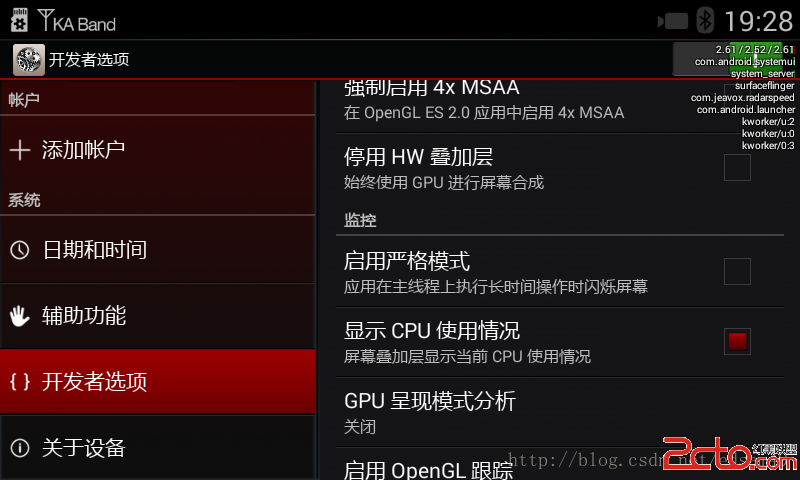 Android 系統 CPU 資源查詢與開發者選項解析
Android 基於 Linux 核心,因此在系統層面保留了許多熟悉的資源監控能力。例如命令列中的 top 可以查看 CPU 使用率、平均負載與行程資訊;在 Androi
 Android View 滑動的五種實現方式詳解
滑動看起來是個小功能,但實現路徑有五六種,各自的適用場景和副作用都不一樣。這裡系統複習一遍。 1. 重新 layout 核心思路:手指移動多少,就重新 layout 一次
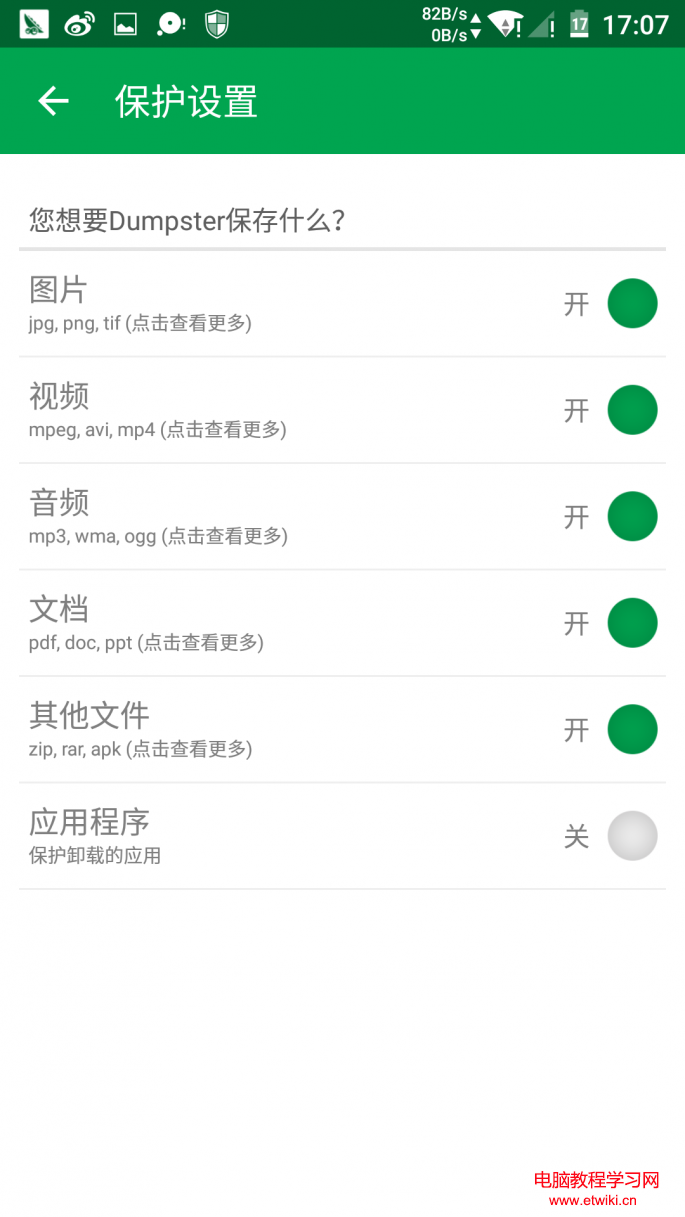 手滑誤刪怎麼辦?為安卓手機加一個回收站,還能看回被撤回的訊息
電腦上誤刪檔案,去回收站撿回來就好。手機卻沒有這個機制——一按確定,檔案就消失。同樣的遺憾也發生在聊天裡:微信、QQ 雖然支援一段時間內的「訊息撤回」,但有時誤撤回的是重
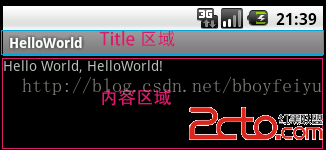 Android View 系統剖析(一):從 setContentView 說起
從 Hello World 談起 學習任何語言或平台,第一個專案大概都逃不掉 Hello World,這個傳統自 K&R 開了先例之後就很少有人打破。Androi