

編輯:關於 Android 程式設計
用 TabActivity + TabHost 做底部選單時,某些 ROM 與 API 版本上會出現「切換分頁後,兩個分頁的內容同時顯示、互相重疊」的怪現象。原因是 TabHost 內部的 TabContentView(一個 FrameLayout)預設不會把非目前分頁設為 GONE,只做了 detach 或 visibility 上的粗略處理,於是在特定版本上就露出破綻。
做法是記錄「上一次顯示的 View」,在 onTabChanged 觸發時先把它設為 GONE,再把當下的 TabContentView 設為 VISIBLE。下面是整理過後、可直接沿用的基類實作。
package com.anyjoys.view.component;

import android.app.TabActivity;
import android.content.Intent;
import android.graphics.drawable.Drawable;
import android.os.Bundle;
import android.view.View;
import android.widget.FrameLayout;
import android.widget.ImageView;
import android.widget.TabHost;
import android.widget.TabHost.OnTabChangeListener;
import android.widget.TabWidget;
import android.widget.TextView;

import com.anyjoys.R;

/**
 * Tab 版面配置基類,負責底部選單與頂部選單的管理。
 */
public class TabLayoutActivity extends TabActivity {

    private TabHost mTabHost;
    private TextView textview_unread;
    private View lastView;   // 記錄上一次顯示的 View
    private View view1;

    public TabHost getmTabHost() {
        return mTabHost;
    }

    public View getView1() {
        return view1;
    }

    @Override
    public void onCreate(Bundle savedInstanceState) {
        super.onCreate(savedInstanceState);
        setContentView(R.layout.tabhost);
        this.mTabHost = (TabHost) findViewById(android.R.id.tabhost);

        this.mTabHost.setOnTabChangedListener(new OnTabChangeListener() {
            @Override
            public void onTabChanged(String tabId) {
                // 關鍵:先把上一頁藏起來,避免視圖重疊
                if (lastView != null) {
                    lastView.setVisibility(View.GONE);
                }
                FrameLayout frameLayout = mTabHost.getTabContentView();
                frameLayout.setVisibility(View.VISIBLE);
                lastView = frameLayout;
            }
        });
    }

    /**
     * 填充底部選單,注意所有陣列參數必須一一對應。
     *
     * @param menu_id       預先定義的選單 ID 陣列
     * @param top_icon_resid 選單圖示資源陣列
     * @param str_resid     選單文字資源陣列
     * @param intent        各分頁對應的 Intent
     */
    public void setBottomMenuAndIntent(int[] menu_id, int[] top_icon_resid,
                                       int[] str_resid, Intent[] intent) {
        if (null != mTabHost) {
            for (int j = 0; j < menu_id.length; j++) {
                view1 = View.inflate(TabLayoutActivity.this, R.layout.tab, null);
                ((ImageView) view1.findViewById(R.id.tab_imageview_icon))
                        .setImageResource(top_icon_resid[j]);
                ((TextView) view1.findViewById(R.id.tab_textview_title))
                        .setText(str_resid[j]);
                view1.setBackgroundResource(R.drawable.bottom_btn_bg);

                mTabHost.addTab(buildTabSpec(menu_id[j] + "", view1, intent[j]));
            }
        }
    }

    /** 是否隱藏底部選單列 */
    public void hideBottomMenu(boolean hide) {
        if (hide) {
            this.mTabHost.getTabWidget().setVisibility(View.GONE);
        } else {
            this.mTabHost.getTabWidget().setVisibility(View.VISIBLE);
        }
    }

    /** 設定底部背景圖 */
    public void setTabBackground(int bg_resid) {
        this.mTabHost.getTabWidget().setBackgroundResource(bg_resid);
    }

    /** 建立一個 Tab 規格 */
    private TabHost.TabSpec buildTabSpec(String tag, View view, final Intent content) {
        return mTabHost.newTabSpec(tag).setIndicator(view).setContent(content);
    }

    /** 依 tag 切換到指定分頁 */
    public void startIabIntent(int menu_id) {
        this.mTabHost.setCurrentTabByTag(menu_id + "");
    }

    /**
     * 顯示未讀數量提示。必須先建立選單再呼叫,否則不顯示。
     *
     * @param postion 顯示位置,超過選單項數則視為 0
     * @param bgimgres 提示背景圖,0 代表不更換
     * @param num      要顯示的數字
     */
    public void setTipStr(int postion, int bgimgres, int num) {
        TabWidget tab = getmTabHost().getTabWidget();
        int count = tab.getChildCount();
        if (count > 0) {
            postion = postion > count ? 0 : postion - 1;
            View menuview = tab.getChildAt(postion);
            textview_unread = (TextView) menuview.findViewById(R.id.tab_textview_unread);
            textview_unread.setVisibility(View.VISIBLE);
            if (bgimgres != 0) {
                if (getResources().getDrawable(bgimgres) instanceof Drawable) {
                    textview_unread.setBackgroundResource(bgimgres);
                }
            }
            textview_unread.setText(num + "");
        }
    }

    /** 隱藏指定位置的未讀提示 */
    public void hideTipStr(int postion) {
        TabWidget tab = getmTabHost().getTabWidget();
        int count = tab.getChildCount();
        if (count > 0) {
            postion = postion > count ? 0 : postion - 1;
            View menuview = tab.getChildAt(postion);
            textview_unread = (TextView) menuview.findViewById(R.id.tab_textview_unread);
            textview_unread.setVisibility(View.GONE);
        }
    }
}
lastView 即可解決。position 換算成索引時要減 1,並對超出範圍的值做保護。TabLayout + ViewPager2 或 Navigation Component,TabActivity 在 API 13 之後即已標記為 deprecated。 UI Automator 抓取動態介面:用 dumpWindowHierarchy 補足 Viewer 缺陷
動態介面抓不到怎麼辦uiautomatorviewer 在部分動態畫面上可能無法取得節點資訊,甚至出現錯誤。此時可改用 dumpWindowHierarchy,將目前的
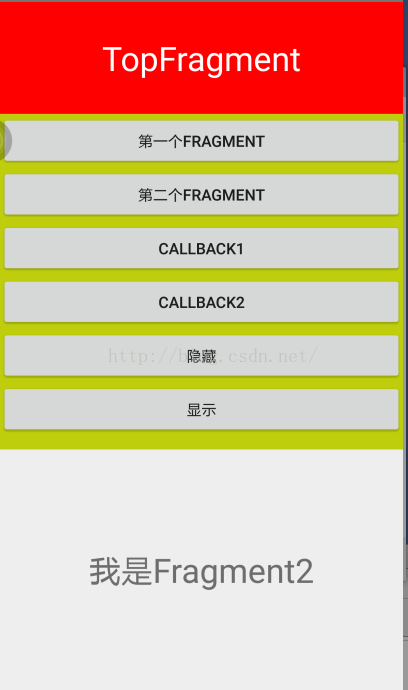 Android 動態添加 Fragment:replace、hide/show 與回呼實作
Fragment 讓介面可以模組化。動態添加 Fragment 時,通常會在 Activity 中放置 FrameLayout 作為容器,再用 FragmentManag
 Android 實戰:仿超級課程表的一鍵匯入課表功能
課程表 App 的一鍵匯入功能,核心在於模擬登入教務系統、抓取課程資料並解析顯示。本文以仿作方式說明流程。 準備工具 可使用 HttpWatch 分析登入與查詢請求,使
 帶著疑惑走進 Dagger2:從依賴注入到注解的實戰
Dagger2 最初由 Square 研發,後交由 Google 維護,是一款依賴注入(Dependency Injection,簡稱 DI)框架。它之所以越來越受歡迎,