

編輯:關於 Android 程式設計
Android 的檔案讀寫主要分為兩種情境:一是將內容寫入本應用的 data 資料夾,二是將內容寫入 SD 卡。兩者都採用 I/O 串流的讀寫技術。以下分別說明。
利用 Android 提供的 openFileOutput() 取得輸出串流,並指定寫入模式,即可將內容存到內部儲存:
public static boolean fileSaveApp(String fileName, String fileContent,
        Context context) {
    try {
        // 以 Android 提供的輸出串流將內容寫入檔案,注意 mode 的用途
        FileOutputStream fos = context.openFileOutput(fileName,
                context.MODE_APPEND);
        fos.write(fileContent.getBytes());
        fos.close();
    } catch (FileNotFoundException e) {
        e.printStackTrace();
    } catch (IOException e) {
        e.printStackTrace();
    }
    return false;
}
此處 Context 扮演關鍵角色(可用它開啟輸出或輸入串流),並需留意寫入模式。範例採用的是追加模式,資料僅能被本應用操作。
public static boolean fileSave(String fileName, String fileContent, File path) {
    File file = new File(path, fileName);
    if (!file.exists()) {
        try {
            file.createNewFile();
        } catch (IOException e) {
            e.printStackTrace();
        }
    }
    FileOutputStream fos = null;
    int count = 0;
    try {
        fos = new FileOutputStream(file);
        count = fileContent.getBytes().length;
        fos.write(fileContent.getBytes(), 0, count);
        fos.close();
        return true;
    } catch (FileNotFoundException e) {
        e.printStackTrace();
    } catch (UnsupportedEncodingException e) {
        e.printStackTrace();
    } catch (IOException e) {
        e.printStackTrace();
    }
    return false;
}
此方法的 path 參數指的是 SD 卡路徑:Environment.getExternalStorageDirectory()。寫入前需判斷 SD 卡是否存在且可寫:Environment.getExternalStorageState().equals(Environment.MEDIA_MOUNTED)。
此外,若要向 SD 卡寫入資料,必須在 manifest.xml 中加入權限:
<uses-permission android:name="android.permission.WRITE_EXTERNAL_STORAGE" />
<uses-permission android:name="android.permission.MOUNT_UNMOUNT_FILESYSTEMS" />
第一個權限表示對 SD 卡可寫,第二個權限表示可在 SD 卡中建立與刪除檔案。
讀取時,先以 openFileInput() 取得輸入串流,再把讀到的位元組寫入記憶體,最後轉為字串(若要讀取 SD 卡中的檔案,同樣記得先判斷 SD 卡是否存在且可讀):
public static String readFile(String fileName, Context context) {
    String str = "";
    try {
        FileInputStream fis = context.openFileInput(fileName);
        ByteArrayOutputStream bos = new ByteArrayOutputStream();
        byte[] buffer = new byte[1024];
        int len = 0;
        while ((len = fis.read(buffer)) != -1) {
            // 以位元組輸出串流將讀到的內容寫入記憶體
            bos.write(buffer, 0, len);
        }
        // 將輸出串流中的資料轉為 String
        str = new String(bos.toByteArray(), "utf-8");
    } catch (FileNotFoundException e) {
        e.printStackTrace();
    } catch (IOException e) {
        e.printStackTrace();
    }
    return str;
}
Context.MODE_PRIVATE:預設操作模式,代表該檔案為私有資料,僅能被應用本身存取。此模式下寫入的內容會覆蓋原檔內容。Context.MODE_APPEND:會檢查檔案是否存在,存在則追加內容,否則建立新檔。Context.MODE_WORLD_READABLE 與 Context.MODE_WORLD_WRITEABLE:用來控制其他應用是否有權讀寫該檔案。前者表示目前檔案可被其他應用讀取,後者表示可被其他應用寫入。若希望檔案能被其他應用讀寫,可傳入:
openFileOutput("itcast.txt",
    Context.MODE_WORLD_READABLE + Context.MODE_WORLD_WRITEABLE);
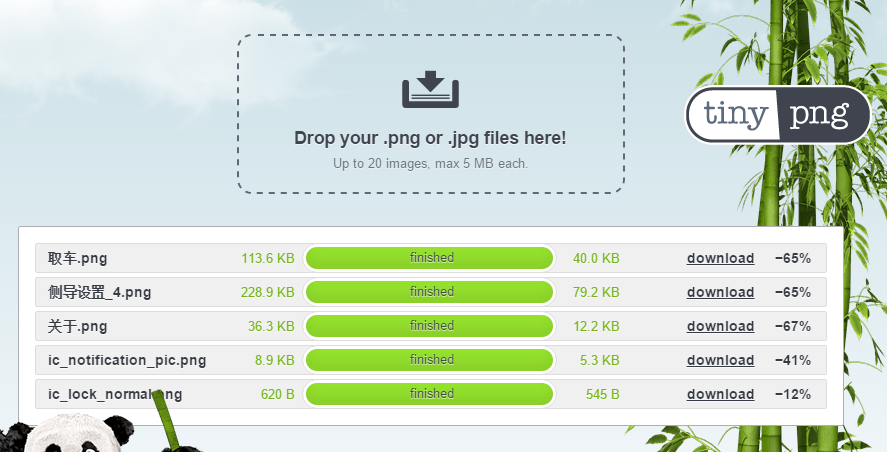 APK 瘦身實錄:從源碼、資源到 so 庫的完整優化清單
技術在往前跑,動畫越做越炫,UI 越做越精緻——然後 APK 就這樣悄悄胖了幾十 MB。有人會說現在到處都是 Wi-Fi,多幾 MB沒什麼。話是沒錯,但對開發者而言,這不
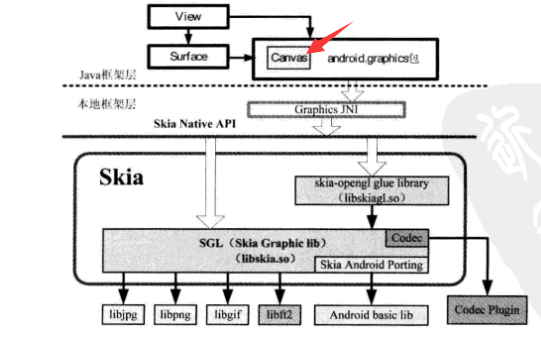 Canvas 常見用法大盤點:從基本圖形到畫布變換與文本繪製
Canvas canvas 是一種抽象概念,是 2D 圖形系統中的重要部分。canvas 的一系列函數,最終都是 Android 2D 圖形庫 Skia 的封裝,對應在
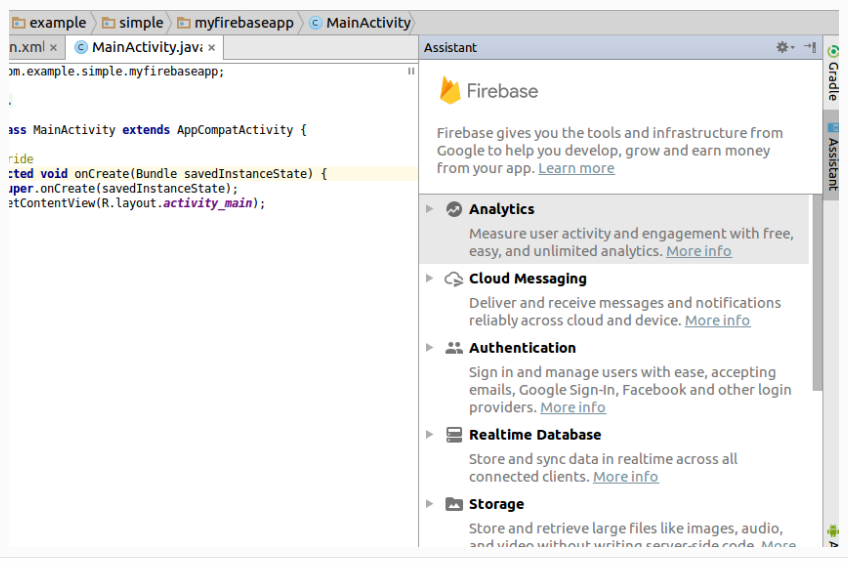 Firebase 上手 for Android:分析、用戶認證與實時數據庫
移動應用要做大一點,幾乎繞不開後端:用戶身份驗證、多設備數據同步、行為統計。可自建服務器意味著要懂運維、懂數據庫、懂接口設計——而多數獨立開發者的技能樹恰好缺這一支。 好
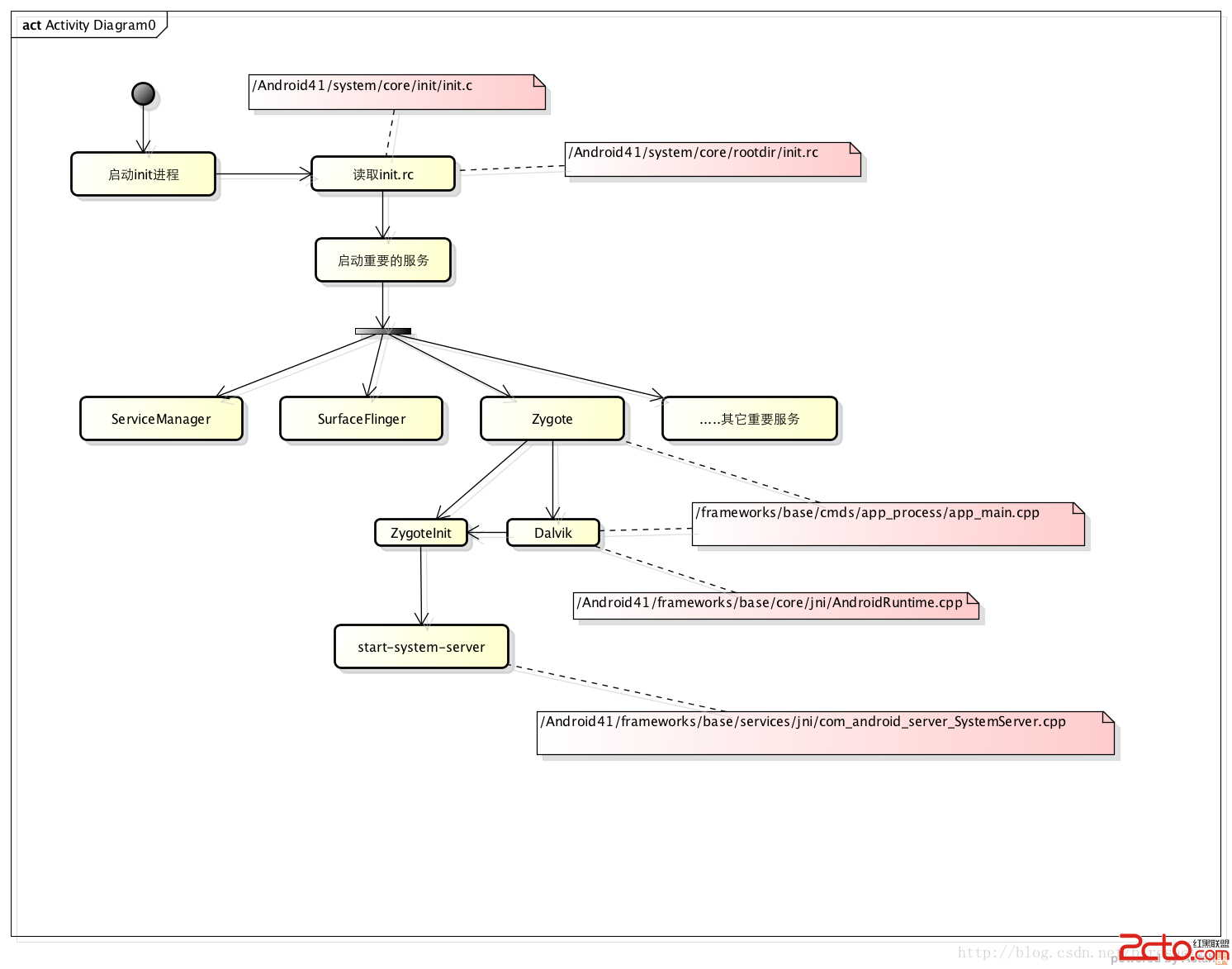 Android 系統啟動流程研究(一):從 init 到 SystemServer
Android 系統龐大,要徹底搞懂運行原理需要長期累積。系統啟動部分我看了好幾遍卻一直沒有整理,今天做個簡單的總結。以下分析基於 4.1 版本源碼,其他版本可能略有差異