

編輯:關於 Android 程式設計
在 Android 中為圖片加上圓角是相當常見的需求。本文改良了流傳已久的一個圓角範例,主要優化點在於「少建立一次 Bitmap」,从而降低記憶體消耗。
public static Bitmap roundCorners(final Bitmap source, final float radius) {
    int width = source.getWidth();
    int height = source.getHeight();

    Paint paint = new Paint();
    paint.setAntiAlias(true);
    paint.setColor(android.graphics.Color.WHITE);

    Bitmap clipped = Bitmap.createBitmap(width, height, Bitmap.Config.ARGB_8888);
    Canvas canvas = new Canvas(clipped);
    canvas.drawRoundRect(new RectF(0, 0, width, height), radius, radius, paint);

    // 關鍵:以 SRC_IN 模式將原圖合成進圓角遮罩
    paint.setXfermode(new PorterDuffXfermode(android.graphics.PorterDuff.Mode.SRC_IN));
    canvas.drawBitmap(source, 0, 0, paint);

    source.recycle();
    return clipped;
}
對照之下,原版的做法額外建立了一個 rounded Bitmap,並多了一次 clipped.recycle():
/**
 * Round the corners of a {@link Bitmap}
 * @param source 原始圖片
 * @param radius 圓角半徑
 * @return 帶有圓角的 bitmap
 */
public static Bitmap roundCorners(final Bitmap source, final float radius) {
    int width = source.getWidth();
    int height = source.getHeight();

    Paint paint = new Paint();
    paint.setAntiAlias(true);
    paint.setColor(WHITE);

    Bitmap clipped = Bitmap.createBitmap(width, height, ARGB_8888);
    Canvas canvas = new Canvas(clipped);
    canvas.drawRoundRect(new RectF(0, 0, width, height), radius, radius, paint);

    paint.setXfermode(new PorterDuffXfermode(DST_IN));
    Bitmap rounded = Bitmap.createBitmap(width, height, ARGB_8888);
    canvas = new Canvas(rounded);
    canvas.drawBitmap(source, 0, 0, null);
    canvas.drawBitmap(clipped, 0, 0, paint);

    source.recycle();
    clipped.recycle();
    return rounded;
}
兩者的核心差異在於合成模式:原版使用 DST_IN 並額外建立一張位圖來承載結果;改良版則直接以 SRC_IN 把原圖合成到圓角遮罩上,省去一次 Bitmap 配置與回收,在處理大量圖片或低階裝置上能帶來明顯的效能優勢。
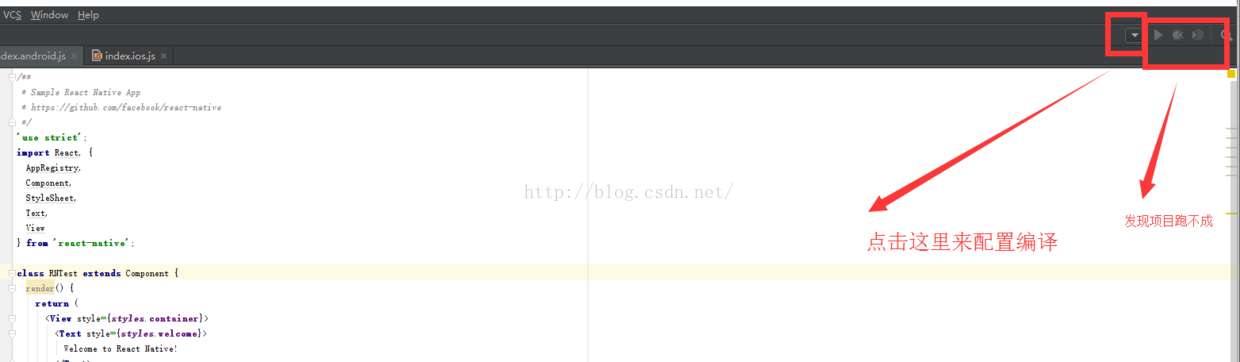 Android 原生專案嵌入 React Native 的實作指南
一、專案目錄結構 這裡採用 react-native init Project 產生的結構,也就是 Android 專案目錄與 node_modules 放在同一層。 i
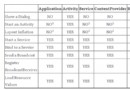 Android 記憶體洩露常見成因與 Context 使用建議
單例與 Context 的風險 在 Android 開發中,很多記憶體洩露來自看似直覺的寫法。例如建立單例類別時,若直接把 Activity 的 Context 存入靜態
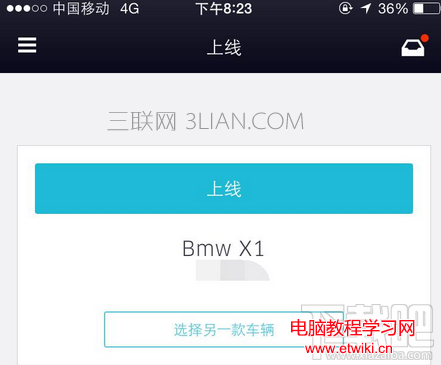 優步在線客服怎麼聯繫?優步客服咨詢入口介紹
優步在線客服聯繫方式與使用路徑 若撥打優步客服電話未接通,可嘗試使用App內的在線客服。不過,該功能並非所有城市都支援,若未看到入口,代表所在城市暫未開放。 在叫車界面點
 Windows 上架設 Android 開發環境:ADT 路線完整指南
什麼情況適合走這條路? 臨時接到 Android 開發任務,需要快速把環境弄起來。 Android Studio 是基於 IDEA 的,在低配機器上(例如雙核 i5、6