

編輯:關於 Android 程式設計
要在 OpenGL ES 中打造 3D 場景,就得先學會用三角形拼出各種立體物件,再透過頂點數組把它們畫出來。本文以四稜錐與四方體為例,說明 3D 空間的建模與繪製流程。
OpenGL ES 中的立體物件,歸根究柢都是由三角形拼組而成:四稜錐由 4 個三角形構成,四方體則由 6 個三角形構成。
這裡有個關鍵難點:若希望物件能繞「自身的中心軸」旋轉,就必須讓物件的中心座標永遠落在原點 (0.0f, 0.0f, 0.0f);此外,所有三角形的頂點都要按照逆時針順序繪製,這樣正面朝向才會正確。
3D 空間的繪製依靠 glDrawArrays 函數:
void glDrawArrays(GLenum mode, GLint first, GLsizei count);
參數說明:mode:繪製方式,OpenGL 2.0 以後提供 GL_POINTS、GL_LINES、GL_LINE_LOOP、GL_LINE_STRIP、GL_TRIANGLES、GL_TRIANGLE_STRIP、GL_TRIANGLE_FAN 等選項。first:從頂點緩存中的第幾個位置開始繪製,一般為 0。count:本次要繪製的頂點數量。
以四稜錐與四方體為例,分別用迴圈分批繪製各個面:
// 繪製四稜錐(4 個三角形,每面 3 個頂點)
for (int i = 0; i < 4; i++) {
    gl.glDrawArrays(GL10.GL_TRIANGLE_STRIP, i * 3, 3);
}

// 繪製四方體(6 個面,每面 4 個頂點)
for (int i = 0; i < 6; i++) {
    gl.glDrawArrays(GL10.GL_TRIANGLE_STRIP, i * 4, 4);
}
以下示範如何用 IntBuffer 包裝四稜錐與四方體的頂點座標(這裡用 0x10000 代表 1.0 的定點表示法):
int one = 0x10000;

// 四稜錐頂點數組(4 個三角形,共 12 個頂點)
private IntBuffer triggerBuffer = IntBuffer.wrap(new int[]{
    0,   one,  0,
    -one, -one, 0,
    one,  -one, one,

    0,   one,  0,
    one,  -one, one,
    one,  -one, -one,

    0,   one,  0,
    one,  -one, -one,
    -one, -one, -one,

    0,   one,  0,
    -one, -one, -one,
    -one, -one, one
});

// 四方體頂點數組(6 個面,共 24 個頂點)
private IntBuffer quaterBuffer = IntBuffer.wrap(new int[]{
    one,   one, -one,
    -one,  one, -one,
    one,   one,  one,
    -one,  one,  one,

    one,  -one,  one,
    -one, -one,  one,
    one,  -one, -one,
    -one, -one, -one,

    one,   one, one,
    -one,  one, one,
    one,  -one, one,
    -one, -one, one,

    one,  -one, -one,
    -one, -one, -one,
    one,   one, -one,
    -one,  one, -one,

    -one,  one, one,
    -one,  one, -one,
    -one, -one, one,
    -one, -one, -one,

    one,   one, -one,
    one,   one,  one,
    one,  -one, -one,
    one,  -one,  one
});
把這些頂點數據準備好,再搭配 glDrawArrays 分批繪製,你就能在螢幕上畫出會旋轉的 3D 幾何體了。
 PopupWindow 模擬 iOS 底部彈窗
底部彈窗的應用在行動應用中,底部彈窗常用於提供操作選單,例如選擇頭像來源、分享管道或取消操作。它比中央對話框更貼近拇指操作,也符合多數使用者的習慣。PopupWindow
 Android 特效專輯(八):實現心型氣泡飛舞特效,讓你的 APP 瞬間暖心
Android 特效專輯(八)——實現心型氣泡飛舞特效 臨近年假,家裡估計會斷網,更新完這篇可能要等到年後了。不過在此期間我會把更新內容保存在
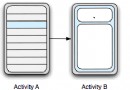 Android Fragment 概述與基本用法
Fragment 通常是宿主 Activity 界面的一部分或一種行為,作為整個 View 層級結構的一部分嵌入其中。我們可以把多個 Fragment 組合到一個 Act
 Android Fragment 使用方法整理
 Fragment 是 Android 中常見的 UI 元件,可視為可重複使用、可嵌入 Activity 的畫面區塊。它適合