

編輯:關於 Android 程式設計
在 Android 應用中與伺服器交換資料是最基本的需求之一。本文整理了三種常見的 HTTP 提交方式:以 HttpURLConnection 實現的 GET、POST,以及以 Apache HttpClient 提交表單,並附上 XML 提交與伺服器端接收的範例。
以 POST 方式上傳一段 XML 資料:
public static boolean sendXML(String path, String xml) throws Exception {
    byte[] data = xml.getBytes();
    URL url = new URL(path);
    HttpURLConnection conn = (HttpURLConnection) url.openConnection();
    conn.setRequestMethod("POST");
    conn.setConnectTimeout(5 * 1000);
    conn.setDoOutput(true); // POST 提交必須允許對外輸出
    conn.setRequestProperty("Content-Type", "text/xml; charset=UTF-8");
    conn.setRequestProperty("Content-Length", String.valueOf(data.length));

    OutputStream outStream = conn.getOutputStream();
    outStream.write(data);
    outStream.flush();
    outStream.close();

    return conn.getResponseCode() == 200;
}
把參數拼接到網址後方,並對每個值進行 URL 編碼:
public static boolean sendGetRequest(String path, Map<String, String> params, String enc) throws Exception {
    StringBuilder sb = new StringBuilder(path);
    sb.append('?');
    for (Map.Entry<String, String> entry : params.entrySet()) {
        sb.append(entry.getKey()).append('=')
          .append(URLEncoder.encode(entry.getValue(), enc)).append('&');
    }
    sb.deleteCharAt(sb.length() - 1); // 移除多餘的 &

    URL url = new URL(sb.toString());
    HttpURLConnection conn = (HttpURLConnection) url.openConnection();
    conn.setRequestMethod("GET");
    conn.setConnectTimeout(5 * 1000);
    return conn.getResponseCode() == 200;
}
把參數編碼後寫入輸出流,並設定 Content-Type 為 application/x-www-form-urlencoded:
public static boolean sendPostRequest(String path, Map<String, String> params, String enc) throws Exception {
    StringBuilder sb = new StringBuilder();
    if (params != null && !params.isEmpty()) {
        for (Map.Entry<String, String> entry : params.entrySet()) {
            sb.append(entry.getKey()).append('=')
              .append(URLEncoder.encode(entry.getValue(), enc)).append('&');
        }
        sb.deleteCharAt(sb.length() - 1);
    }
    byte[] entitydata = sb.toString().getBytes();

    URL url = new URL(path);
    HttpURLConnection conn = (HttpURLConnection) url.openConnection();
    conn.setRequestMethod("POST");
    conn.setConnectTimeout(5 * 1000);
    conn.setDoOutput(true);
    conn.setRequestProperty("Content-Type", "application/x-www-form-urlencoded");
    conn.setRequestProperty("Content-Length", String.valueOf(entitydata.length));

    OutputStream outStream = conn.getOutputStream();
    outStream.write(entitydata);
    outStream.flush();
    outStream.close();

    return conn.getResponseCode() == 200;
}
使用 Apache HttpClient 提交,程式碼更為簡潔,也便於擴展 SSL、Cookie 等能力:
public static boolean sendRequestFromHttpClient(String path, Map<String, String> params, String enc) throws Exception {
    List<NameValuePair> paramPairs = new ArrayList<NameValuePair>();
    if (params != null && !params.isEmpty()) {
        for (Map.Entry<String, String> entry : params.entrySet()) {
            paramPairs.add(new BasicNameValuePair(entry.getKey(), entry.getValue()));
        }
    }
    UrlEncodedFormEntity entitydata = new UrlEncodedFormEntity(paramPairs, enc);
    HttpPost post = new HttpPost(path);
    post.setEntity(entitydata);

    DefaultHttpClient client = new DefaultHttpClient();
    HttpResponse response = client.execute(post);
    return response.getStatusLine().getStatusCode() == 200;
}
伺服器端針對 GET 與 POST 分別處理,並特別注意 GET 傳送的中文參數需進行編碼轉換,以避免亂碼:
public ActionForward save(ActionMapping mapping, ActionForm form,
        HttpServletRequest request, HttpServletResponse response) throws Exception {
    VideoForm formbean = (VideoForm) form;
    if ("GET".equals(request.getMethod())) {
        // GET 傳來的中文需先以 ISO-8859-1 還原,再以 UTF-8 解碼
        byte[] data = request.getParameter("title").getBytes("ISO-8859-1");
        String title = new String(data, "UTF-8");
        System.out.println("title:" + title);
    } else {
        // POST 參數可直接從表單取得
        System.out.println("title:" + formbean.getTitle());
    }
    return mapping.findForward("result");
}
實務上提醒:以上 HttpURLConnection、DefaultHttpClient 等屬於較早期的寫法,新專案建議優先採用 OkHttp 或官方推薦的網路庫,並務必把網路操作放在非主執行緒(背景執行緒)中執行,同時於清單檔加入 android.permission.INTERNET 權限。
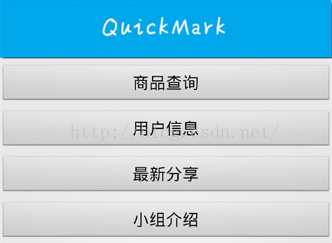 Android 進階(二十三):以「我查查」項目串起開發全流程
前言 隔了很长一段时间再回頭看自己以前寫的 Android 項目,重新動手時竟一時無從下手——技能生疏得比想像中快。溫故而知新,於是拿之前做過的一個小項目重新梳理一遍:從
 BroadcastReceiver廣播接收器完全詳解
BroadcastReceiver,也就是「廣播接收器」,用來接收來自系統和應用程式發出的廣播。在Android中,Broadcast是一種廣泛用於應用程式之間傳輸資訊的
 一步一步學 Android 控件(二十七):SlidingDrawer
官方對 SlidingDrawer 的解釋是:它會把內容隱藏在螢幕之外,並允許使用者拖動 handle 把內容拉出到螢幕上。一個 SlidingDrawer 由兩個子 V
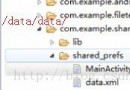 Android 複習筆記:SharedPreferences 的使用與源碼解析
典型的應用場合是:進入某個介面後顯示預設值(當然也能直接在佈局檔中指定)。 基本重點 SharedPreferences 產生的檔案最終以 XML 形式存放在 /dat