

編輯:關於 Android 程式設計
行動裝置的定位從來不是單一來源,而是「哪裡取得到就用哪裡」。實務上最穩健的順序是:先問 GPS 模組,取不到就改用 Wi-Fi/行動網路定位,再不行就退回蜂窩基站資訊去換算座標。以下把這個三層降級的流程用程式實作出來。
LocationTools 對外只暴露一個 getLocation(),內部依序嘗試三種來源:
public class LocationTools {

    public static String getLocation() {
        return getDeviceAddressbyGeoPoint();
    }

    private static String getDeviceAddressbyGeoPoint() {
        LocationManager locationManager = (LocationManager) PickrideApplication
                .getAppContext().getSystemService(Context.LOCATION_SERVICE);

        // 第一順位:GPS 的最後已知位置
        Location location = locationManager
                .getLastKnownLocation(LocationManager.GPS_PROVIDER);

        // 第二順位:網路(Wi-Fi / 基地台)定位
        if (location == null) {
            location = locationManager
                    .getLastKnownLocation(LocationManager.NETWORK_PROVIDER);
        }

        // 第三順位:直接取 GSM 基站資訊去反查
        if (location == null) {
            String locaStr = getLocationByGSMCell();
            if (locaStr != null) {
                return locaStr;
            }
        }

        if (location == null) {
            return ""; // 三種來源都取不到
        }

        String add = GetAddr(String.valueOf(location.getLatitude()),
                String.valueOf(location.getLongitude()));
        if (add != null) {
            return add;
        }

        // 地址反查失敗時,至少把座標交出去
        return location.getLatitude() + "-" + location.getLongitude();
    }
}
這裡有個實務上必須知道的細節:getLastKnownLocation 拿的是「最後一次已知位置」,可能是很久以前、甚至幾公里外的舊資料。若你的功能對即時性有要求(導航、打卡),應該改用 requestLocationUpdates 主動訂閱更新,並檢查 location.getTime() 是否過舊。getLastKnownLocation 適合的是「只要大概位置就好」的情境,例如城市天氣、附近門店推薦。
拿到座標之後,若要轉成人看得懂的地址,可以呼叫地圖服務的反向地理編碼介面。原始寫法是以 csv 格式取回最精簡的結果:
private static String GetAddr(String latitude, String longitude) {
    String addr = "";
    // output 可為 csv / xml / json,csv 最精簡、最好解析
    String url = String.format(
            "https://ditu.google.cn/maps/geo?output=csv&key=abcdef&q=%s,%s",
            latitude, longitude);

    URL myURL = null;
    URLConnection conn = null;
    try {
        myURL = new URL(url);
    } catch (MalformedURLException e) {
        e.printStackTrace();
        return null;
    }

    try {
        conn = myURL.openConnection();
        if (conn != null) {
            InputStreamReader insr = new InputStreamReader(
                    conn.getInputStream(), "UTF-8");
            BufferedReader br = new BufferedReader(insr);
            String data = null;
            if ((data = br.readLine()) != null) {
                String[] retList = data.split(",");
                if (retList.length > 2 && "200".equals(retList[0])) {
                    addr = retList[2];
                    addr = addr.replace("\"", "");
                    addr = addr.split(" ")[0]; // 去掉郵遞區號,只留地址
                }
            }
            insr.close();
        }
    } catch (IOException e) {
        e.printStackTrace();
        return null;
    }
    return addr;
}
必須提醒:這類以 key=abcdef 呼叫的旧版 Google 地圖 geo 介面早已停止服務,直接照抄只會拿到失敗回應。目前的標準做法是改用平台內建的 Geocoder(getFromLocation)或第三方程式庫/地圖服務商提供的反向編碼 API,並留意其流量與配額限制——免費方案通常對單一 IP 或小時內的請求數有明確上限,超得之後會被暫時或長期封鎖。
另外,網路請求絕對不能放在 UI 線程,這段邏輯應該包在 AsyncTask、Thread 或現行的 Coroutine/Executor 裡執行。
當 GPS 與網路定位都拿不到資料時,還有一條退路:讀取目前連接的基地台資訊,交給外部服務換算位置。
private static String getLocationByGSMCell() {
    TelephonyManager tm = (TelephonyManager) PickrideApplication
            .getAppContext().getSystemService(Context.TELEPHONY_SERVICE);
    GsmCellLocation gsmCell = (GsmCellLocation) tm.getCellLocation();

    int cid = gsmCell.getCid();
    int lac = gsmCell.getLac();
    String netOperator = tm.getNetworkOperator();
    int mcc = Integer.valueOf(netOperator.substring(0, 3));
    int mnc = Integer.valueOf(netOperator.substring(3, 5));

    JSONObject holder = new JSONObject();
    JSONArray array = new JSONArray();
    JSONObject data = new JSONObject();
    try {
        holder.put("version", "1.1.0");
        holder.put("host", "maps.google.com");
        holder.put("address_language", "zh_CN");
        holder.put("request_address", true);
        holder.put("radio_type", "gsm");
        holder.put("carrier", "HTC");

        data.put("cell_id", cid);
        data.put("location_area_code", lac);
        data.put("mobile_country_code", mcc);
        data.put("mobile_network_code", mnc);
        array.put(data);
        holder.put("cell_towers", array);
    } catch (JSONException e) {
        e.printStackTrace();
    }

    DefaultHttpClient client = new DefaultHttpClient();
    HttpPost httpPost = new HttpPost("https://www.google.com/loc/json");
    StringEntity stringEntity = null;
    try {
        stringEntity = new StringEntity(holder.toString());
    } catch (UnsupportedEncodingException e) {
        e.printStackTrace();
    }
    httpPost.setEntity(stringEntity);

    HttpResponse httpResponse = null;
    try {
        httpResponse = client.execute(httpPost);
    } catch (ClientProtocolException e) {
        e.printStackTrace();
    } catch (IOException e) {
        e.printStackTrace();
    }

    HttpEntity httpEntity = httpResponse.getEntity();
    InputStream is = null;
    try {
        is = httpEntity.getContent();
    } catch (IllegalStateException e) {
        e.printStackTrace();
    } catch (IOException e) {
        e.printStackTrace();
    }

    InputStreamReader isr = new InputStreamReader(is);
    BufferedReader reader = new BufferedReader(isr);
    StringBuffer stringBuffer = new StringBuffer();
    try {
        String result = "";
        while ((result = reader.readLine()) != null) {
            stringBuffer.append(result);
        }
    } catch (IOException e) {
        e.printStackTrace();
    }

    String location = stringBuffer.toString();
    try {
        JSONTokener jsonParser = new JSONTokener(location);
        JSONObject person = (JSONObject) jsonParser.nextValue();
        JSONObject oj1 = person.getJSONObject("location");
        JSONObject oj2 = oj1.getJSONObject("address");
        String region = oj2.getString("region");
        String city = oj2.getString("city");
        String street = oj2.getString("street");
        return region + city + street;
    } catch (JSONException e) {
        e.printStackTrace();
    }
    return null;
}
基站定位的精度只能到「哪個區、哪條街」的等級,適合當作降級方案而非主要來源。實作上有幾個地方值得修正:DefaultHttpClient 與 Apache HTTP 套件在新版 Android 已被移除,應改用 HttpURLConnection 或 OkHttp;GsmCellLocation 在 LTE/5G 環境下需改用 CellInfoL 系列 API;getCellLocation 可能回傳 null,取用前務必先判空。
不論走哪一條路,AndroidManifest.xml 都必須先宣告權限,並在執行期向使用者請求:粗略位置用 ACCESS_COARSE_LOCATION,需要 GPS 精度則加 ACCESS_FINE_LOCATION;基站資訊則需 READ_PHONE_STATE。缺少這些宣告,getLastKnownLocation 只會靜靜地回傳 null,這是新手最常誤判為「定位模組壞了」的情況。
總結來說,可靠的定位模組不是「找到最準的那一個來源」,而是「把每一層降級都寫好,並在全部失敗時優雅地退回座標或空字串」。同時記得把網路與硬體查詢都移出主線程,並為每一層加上合理的逾時與例外處理。
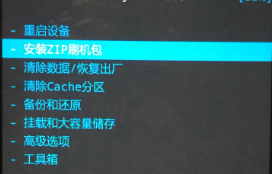 在 Linux 環境下為 Android 裝置刷機的完整流程
在 Linux 下為 Android 裝置刷機,其實不需要複雜的助手軟體。只要準備好對應機型的 ROM 壓縮檔,並透過 adb sideload 推送安裝即可。以下整理完
 Android 實訓案例:自定義五子棋棋盤、棋子與勝負判斷
前言 自定義 View 是 Android 開發中非常能展現基本功的題目。本文以單機五子棋為例,從棋盤測量、線條繪製、棋子繪製、點擊落子,一路做到勝負判斷、狀態保存與重新
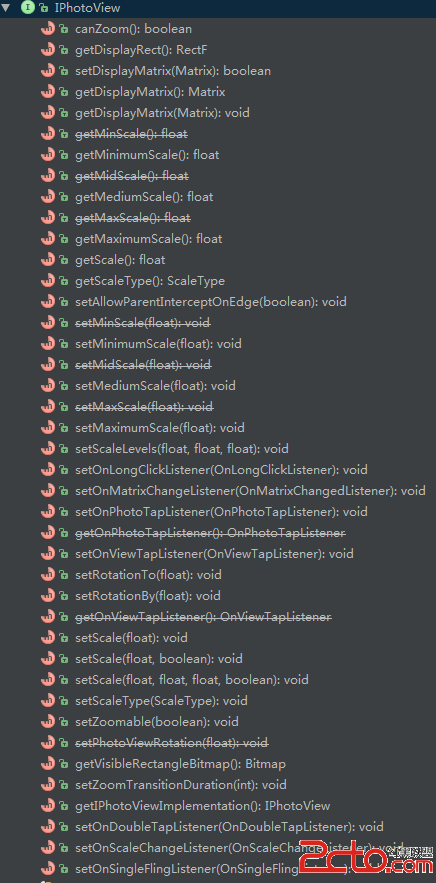 PhotoView 源碼深度解讀:圖片縮放是如何實現的
開源地址:https://github.com/chrisbanes/PhotoView PhotoView 是一個幫助開發者輕鬆實現 ImageView 縮放的庫,縮放
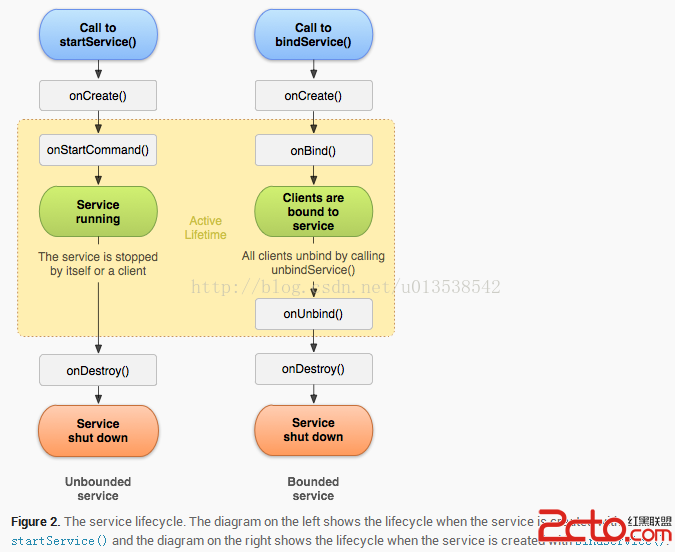 Android Service 服務完整解析:生命週期、啟動方式與跨進程通訊
Service 到底是什麼 Service 是 Android 四大元件之一,最鮮明的特點是它沒有使用者介面。它依附在應用行程當中於背景執行,很適合承接那些「不能因為使