

編輯:關於 Android 程式設計
近來在研究 ALSA 的 driver,並嘗試於 Android 環境中編譯 alsa-utils 工具。以下把整個編譯過程以及期間遇到的問題與解法記錄下來,供需要的朋友參考。
首先從 ALSA 官方網站下載 alsa-utils-1.0.23 版本的工具。由於專案中的 alsa-lib 也是 1.0.23 版,為了避免版本不一致而衍生問題,特別選擇相同版本。alsa-lib 位於 android_source/external/alsa-lib 目錄下,因此也把下載的 alsa-utils-1.0.23 放到同一個位置。
在 alsa-utils 目錄下建立 Android.mk,內容如下(此處僅示範編譯 aplay,其他工具寫法相同):
ifeq ($(strip $(BOARD_USES_ALSA_AUDIO)),true)

LOCAL_PATH:= $(call my-dir)

include $(CLEAR_VARS)
LOCAL_CFLAGS := \
    -fPIC -D_POSIX_SOURCE \
    -DALSA_CONFIG_DIR=\"/system/usr/share/alsa\" \
    -DALSA_PLUGIN_DIR=\"/system/usr/lib/alsa-lib\" \
    -DALSA_DEVICE_DIRECTORY=\"/dev/snd/\"

LOCAL_C_INCLUDES:= \
    $(LOCAL_PATH)/include \
    $(LOCAL_PATH)/android \
    external/alsa-lib/include

LOCAL_SRC_FILES := \
    aplay/aplay.c

LOCAL_MODULE_TAGS := debug
LOCAL_MODULE := alsa_aplay
LOCAL_SHARED_LIBRARIES := \
    libasound \
    libc
include $(BUILD_EXECUTABLE)
接著在 alsa-utils 工具包中建立 sys 目錄與 aconfig.h 檔,並在其中寫入以下內容:
#define DATADIR "/system/usr/share/alsa"

#define rindex strrchr

#define open64 open

#undef __swab16
#define __swab16(x)  __arch__swab16((x))

#undef __swab32
#define __swab32(x)  __arch__swab32((x))
進入上一步建立的 sys 目錄,建立 signal.h 頭檔,內容為:
#include <signal.h>
完成以上設定後即可直接編譯 Android。過程中可能遇到以下幾個錯誤:
4.1 出現 linux/un.h:18: error: expected specifier-qualifier-list before 'sa_family_t':這是因為 alsa-utils/alsactl/init_parse.c 在 include un.h 之前沒有先 include <sys/socket.h>,於該處補上即可解決。
4.2 出現 aplay.c ... 'S_IRGRP' undeclared:只要在 aplay.c 中加上 #include <sys/stat.h> 便可解決。
4.3 出現 speaker-test.c ... wav_file_dir 沒有定義:這個值用來指定 wav 檔案在裝置中的存放位置,可自訂任意路徑,本例中定義在 /sdcard 目錄下。
經過上述種種修改後,alsa-utils 工具終於能順利編譯成功。
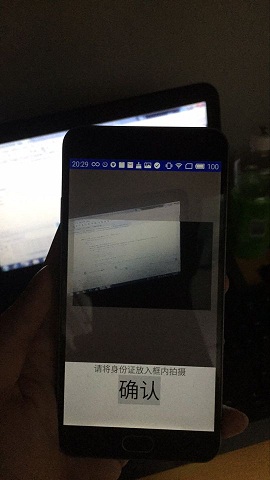 仿掃一掃拍攝框:Camera 預覽、遮罩與裁切
需求描述掃一掃類應用常見的畫面是:中間有一個透明拍攝框,四周是半透明遮罩。使用者拍照後,只截取框內的內容。這個效果可以用 Camera 預覽、重疊布局與 Bitmap 裁
 Android IPC 機制(四):深入解析 Binder 連接池
Binder 是 Android 跨進程通訊的核心。若每個業務模組都各自建立 AIDL 與 Service,會造成維護負擔。Binder 連接池的概念,是用一個 Serv
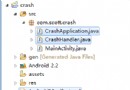 Android 崩潰異常捕獲詳解:全域收集錯誤資訊並上報伺服器
大家都知道,目前安裝 Android 系統的手機在版本與裝置上千差萬別,在模擬器上運行良好的程式,裝到某款手機上說不定就崩潰了。開發者個人不可能買齊所有裝置逐一除錯,因此
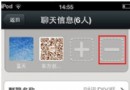 微信怎麼用?加好友、建群與發紅包的入門教學
「怎麼使用微信」是個很大的問題,因為它能做的事太多:分享音樂與圖片、轉發連結、開群聊、發紅包,經營公眾號之後還能做內容與行銷。以下把最基礎的三件事——加好友、建群、發紅包