

編輯:關於 Android 程式設計
把介面上的字串從程式碼裡搬到外部資源檔,是很值得養成的好習慣。Android 為此準備了專屬的資源目錄機制。
用 SDK 工具建立專案時,工具會在根目錄產生 res/,其中的子資料夾代表不同資源類型,例如 res/values/strings.xml 就是存放預設字串的地方。
要支援多國語言,做法是在 res/ 下建立以「values-」加上 ISO 語言代碼命名的資料夾。例如 values-es/ 存放的是語言代碼為 es 的資源。執行時 Android 會依裝置的語言設定自動挑選對應資源。
目錄結構大致如下:
MyProject/
    res/
        values/
            strings.xml
        values-es/
            strings.xml
        values-fr/
            strings.xml
英語(預設),/values/strings.xml:
<?xml version="1.0" encoding="utf-8"?>
<resources>
    <string name="title">My Application</string>
    <string name="hello_world">Hello World!</string>
</resources>
西班牙語,/values-es/strings.xml:
<?xml version="1.0" encoding="utf-8"?>
<resources>
    <string name="title">Mi Aplicación</string>
    <string name="hello_world">Hola Mundo!</string>
</resources>
法語,/values-fr/strings.xml:
<?xml version="1.0" encoding="utf-8"?>
<resources>
    <string name="title">Mon Application</string>
    <string name="hello_world">Bonjour le monde !</string>
</resources>
小提醒:區域限定符不只用在字串上,你也可以為不同區域準備不同圖片,細節可參考官方 Localization 章節。
資源的名稱由 <string> 的 name 屬性決定,之後就能在 Java 與 XML 中跨處引用。
Java 中使用 R.string.<string_name>:
// 從資源取出字串
String hello = getResources().getString(R.string.hello_world);

// 直接餵給需要字串的方法
TextView textView = new TextView(this);
textView.setText(R.string.hello_world);
XML 中使用 @string/<string_name>:
<TextView
    android:layout_width="wrap_content"
    android:layout_height="wrap_content"
    android:text="@string/hello_world" />
只要養成「不寫死字串」的習慣,日後要加語言時,往往只需補一個 XML 檔,不必回頭翻整份程式碼。
作者:lixiang0522
 Android 圖像繪製(二)畫布上放大縮小的位置問題
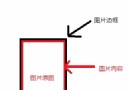
在 Android 中將圖像在畫布上放大縮小時,圖像的邊框大小並不會跟著改變! 原圖如下: 放大後:原圖的邊框沒有改變,位置依舊! 所以若要正確擺放圖片的位置,
 有話微笑說是什麼 網絡電話怎麼打
「有話微笑說」聽名字就頗為新鮮。這款App之所以受歡迎,正是因為通話品質穩定、資費便宜,長期用下來能省下不少話費。它究竟是什麼?又該怎麼打電話?小編下面就說清楚。 有話微
 CoordinatorLayout 其實一點都不難(Android)
先前在網上找 CoordinatorLayout 的教學,看到的文章幾乎都是把它和 AppBarLayout、CollapsingToolbarLayout、Toolba
 Android 自訂 ViewGroup 之子控件自動換行與增刪
概述 常用的佈局類型並不能滿足所有需求,這時就需要用到 ViewGroup。 ViewGroup 作為容納 View 的容器,我們在編寫佈局 XML 時,會透過以 lay