

編輯:關於 Android 程式設計
許多優秀的音訊播放應用,都會在聲音可能變成「噪音」(透過外部喇叭輸出)的事件發生時自動停止播放。最典型的例子,就是使用者正戴著耳機聽音樂,耳機卻突然被拔掉的瞬間——此時音樂若改由喇叭大聲播放,往往並非使用者所期望的。
為確保在此情況下停止播放,你可以處理 ACTION_AUDIO_BECOMING_NOISY Intent。首先在 manifest 中註冊一個接收器:
<receiver android:name=".MusicIntentReceiver">
   <intent-filter>
     <action android:name="android.media.AUDIO_BECOMING_NOISY" />
   </intent-filter>
</receiver>
這段設定把 MusicIntentReceiver 類別註冊為該 Intent 的廣播接收器,接著實作這個類別:
public class MusicIntentReceiver implements android.content.BroadcastReceiver {
   @Override
   public void onReceive(Context ctx, Intent intent) {
     if (intent.getAction().equals(
                   android.media.AudioManager.ACTION_AUDIO_BECOMING_NOISY)) {
         // 通知你的 service 停止播放(例如透過一個 Intent)
     }
   }
}媒體播放應用的另一個實用特性,是擷取使用者存放在裝置上的音樂。你可以透過向 ContentResolver 查詢媒體來達成:
ContentResolver contentResolver = getContentResolver();
Uri uri = android.provider.MediaStore.Audio.Media.EXTERNAL_CONTENT_URI;
Cursor cursor = contentResolver.query(uri, null, null, null, null);
if (cursor == null) {
    // 查詢失敗,處理錯誤
} else if (!cursor.moveToFirst()) {
    // 裝置上沒有媒體
} else {
    int titleColumn = cursor.getColumnIndex(android.provider.MediaStore.Audio.Media.TITLE);
    int idColumn = cursor.getColumnIndex(android.provider.MediaStore.Audio.Media._ID);
    do {
        long thisId = cursor.getLong(idColumn);
        String thisTitle = cursor.getString(titleColumn);
        // ...處理每一筆資料...
    } while (cursor.moveToNext());
}
要在 MediaPlayer 中播放取回的媒體,可以這樣做:
long id = /* 上面取得的某筆資料的 id */;
Uri contentUri = ContentUris.withAppendedId(
        android.provider.MediaStore.Audio.Media.EXTERNAL_CONTENT_URI, id);

mMediaPlayer = new MediaPlayer();
mMediaPlayer.setAudioStreamType(AudioManager.STREAM_MUSIC);
mMediaPlayer.setDataSource(getApplicationContext(), contentUri);

// ...準備並開始播放...Android 平台內建了一套 JET 引擎,可讓你把互動式播放的 JET 音訊內容加入應用。你可以使用 SDK 附帶的 JetCreator 應用來製作 JET 內容,並以 JetPlayer 類別來播放與管理這些內容。JetCreator 可在 Windows、OS X 與 Linux 平台上使用(其中 Linux 無法像 Windows 與 OS X 那樣對匯入的素材進行試聽)。
以下示範如何設定並播放一個存放在 SD 卡上的 .jet 檔:
JetPlayer jetPlayer = JetPlayer.getJetPlayer();
jetPlayer.loadJetFile("/sdcard/level1.jet");
byte segmentId = 0;

// 排入 segment 5,重複一次,使用 General MIDI,移調 -1 個八度
jetPlayer.queueJetSegment(5, -1, 1, -1, 0, segmentId++);
// 排入 segment 2
jetPlayer.queueJetSegment(2, -1, 0, 0, 0, segmentId++);

jetPlayer.play();
SDK 內附了一個名為 JetBoy 的範例,示範如何在遊戲中用 JetPlayer 打造互動式音軌,也示範了如何用 JET 事件來同步音樂與遊戲邏輯。
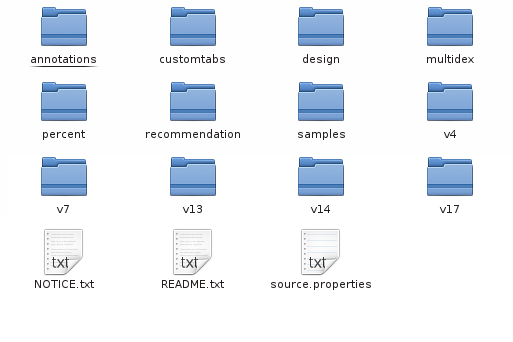 Android Support Library 完整介紹:各子庫用途與依賴設定
Android 自第一版問世以來,版本迭代速度極快。但它終究是面向所有使用者的行動作業系統,這就帶來一個現實要求:新版本必須相容已經大量存在於用戶手上的舊系統。核心在於
 Unity3D × protobuf:從協議定義到 Socket 收發的完整實踐
前言 protobuf 是 Google 的開源專案,主要有兩個用途:一是資料序列化與反序列化(功能上可對標 XML、JSON);二是製作網絡通信協議。在 Unity
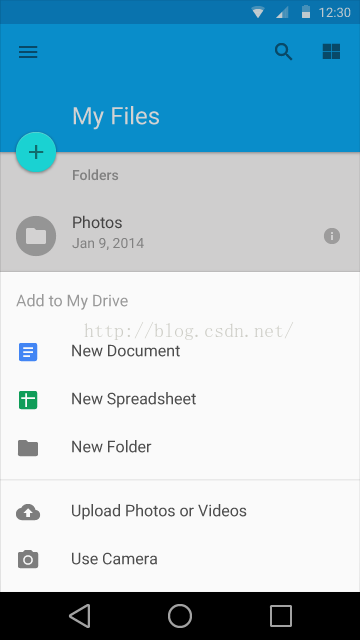 BottomSheet 底部動作條完整使用指南
什麼是底部動作條 底部動作條(Bottom Sheets)是一個從螢幕底部邊緣向上滑出的面板,用這種方式向使用者呈現一組功能。它以簡單、清晰、無需額外解釋的方式,展示一組
 策略模式在 Android 中的應用:以 Wi-Fi 連線為例
策略模式是什麼策略模式屬於行為型設計模式,核心概念是將一組可互相替換的演算法封裝成獨立類別,讓它們能在不改動呼叫端的情況下自由切換。在 Android 開發中,當同一個功