

編輯:關於 Android 開發
Fragment 通常是宿主 Activity 使用者介面的一部分,它會作為整個 view 階層的一員被嵌入到 Activity 之中。要把 fragment 加入 Activity 的版面配置,主要有兩種做法,以下分別說明。
你可以像設定一般 View 那樣,為 fragment 指定 layout 屬性(SDK 3.0 之後支援)。下面的例子是一個含有兩個 fragment 的 Activity:
其中 <fragment> 標籤的 android:name 屬性,指定了在版面配置中要具現化的 Fragment 類別。
當系統建立這個 Activity 的版面時,它會逐一具現化配置檔中指定的每個 fragment,並呼叫各自的 onCreateView() 方法來取得對應的版面,然後把 fragment 回傳的 View 直接插入到 <fragment> 元素所在的位置。
注意:每個 fragment 都需要一個唯一的識別碼。如此一來,當 Activity 重啟時,系統才能用它來還原 fragment(而你也可以用它來擷取 fragment 以處理某些事務,例如將它移除)。
為 fragment 提供識別碼有三種方式:
為 android:id 屬性指定一個唯一 ID;
為 android:tag 屬性指定一個唯一字串;
若兩者都未提供,系統會改用容器 view 的 ID。
在 Activity 運行的任何時刻,你都可以把 fragment 加入它的版面配置,只需指定一個用來放置 fragment 的 ViewGroup 即可。要在 Activity 中操作 fragment 事務(例如新增、移除或替換 fragment),就必須使用 FragmentTransaction 提供的 API。
可以透過下面的方式,從 Activity 取得一個 FragmentTransaction 的執行個體:
FragmentManager fragmentManager = getFragmentManager();
FragmentTransaction fragmentTransaction = fragmentManager.beginTransaction();
接著就能用 add() 方法加入 fragment,並指定要加入的 fragment 以及要插入的 view:
ExampleFragment fragment = new ExampleFragment();
fragmentTransaction.add(R.id.fragment_container, fragment);
fragmentTransaction.commit();
add() 的第一個參數,是 fragment 要放入的 ViewGroup(以 resource ID 指定);第二個參數則是要加入的 fragment。一旦透過 FragmentTransaction 做了變更,就必須呼叫 commit() 才能讓改動真正生效。
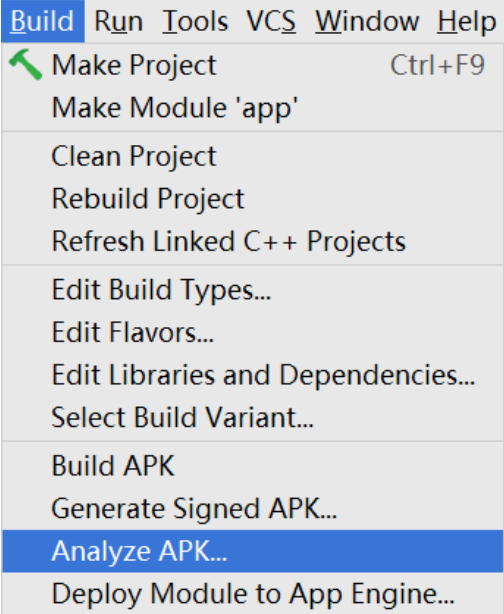 NDK 開發入門筆記:環境準備、建立專案到 APK 驗證
写在前面:開發者網站上線 長期以來,Google 對中國這個全球第二大市場的態度一直不冷不熱。而在 2016 年 12 月 8 日,Google 2016 開發者大會在北
 Button 上的英文字為什麼自動變大寫?textAllCaps 陷阱與解法
 最近碰到一個小但惱人的問題:在 Android 5.1 上,Button 裡的英文字串會自動
 Android 快樂貪吃蛇實戰項目(01):項目概述與開發準備
項目簡介 貪吃蛇是一款非常經典的小遊戲,規則簡單、可玩性強,也很適合用作 Android 學習項目。本系列將帶領讀者從零開始,完成一個名為「快樂貪吃蛇」的 Android
 Android 自定義視圖進階篇:Canvas 六大核心技巧全解析
一、前言 今天我們繼續來看 Android UI 系列的自定義視圖進階篇。此前的基礎篇已介紹過 Paint、Canvas、Path、漸變色等基礎知識,這次我們要更上一層樓