

編輯:關於 Android 開發
本文將實現標題欄下方 TextView 的文字跑馬燈效果,讓一行文字水平循環滾動。先看效果:
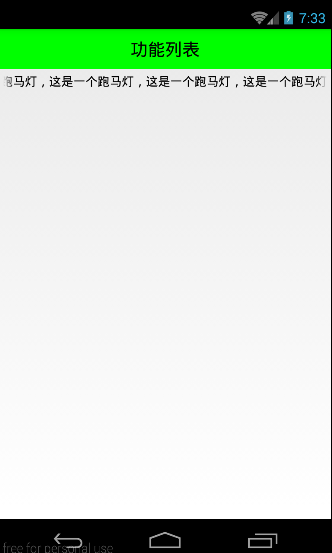
<!-- android:ellipsize="marquee" 設置跑馬燈效果 -->
<!-- 想讓文字出現跑馬燈效果,必須讓其獲取焦點 -->
<!-- android:marqueeRepeatLimit="marquee_forever" 一直滾動屬性 -->
<TextView
 android:text="這是一個跑馬燈,這是一個跑馬燈,這是一個跑馬燈,這是一個跑馬燈,這是一個跑馬燈,"
 android:layout_width="match_parent"
 android:layout_height="wrap_content"
 android:ellipsize="marquee"
 android:focusable="true"
 android:focusableInTouchMode="true"
 android:marqueeRepeatLimit="marquee_forever"
 android:padding="5dp"
 android:textColor="#000"
 android:singleLine="true" />
如果多處都需要跑馬燈效果,每次都複製這一大段屬性顯得繁瑣。此處我們用自定義控件來實現,核心思路其實很簡單——重寫 TextView,讓它始終能夠獲取焦點即可。
先新建一個 view 包,專門存放自定義控件文件,並在其中創建 FocusTextView 類:
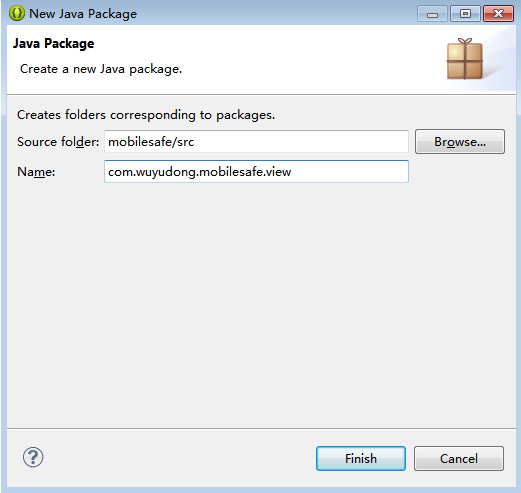
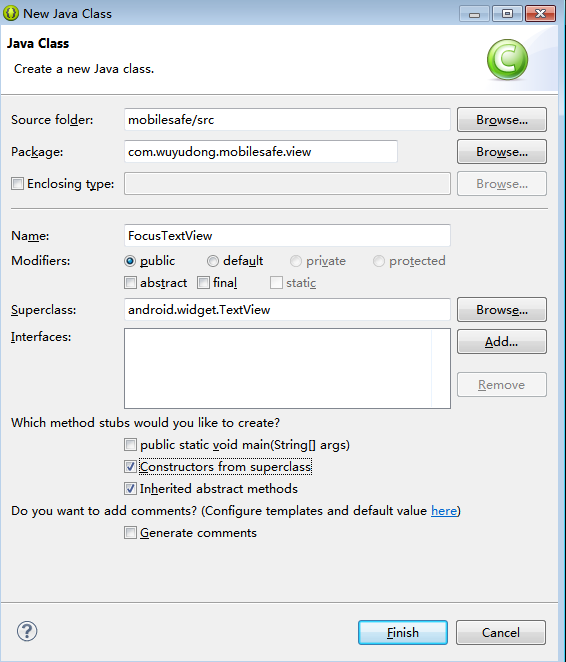
package com.wuyudong.mobilesafe.view;
import android.content.Context;
import android.util.AttributeSet;
import android.widget.TextView;

/**
 * 能夠獲取焦點的自定義 TextView
 */
public class FocusTextView extends TextView {
 // 用於通過 java 代碼創建控件
 public FocusTextView(Context context) {
 super(context);
 }
 // 由系統調用(帶屬性 + 上下文環境構造方法)
 public FocusTextView(Context context, AttributeSet attrs) {
 super(context, attrs);
 }
 // 由系統調用(帶屬性 + 上下文環境 + 布局樣式構造方法)
 public FocusTextView(Context context, AttributeSet attrs, int defStyle) {
 super(context, attrs, defStyle);
 }
 // 重寫獲取焦點的方法
 @Override
 public boolean isFocused() {
 return true;
 }
}
<?xml version="1.0" encoding="utf-8"?>
<LinearLayout xmlns:android="https://schemas.android.com/apk/res/android"
 android:layout_width="match_parent"
 android:layout_height="match_parent"
 android:orientation="vertical" >
 <TextView style="@style/TitleStyle" android:text="功能列表" />
 <com.wuyudong.mobilesafe.view.FocusTextView
 android:text="這是一個跑馬燈,這是一個跑馬燈,這是一個跑馬燈,這是一個跑馬燈,這是一個跑馬燈,"
 android:layout_width="match_parent"
 android:layout_height="wrap_content"
 android:ellipsize="marquee"
 android:marqueeRepeatLimit="marquee_forever"
 android:padding="5dp"
 android:textColor="#000"
 android:singleLine="true">
 </com.wuyudong.mobilesafe.view.FocusTextView>
</LinearLayout>
1. 創建一個類繼承自 TextView(FocusTextView);
2. 重寫其各個構造方法;
3. 將獲焦方法 isFocused() 的返回值改為 true,讓控件始終能獲取焦點;
4. 使用時,將該類的全路徑名稱作為 XML 標籤,其餘屬性用法與普通 TextView 完全一致。
 安卓開源項目週報精選:實用 UI 與開發工具
本期整理多款适合 Android 開發者的開源專案,涵蓋 UI 元件、架構範例、工具類與網路請求封裝。PreviewSeekBar:可顯示影片預覽的 SeekBar。Si
 Android 補間動畫實作:接續播放兩段動畫與保持最終狀態
需求拆解 這個範例要解決的是一個很常見的動畫題目:點擊按鈕後播放第一段動畫,等它結束再自動接上第二段動畫,而且第一段跑完後不要跳回原位。前者需要計時或動畫監聽,後者需要
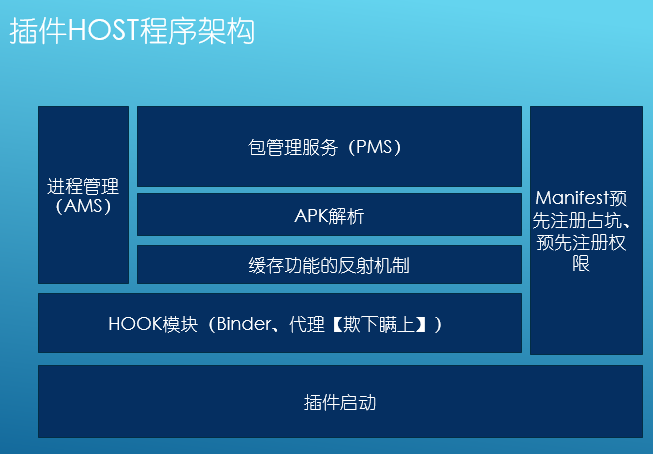 DroidPlugin 插件化開發入門
360 手機助手採用的正是 DroidPlugin,這是 360 手機助手團隊在 Android 系統上實作的一種插件機制,能在無需安裝、修改的情況下直接執行 APK 檔
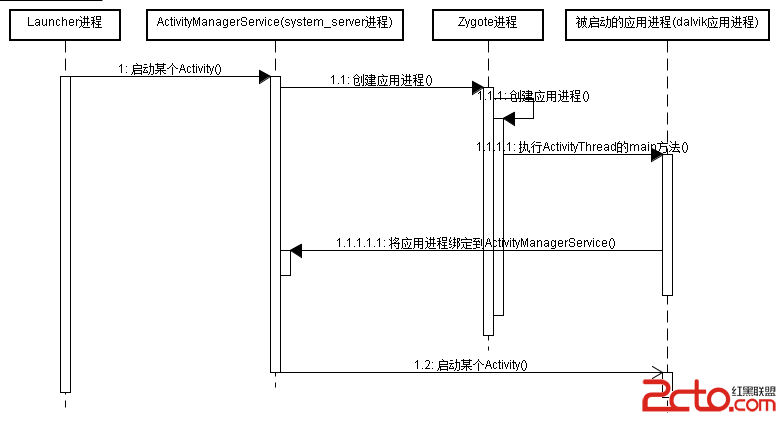 深入理解 Activity 啟動流程:從 Launcher 點擊到生命周期執行的源碼追蹤
 一、概要交互流程 使用者在 Launcher 程式點擊應用圖示,就能啟動應用的