

編輯:關於 Android 開發
當 application 無法運行時,console 通常會顯示如下錯誤:
The connection to adb is down, and a severe error has occured.
You must restart adb and Eclipse.
Please ensure that adb is correctly located at 'XXXX' and can be executed.
這個錯誤提示 adb 連線已中斷,需要重啟 adb 與 Eclipse。
我遇到這個問題的原因是:下載了兩個 ADT 包,而系統的環境變量所指的 adb 路徑,與當前使用的 Eclipse 所屬的 ADT 包並不在同一個目錄下,導致版本不一致、連線失敗。
解決方法很簡單:改用與環境變量對應的那個 ADT 包(即讓 adb 路徑與 Eclipse 使用的 SDK 屬於同一套),問題即可消除。
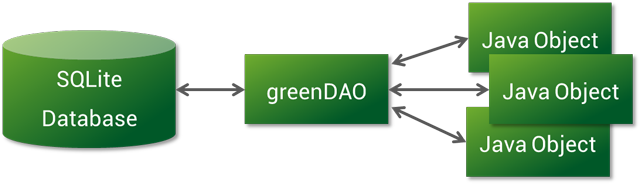 GreenDAO 3.0 入門:用注解快速完成 Android 資料庫操作
GreenDAO 3.0 的改變 GreenDAO 是 Android 上常用的 ORM 框架。3.0 之後最大的變化,是不再需要另外建立 generator 專案,而是
 項目源碼分享:Android「美女的秘密」圖片瀏覽應用
 這是一個結構輕量的 Android 圖片瀏覽類項目,代碼量不大,適合初學者拿來練習列表加圖片加載的組合套路。 源
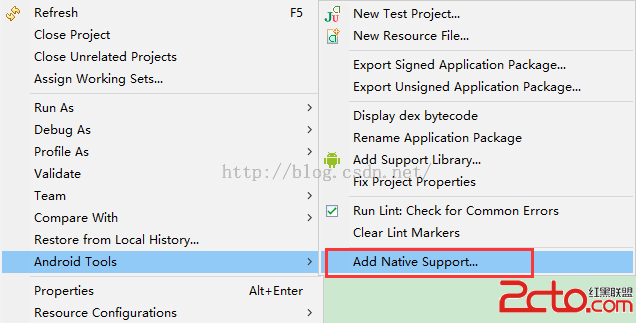 Android Studio 快速產出 .so:從 Native Support 到 jniLibs 的完整流程
從此告別指令行 以前在 Eclipse 時代要編一個 .so,得先架 GNUstep 模擬 Linux 環境,再敲一堆指令,流程繁瑣又容易卡住。Android Studi
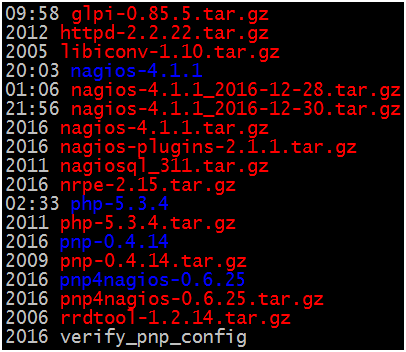 Nagios 分組出圖的程式碼實現(上):改 status.c 加上複選框與服務下拉選單
一、背景鑒於 Zabbix 與 Cacti 早就具備了服務分組與圖表呈現能力,公司領導以「業務最大化穩定」為導向,對運維部提出了一項需求:監控系統按服務分組出圖、即時呈現