

編輯:關於 Android 開發
LinearLayout 是一種線型的布局方式,容器內的元件會一個挨著一個排列。它既能讓元件橫向排列,也能縱向排列,透過 orientation 屬性決定方向是垂直(vertical)還是水平(horizontal)。
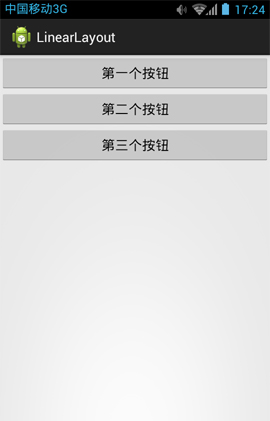
下面分別用 XML 與 Java 程式碼兩種方式實作。
1、建立一個空白 Activity。
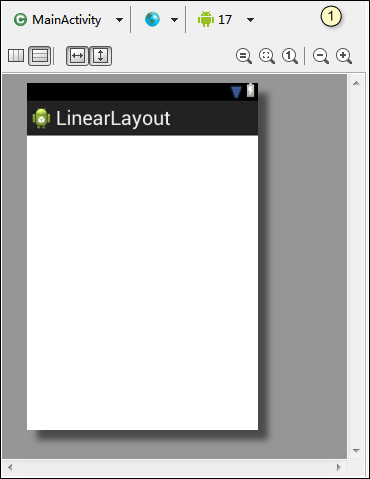
2、打開 res/layout/activity_main.xml,改成下面的內容。
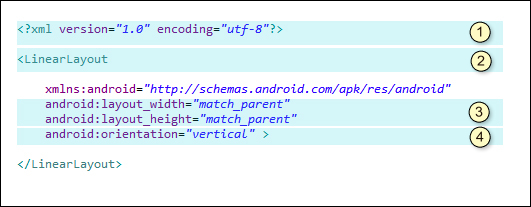
逐段來看:
(1)第一行的 <?xml version="1.0" encoding="utf-8"?> 是 XML 序言,表示按 1.0 版規則解析,並採用 utf-8 編碼(也可以是 GB2312)。
(2)<LinearLayout ...> 表示使用線型布局管理器。
(3)android:layout_width="match_parent" 與 android:layout_height="match_parent" 表示寬高都填滿整個螢幕。
(4)android:orientation="vertical" 表示元件垂直排列;若要水平排列則改用 horizontal。
3、插入三個按鈕。
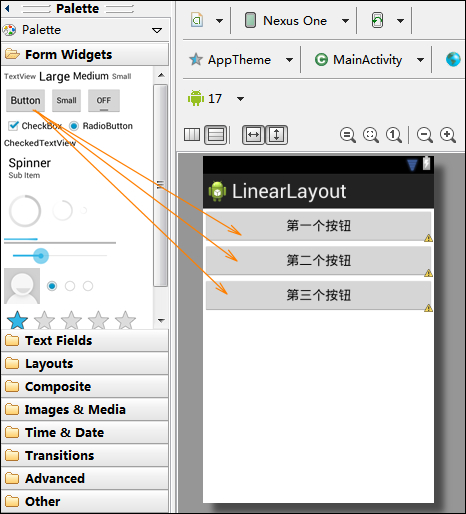
4、再次修改布局,把三顆按鈕的 android:layout_width 設為 match_parent。
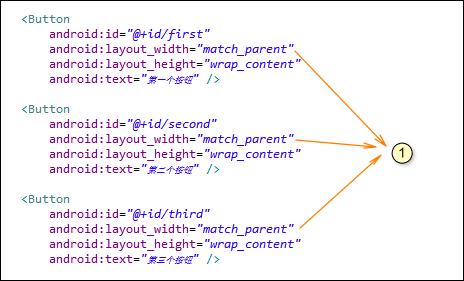
這個屬性有三種取值:
wrap_content:寬度剛好包住內容,文字多長按鈕就多寬。
match_parent:寬度符合父容器,外面容器多寬就顯示多寬。
fill_parent:與 match_parent 效果相同,但 Android 2.2 之後已不建議使用。
最終效果如下:
1、打開 src/com.genwoxue.LinearLayout/MainActivity.java,輸入以下程式碼。
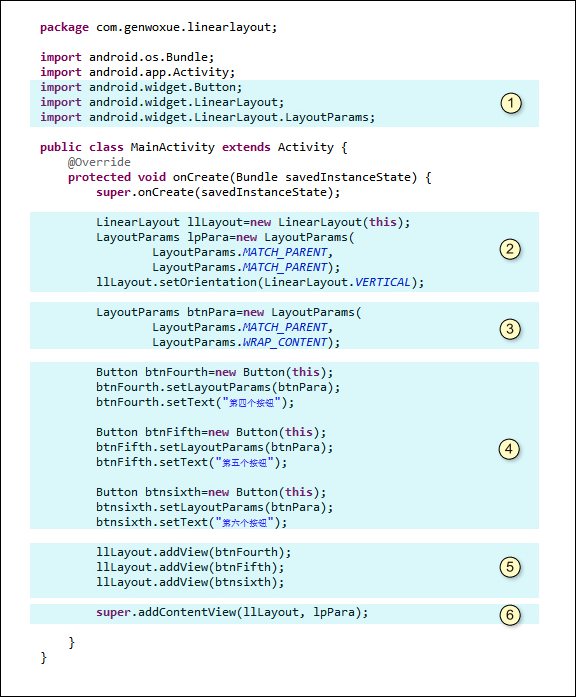
重點看標了淺藍底的幾段:
(1)導入 LinearLayout、LayoutParams、Button 相關的套件。
(2)建立線性布局管理器並設定寬高與方向:
LinearLayout llLayout = new LinearLayout(this); 建立線性布局管理器;
LayoutParams lpPara = new LayoutParams(LayoutParams.MATCH_PARENT, LayoutParams.MATCH_PARENT); 建立布局參數並在建構子指定寬高;
llLayout.setOrientation(LinearLayout.VERTICAL); 設為垂直方向。
(3)LayoutParams btnPara = new LayoutParams(LayoutParams.MATCH_PARENT, LayoutParams.WRAP_CONTENT); 建立按鈕用的布局參數。
(4)建立 btnFourth、btnFifth、btnSixth 三顆按鈕,設定文字與布局參數。
(5)把三顆按鈕加到線性布局管理器。
(6)super.addContentView(llLayout, lpPara); 把布局管理器及其參數加到目前的 Activity。
2、顯示效果如下:
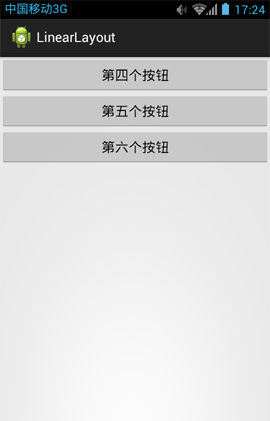
對照兩種做法可以發現:XML 直觀易讀、適合靜態布局;Java 程式碼則更適合需要動態增減元件的場景。
 手把手教你打造質感滿分的圓形水波紋 LoadingView(Android)
 大家好,這裡是番外篇。拜讀了前輩的部落格,又學到不少新東西。前輩曾說過:要站在巨人的肩膀上。
 Linux 2.4.18 內核實戰(25):動手構建根文件系統
Linux 2.4.18 —— 第 25 篇:文件系統的構建 一、文件系統的構建 1. BusyBox 的編譯 方法:使用虛擬機的 RedHat 9.0 進行編譯。版
 酷歐天氣 CoolWeather:Android 開源天氣預報 App 源碼詳解
跟著郭霖的《第一行代碼》一路敲下來,最自然的下一步就是找個真實需求做個完整專案練手。酷歐天氣(CoolWeather)就是這樣誕生的作品——它把書裡學到的四大元件、網路請
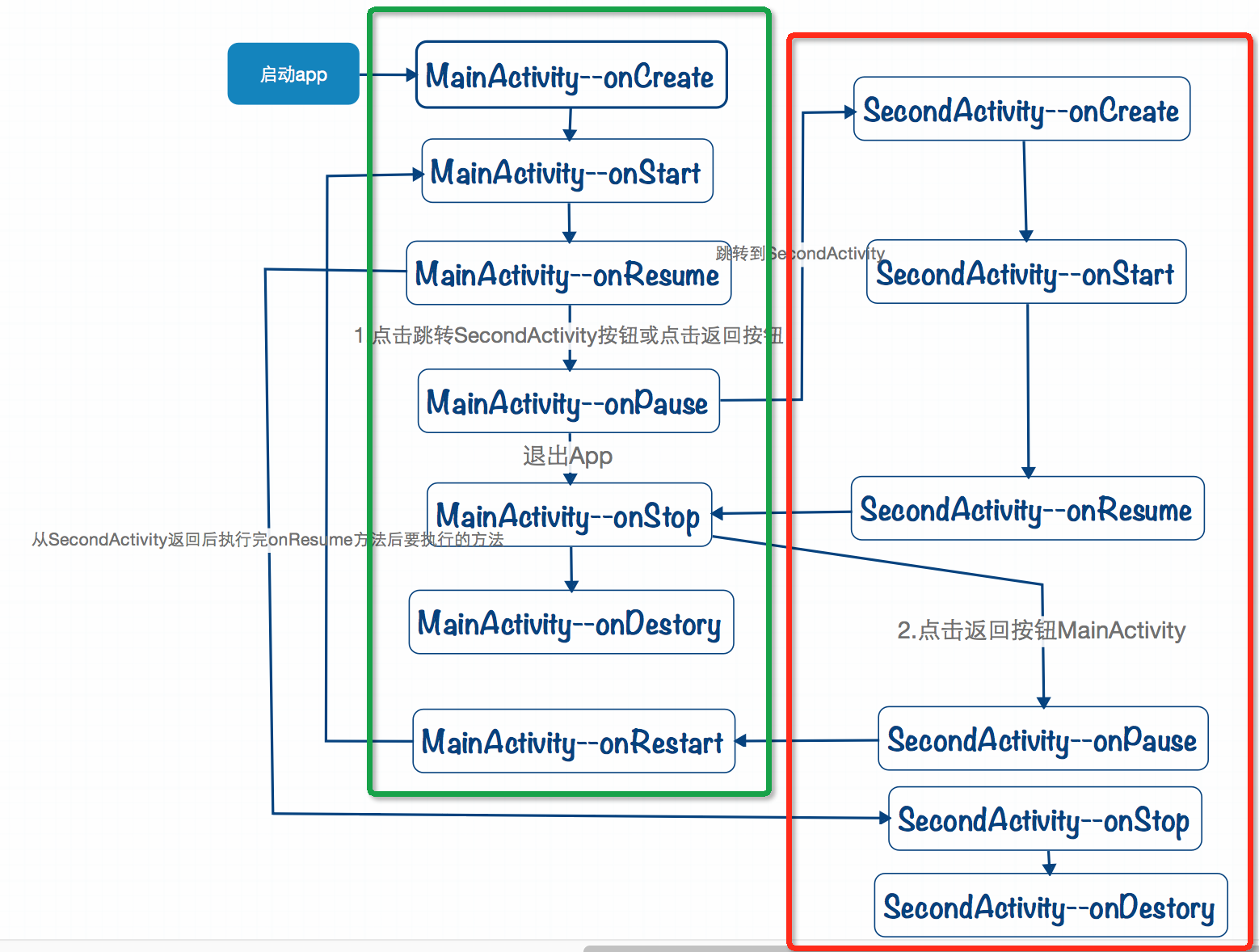 Activity 生命週期與四種啟動模式,一篇講透
 做過 iOS 的同學會發現,Activity 的生命週期和 ViewController 非常相似。理解生命週期並不難