

編輯:關於 Android 開發
Ionic 打包 Android 時,可使用 ionic build android 進行建置。若需要自行管理簽名,可在 Android 專案的 platforms/android 目錄建立 debug-signing.properties,填入 keystore 檔名、密碼、alias 與 alias 密碼。
簽名檔可使用 keytool 產生,例如透過 keytool -genkey -v -keystore demo.keystore -alias demo.keystore -keyalg RSA -validity 20000。執行後會要求輸入密碼與相關資訊,務必與 debug-signing.properties 中的設定一致。
完成設定後,再次執行打包命令即可產生已簽名的 APK。若只是除錯用途,也可使用 Ionic 內建流程,但仍建議了解簽名檔與密碼的對應關係,避免後續上架或更新時找不到正確憑證。
 使用 getDrawable 時遇到 NoSuchMethodError 的解法
 在為 TextView 設定圖示或背景時,若直接呼叫某些 Resources 或 Con
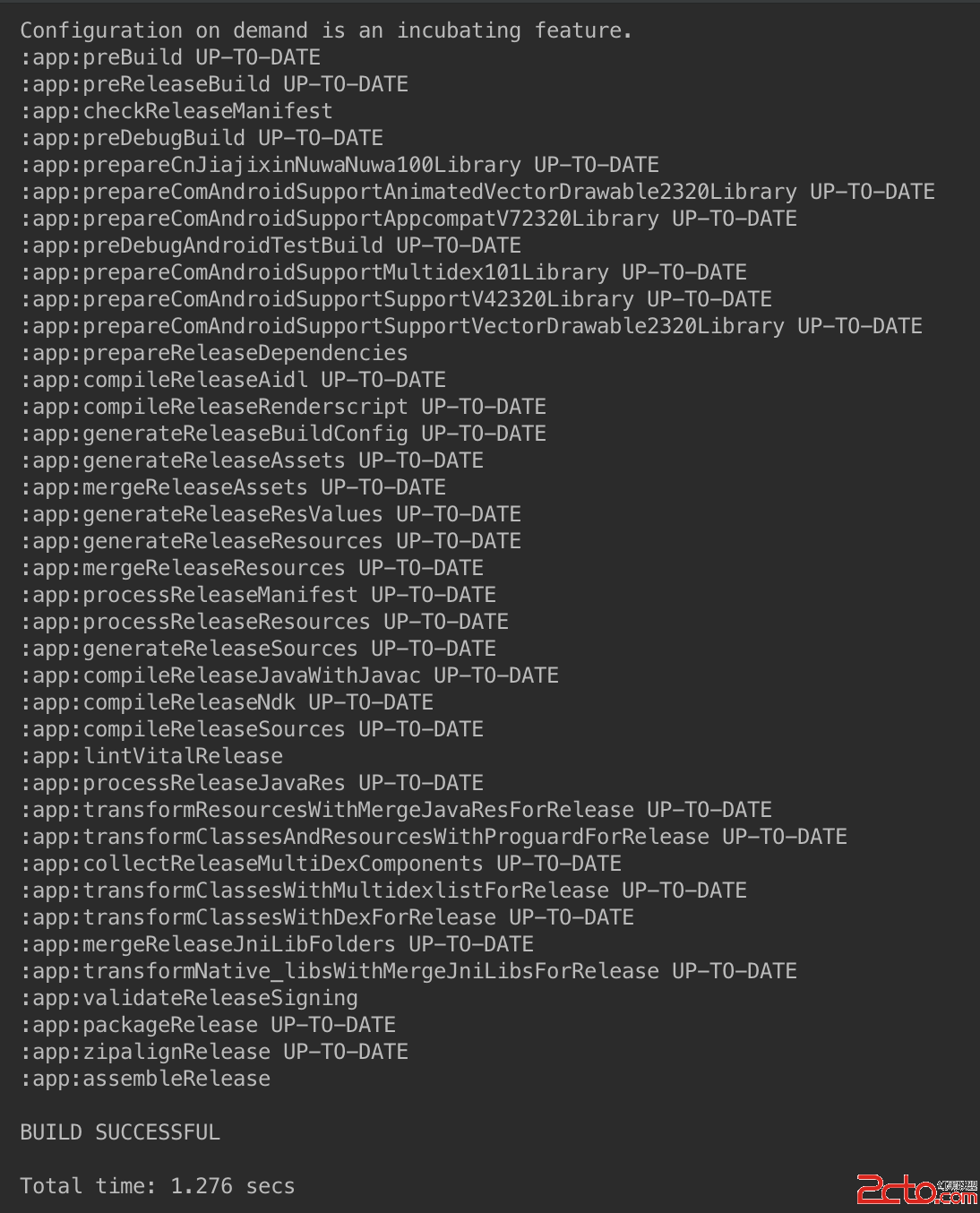 Android 熱修復:以 Gradle Plugin 1.5 Transform API 改造 Nuwa
以 Gradle Plugin 1.5 Transform API 改造 Nuwa 熱修復流程 Nuwa 是常見的 Android 熱修復方案,但在 Gradle Plu
 仿 QQ 好友列表左滑選單:SwipeMenuListView 置頂與刪除實作
帶手勢的列表選單,不用自己刻 先看一下要做的效果——列表項向左滑出「置頂/刪除」按鈕: SwipeMenuListView 是 GitHub 上的第三方開源專案(專案網
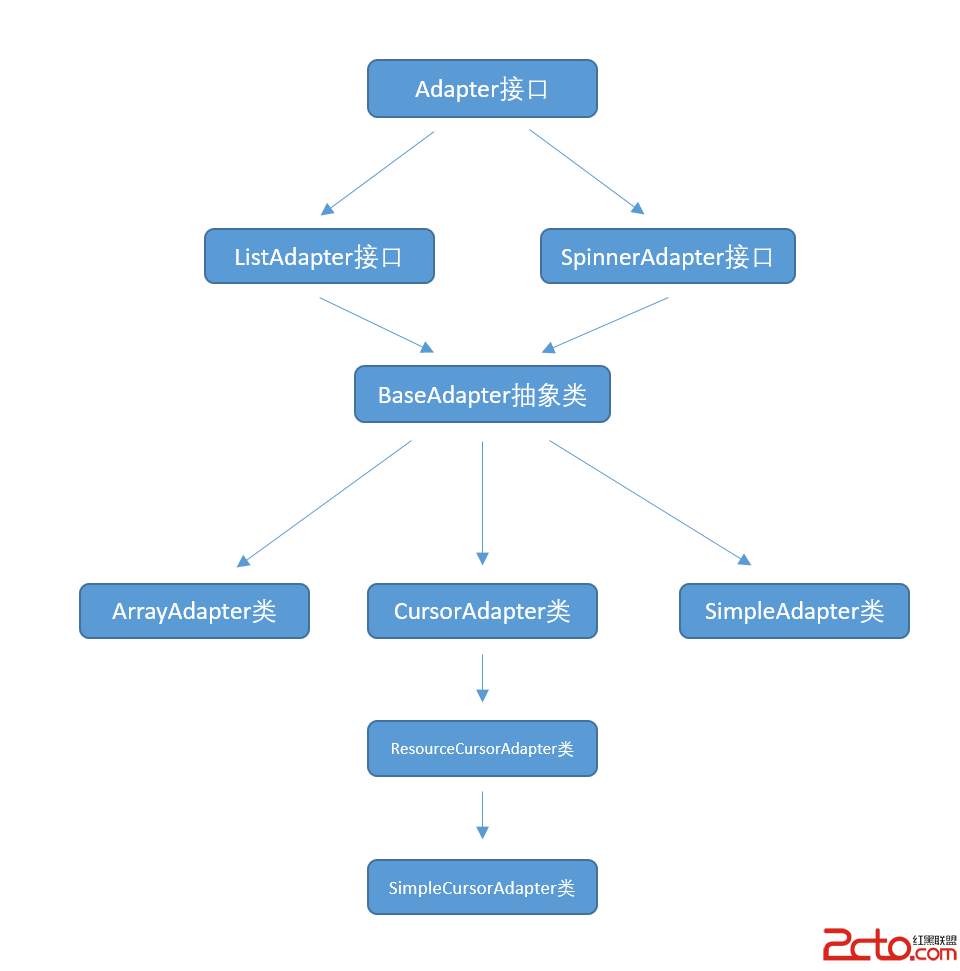 源碼视角下的Android Adapter家族全解析
 Adapter相當於一個數據源,能為AdapterView提供數據並據此創建對應的UI。我們只需調用AdapterV