

編輯:關於 Android 開發
最近在排查一個 bug(詳細結果會在下一篇博文中描述),過程中牽扯到 bootloader——LILO 的編譯。
LILO 官網:https://lilo.alioth.debian.org/
下載、解壓後執行 make,卻報了以下錯誤:
[root@localhost lilo-22.8]# make all
./checkit
GCC version 2.91 or later is required
gcc version 4.4.7
OKAY

AS86 version 0.16.10 or later is required
as86 is not present

LD86 version 0.16.10 or later is required
ld86 is not present

BCC version 0.16.10 or later is recommended
bcc is not present
You will not be able to make floppy2, diag2.img, or lilo.com
make: *** [test.img] Error 1
原因:編譯 LILO 需要用到 16 位、32 位匯編編譯器 as86,而當前編譯環境尚未安裝這部分工具。
通過 https://rpmfind.net/ 查詢確認,as86、ld86、bcc 都包含在 dev86 包中,用以下命令安裝即可:
sudo yum install dev86
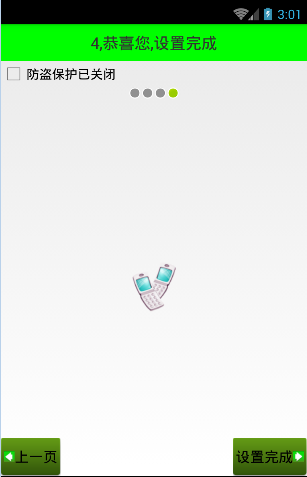 Android 手機衛士:導航設定界面的業務邏輯實作
Android 手機衛士——導航界面的業務邏輯本文實作手機衛士導航流程中「安全設定」界面的業務邏輯。該界面主要透過一個 CheckBox 讓使用者開啟或關閉防盜保護,並將
 Android 介面開發實用技巧:EditText 與常用控件這樣玩
日常開發中,一些看似瑣碎的控件問題往往最耗時間。本文整理了八個實用技巧,從日期輸入的驗證難題、TextView 的富文本呈現,到版面效能的優化,都是可以直接抄進專案的做法
 Android應用開發教程之七:應用程式的除錯與調試技巧
除錯是每一個程式設計師必備的基本功。本文將以 Eclipse 為例,系統性地講解 Android 應用的調試流程,從設定斷點、單步執行、檢視變量,到真機調試與 Log 日
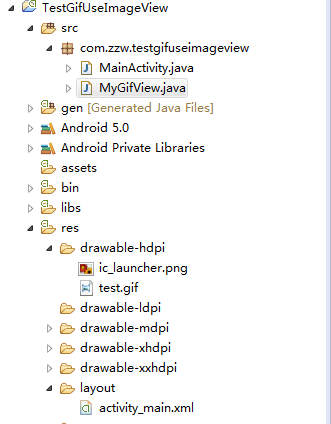 讓 ImageView 能夠播放 GIF 動圖的實作方法
 由於原生 ImageView 無法直接播放 GIF 動圖,我們可以自訂一個 MyGifView 來達成這個效果。