

編輯:關於 Android 開發
開發自訂 View 時,一定會遇到這種需求:希望元件在 XML 裡也能像系統控制項一樣設定屬性,例如 <com.example.MyView app:radius="8dp" />。這就要靠 attr 這個資源型別。
基本做法分三步:
res/values/attrs.xml 中用 <declare-styleable name="MyView"> 包住若干 <attr>,宣告名稱與型別(reference、color、dimension、integer、enum、flag 等)。xmlns:app="https://schemas.android.com/apk/res-auto",然後用 app: 前綴設定這些屬性。context.obtainStyledAttributes(attrs, R.styleable.MyView) 讀取值,取完記得呼叫 recycle()。attr 的價值在於把「可調參數」從程式碼搬到 XML,讓樣式與版面配置可以交給設計與版面檔處理,也能用 style 一次套用到多處。命名上建議加上自有的前綴(例如 cv_radius),避免與其他函式庫的屬性衝突。
延伸閱讀(原文出處):https://androidbook.com/item/4169
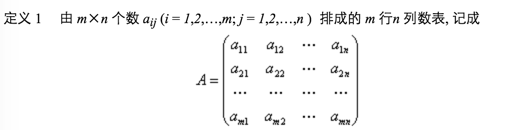 自定義控件繪圖篇(八):Paint 的 ColorMatrix 與濾鏡效果全解
 本篇主題是 ColorMatrix。由於會牽涉到矩陣乘法,難度比前面幾篇高一截,建議先把
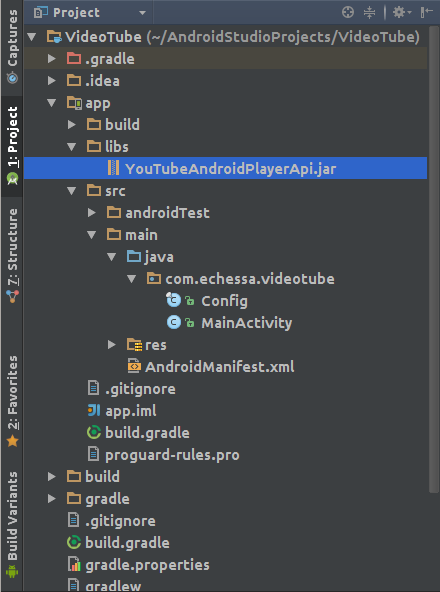 在 Android App 中嵌入 YouTube 影片:API 串接完整教學
這個 API 能做什麼 Android 版 YouTube Player API 讓你能把影片播放功能直接放進自己的應用裡。它可以載入並播放 YouTube 影片與播放清
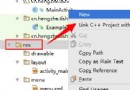 Menu 創建菜單:OptionsMenu 的完整流程與回調方法解析
 菜單是用戶界面中最常見的元素之一,使用頻繁。在 Android 中,菜單被分為三種:選項菜單(Opt
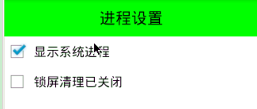 Android 手機衛士實作(十三):系統進程顯示開關與鎖屏一鍵清理
進程列表頁通常有兩個實用設定:一是讓使用者自行決定要不要看到龐雜的系統進程,二是在鎖屏時自動釋放內存。本篇分別說明這兩個功能的實作。 一、顯示/隱藏系統進程 做法是讓