

編輯:關於 Android 開發




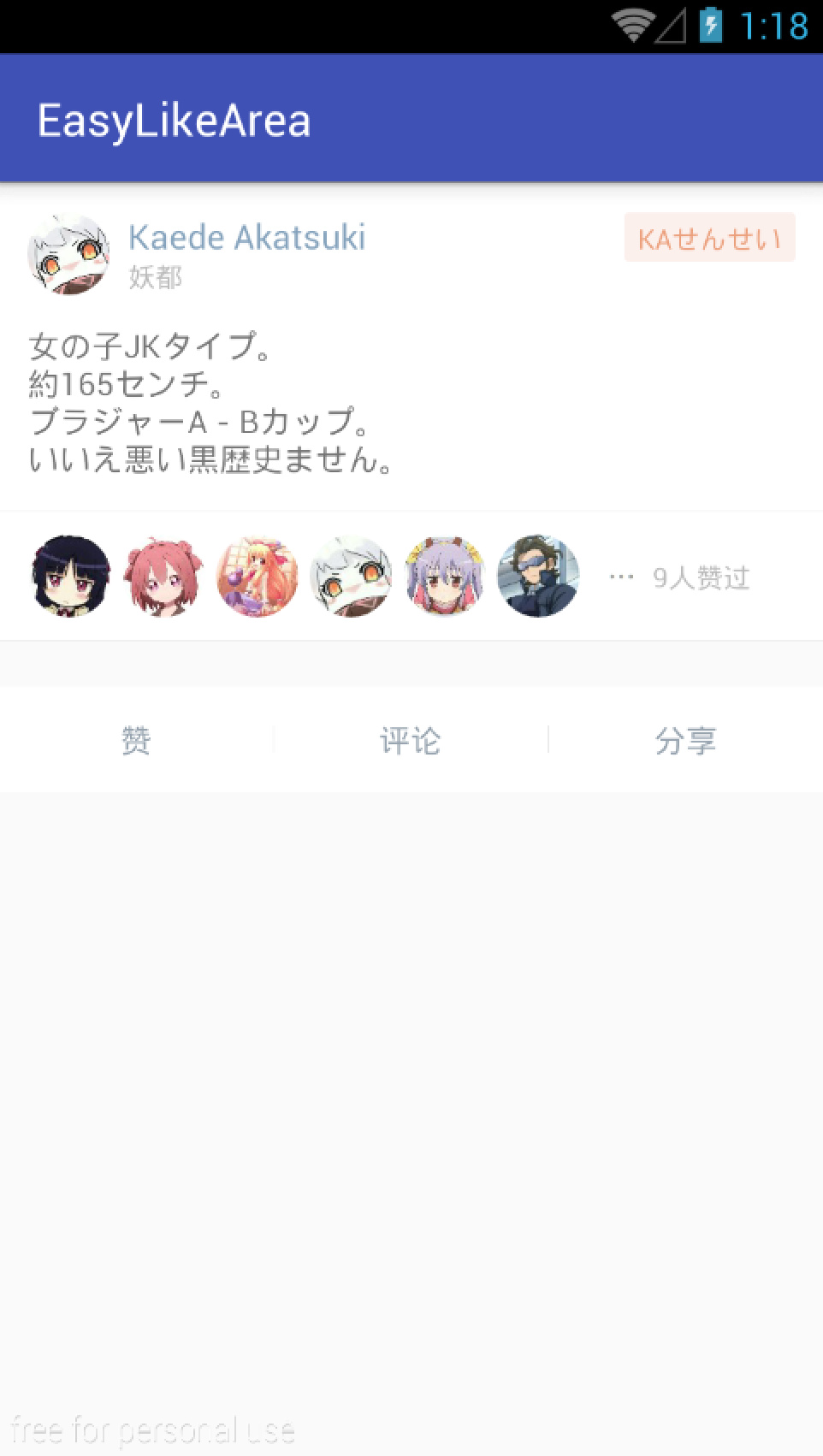
幾乎每一款社群類應用都會遇到同一個需求:在內容下方排出一排頭像,表示「哪些人按了讚」,頭像多到一定數量後再收攏成一個「共 N 人」的提示。這個看似簡單的小元件,真要自己從零實作,卻得處理動態新增子 View、間距計算、超出數量後的摺疊邏輯,以及圖片載入時的記憶體問題。
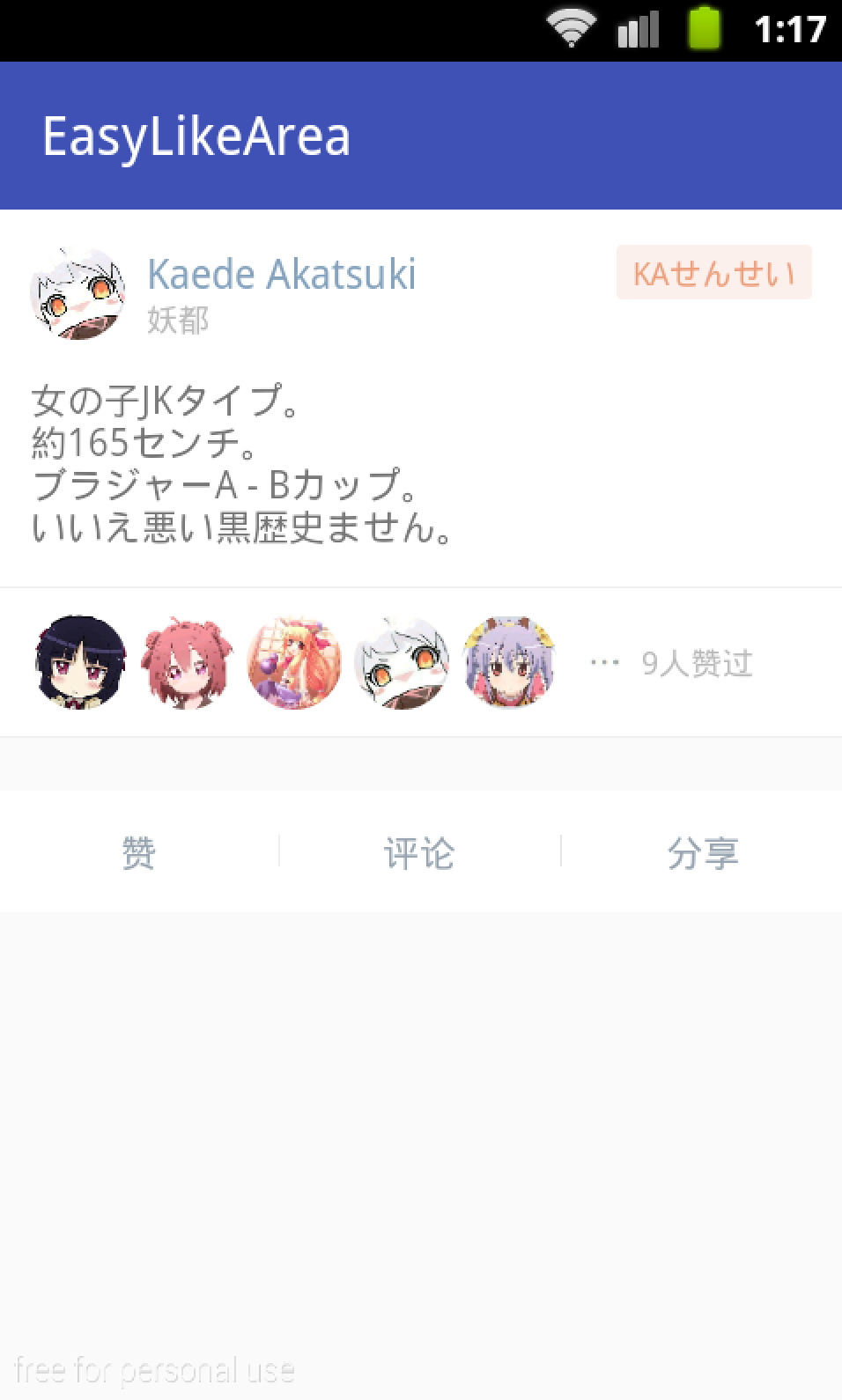
EasyLikeArea 就是把這一段重複勞動封裝起來的開源元件,讓開發者只要餵入幾個 ImageView,就能得到與朋友圈、QQ 空間幾乎一致的效果。
元件內部由 EasyViewProxy 擔任快取管理器,預設快取數量為 17。實務上建議先用 Glide 把圖片載入到 ImageView,再把已經備好圖的 ImageView 放進 EasyLikeArea,如此一來可以避開大量網路圖片同時解碼所造成的記憶體尖峰。
https://github.com/CaMnter/EasyLikeArea
dependencies { compile 'com.camnter.easylikearea:easylikearea:1.4' }<declare-styleable name="EasyCountDownTextureView">
</declare-styleable>元件的用法相當直觀,更多細節可以直接在本機跑一次 demo,會比看文件來得有效。
<com.camnter.easylikearea.EasyLikeArea
    android:id="@+id/topic_ela"
    android:layout_width="match_parent"
    android:layout_height="wrap_content"
    android:layout_below="@id/topic_content_bottom_v"
    android:background="@color/white"
    android:paddingBottom="10dp"
    android:paddingLeft="12.5dp"
    android:paddingRight="12.5dp"
    android:paddingTop="10dp"
    app:easyLikeAreaOmitCenter="true"
    app:easyLikeAreaLikeSpacing="5dp"
app:easyLikeAreaOmitSpacing="8dp" />注意:必須先呼叫 EasyLikeArea.setOmitView(View view) 設定「收攏提示」的樣式,之後才能陸續 addView(…)。順序顛倒會導致收攏檢視被後加入的頭像蓋掉。
private void initLikeArea() {
    this.setOmitView(Constant.AVATARS.length);
    for (int idRes : Constant.AVATARS) {
        EasyLikeImageView iv = this.createEasyLikeImageView();
        GlideUtils.displayNative(iv, idRes);
        this.topicEla.addView(iv);
    }
}

public void setOmitView(int count) {
    View omitView = LayoutInflater.from(this).inflate(R.layout.view_omit_style_topic, null);
    this.omitTv = (TextView) omitView.findViewById(R.id.topic_omit_tv);
    this.omitTv.setText(this.getString(this.getOmitVieStringFormatId(), count));
    this.topicEla.setOmitView(omitView);
}
元件另外附帶一個 EasyLikeImageView,省去每次手動建立參數的麻煩:
private EasyLikeImageView createEasyLikeImageView() {
    EasyLikeImageView iv = new EasyLikeImageView(this);
    iv.setLayoutParams(new ViewGroup.LayoutParams(this.dp2px(36), this.dp2px(36)));
    return iv;
}
EasyLikeImageView 的可用屬性
<declare-styleable name="EasyLikeImageView">
    <enum name="round" value="2601" />
    <enum name="circle" value="2602" />
</declare-styleable>
也就是說,頭像要呈現圓角方形還是正圓形,都能透過屬性直接切換,不必另外處理裁切。
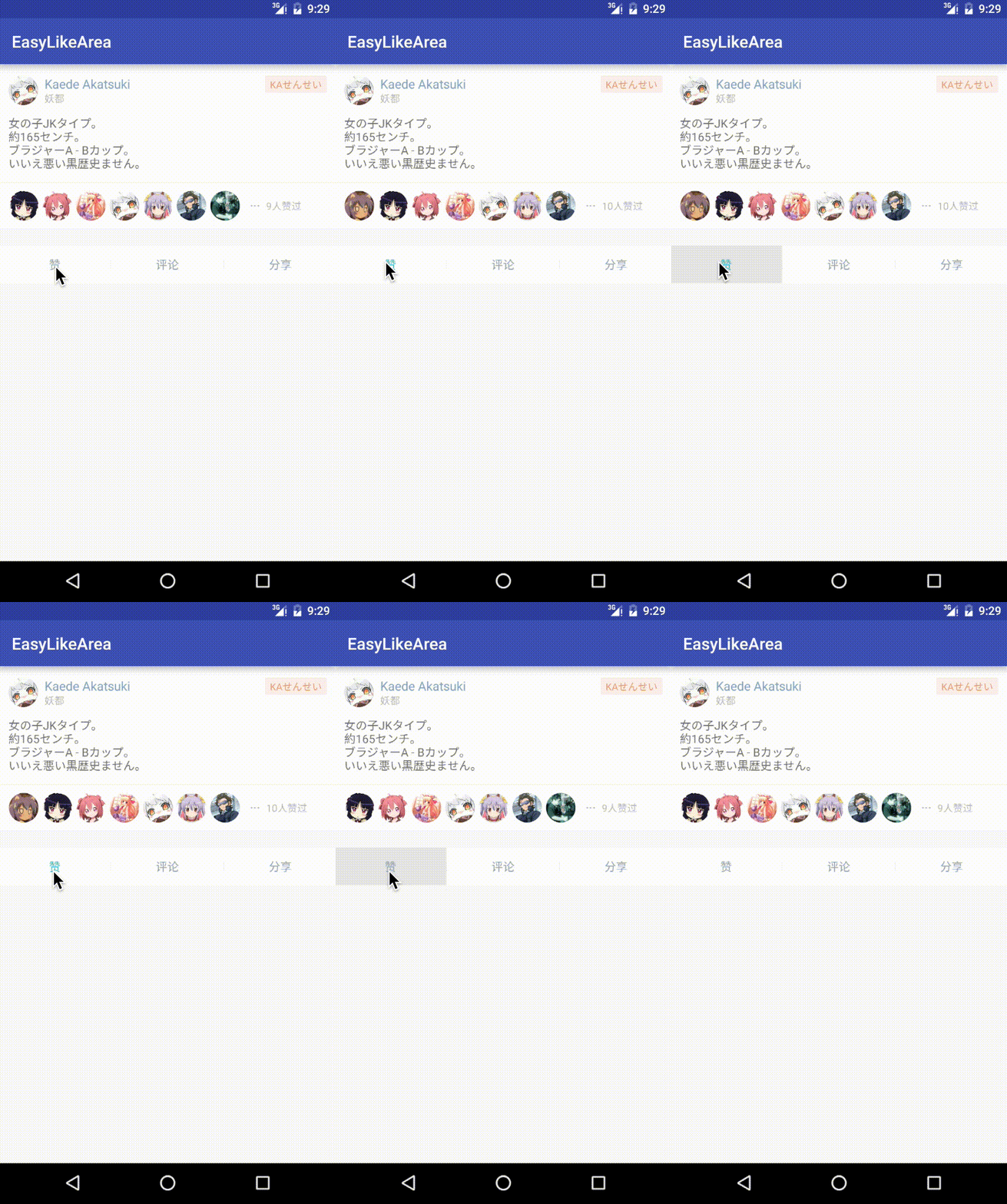
| 場景 | QQ 空間 | 樣式 |
|---|
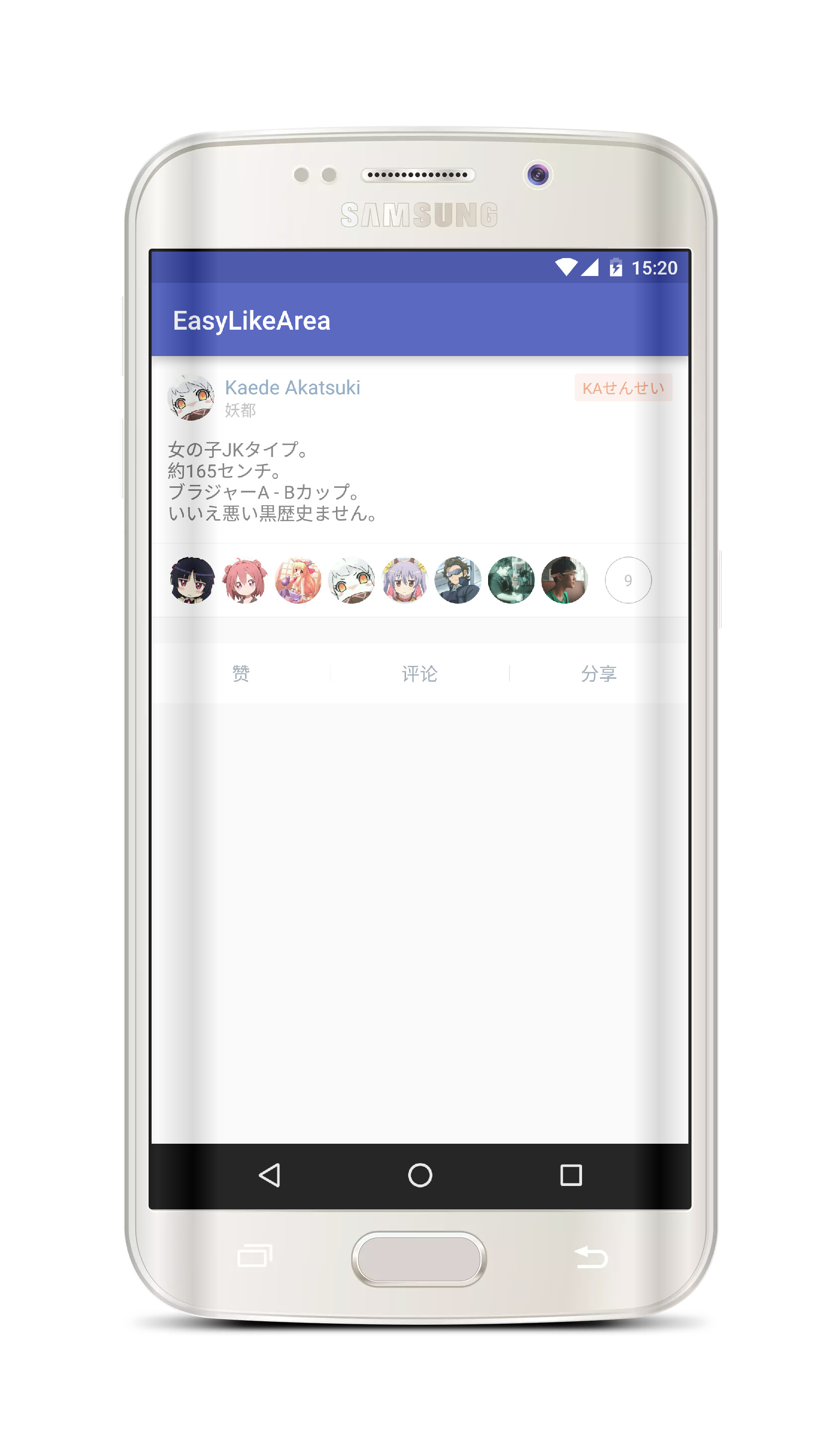
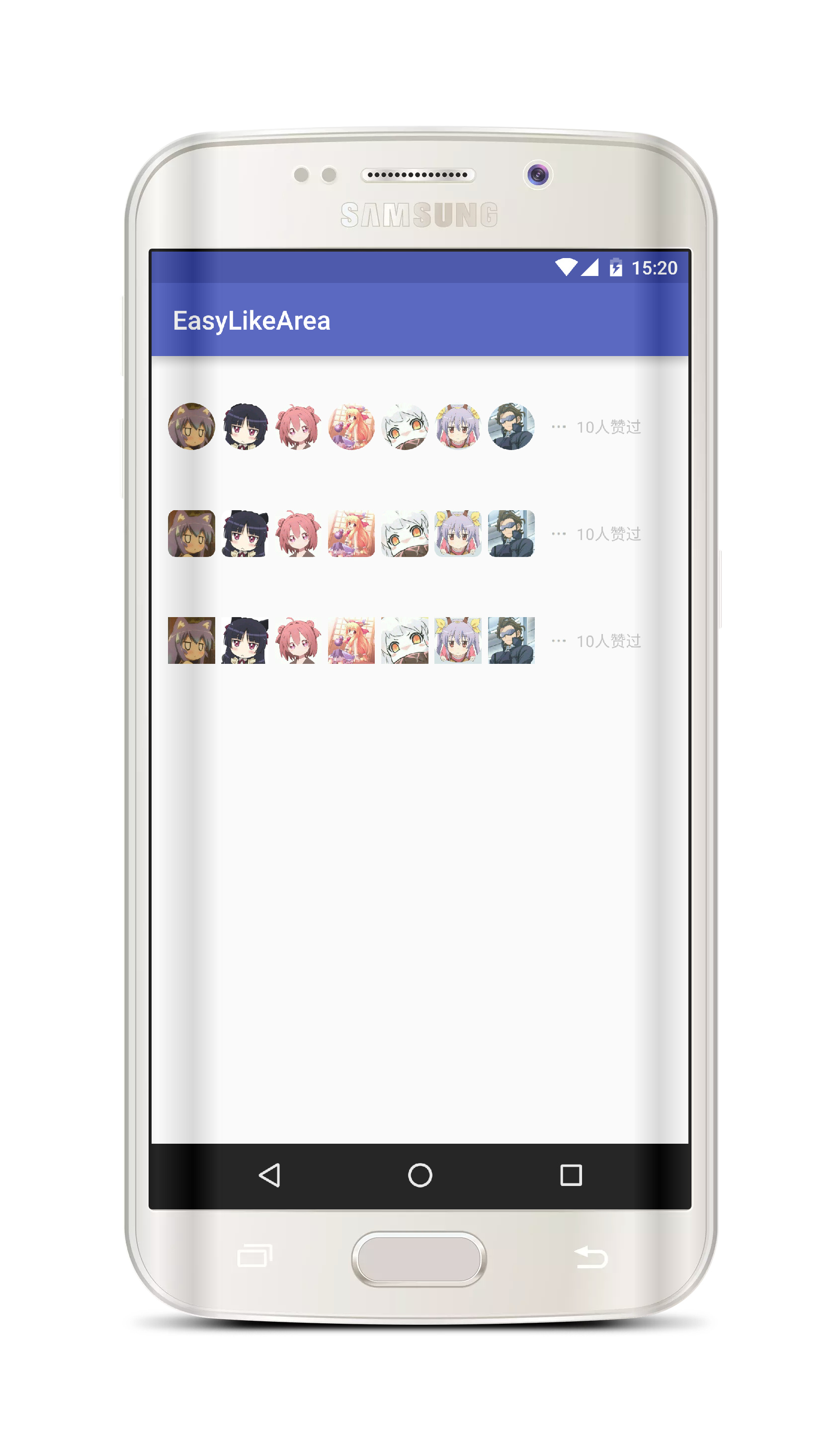
| 解析度 | 480x800 | 720x1280 |
|---|
Copyright (C) 2016 CaMnter yuanyu.camnter@gmail.com

Licensed under the Apache License, Version 2.0 (the "License");
you may not use this file except in compliance with the License.
You may obtain a copy of the License at

https://www.apache.org/licenses/LICENSE-2.0

Unless required by applicable law or agreed to in writing, software
distributed under the License is distributed on an "AS IS" BASIS,
WITHOUT WARRANTIES OR CONDITIONS OF ANY KIND, either express or implied.
See the License for the specific language governing permissions and
limitations under the License.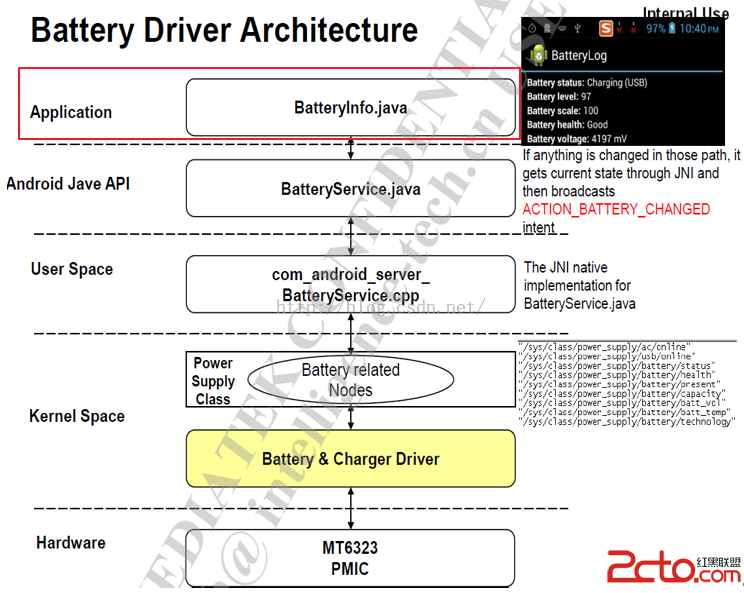 MSM8909+Android5.1.1 BSP開發:電池管理之BatteryInfo.java源碼剖析
 先借用MTK的電池管理框架圖作為引子: 圖1 透過電話測試指令
 Adapter 是什麼?從 ArrayAdapter、SimpleAdapter 到自訂 BaseAdapter
 Adapter 是連接後端資料與前端顯示的適配器介面,是
 ListView 詳解:Android 列表控制項完整指南
 ListView 是 Android 開發中最常見的列表控制項之一,特別適合展示大量規則排列的資料。它具備記憶
 Discuz 論壇 Android 客戶端原始碼實作指南
 這份原始碼主要協助論壇站長把現有的 Discuz 論壇快速延伸為 Android 客戶端。透過預先整理好的 Ap