

編輯:關於 Android 開發
幾乎每個專案都會需要一套自己的資料庫存取骨架。與其每開一個新專案就重寫一次,不如把建表、交易、增刪改查這些重複性極高的邏輯抽成基類,之後只要繼承並指定表名即可。以下這份實作可以分成三層來看:建表邏輯、資料庫操作基類,以及具體的 DAO 子類。
DBCreate 負責把所有建表與初始化動作包在一個交易裡。把整批 DDL 放進同一個交易,是為了避免中途失敗時留下半殘的資料庫結構。
// 創建數據庫
public class DBCreate {
    public static void CreateDatabase(SQLiteDatabase db) {
        db.beginTransaction();
        try {
            create_NetTaskBuffer(db);
            insert_SQL(db);
            db.setTransactionSuccessful();
        } catch (Exception e) {
            e.printStackTrace();
        } finally {
            db.endTransaction();
        }
    }

    // 緩存表
    private static void create_NetTaskBuffer(SQLiteDatabase db) {
        db.execSQL("DROP TABLE IF EXISTS NetTaskBuffer");
        StringBuilder sql = new StringBuilder();
        sql.append("CREATE TABLE IF NOT EXISTS NetTaskBuffer (");
        sql.append(" id INTEGER PRIMARY KEY AUTOINCREMENT,"); // 這一列不能修改
        sql.append(" label TEXT COLLATE NOCASE,");
        // sql.append(" param TEXT COLLATE NOCASE,");
        // sql.append(" result TEXT COLLATE NOCASE,");
        // sql.append(" remark TEXT COLLATE NOCASE,");
        sql.append(" time LONG)");
        // db.execSQL(sql.toString());
    }

    // 插入語句,初始化數據庫使用
    private static void insert_SQL(SQLiteDatabase db) {
    }
}
DBHelper 繼承 SQLiteOpenHelper,把資料庫名稱、版本與表名集中管理,並對外提供一組通用方法。子類只要傳入表名,就能直接取得增刪改查能力。
/**
 * 數據庫基本操作類,數據庫的創建、更新的操作都在這裡進行
 *
 * @author yizhe
 * @date 2014-9-11
 */
public abstract class DBHelper extends SQLiteOpenHelper {
    static String name = "hk.db";              // 數據庫名稱
    static CursorFactory cursorFactory = null;
    static int version = 1000;                 // 初始版本: 1000
    Context context;

    protected ContentValues contentValues;     // cursor 對象轉行中介,給子類使用
    protected String tableName;

    protected DBHelper(Context context, String tableName) {
        super(context, name, cursorFactory, version);
        this.context = context;
        this.tableName = tableName;
    }

    /** 軟件第一次安裝的時候會調用,覆蓋安裝不會調用 */
    public void onCreate(SQLiteDatabase db) {
        // 所有表的創建過程都在這裡進行
        DBCreate.createDatabase(db);
    }

    /**
     * 覆蓋安裝,當版本號 version 發生變化的時候,這個方法才會被調用,
     * 而且只執行一次
     */
    public void onUpgrade(SQLiteDatabase db, int oldVersion, int newVersion) {
        onCreate(db);
        // if (oldVersion < 109) {
        //     onCreate(db);
        // } else {
        // }
    }

    /** 每次成功打開數據庫後首先被執行 */
    public void onOpen(SQLiteDatabase db) {
        super.onOpen(db);
    }

    public void finalize() {
        close();
    }

    // -------------------------- sql 方法 ---------------------------------//

    /** 執行 sql,沒有返回 */
    public void execSQL(String sql) {
        System.out.println("==execSQL==" + sql);
        SQLiteDatabase db = getWritableDatabase();
        db.execSQL(sql);
        db.close();
    }

    /**
     * 批量執行 sql,內部啟用事務
     *
     * @param list sql 列表
     * @return 是否執行成功
     */
    public boolean execSQLBatch(ArrayList<String> list) {
        SQLiteDatabase db = getWritableDatabase();
        db.beginTransaction();
        try {
            for (String sql : list) {
                db.execSQL(sql);
            }
            db.setTransactionSuccessful();
        } catch (Exception e) {
            e.printStackTrace();
            return false;
        } finally {
            db.endTransaction();
            db.close();
        }
        return true;
    }

    /**
     * 根據 id 刪除記錄
     *
     * @param id 表中必須有 "id" 字段
     * @return the number of rows affected if a whereClause is passed in,
     *         0 otherwise. To remove all rows and get a count pass "1"
     *         as the whereClause.
     */
    public int delete(int id) {
        SQLiteDatabase db = getWritableDatabase();
        int result = db.delete(tableName, "id=?", new String[]{id + ""});
        db.close();
        return result;
    }

    /**
     * 刪除:只需要寫 where 條件(不帶 where)和參數
     *
     * @param whereStr 例如: "id=?"
     * @param arr      例如: new String[] { "123" }
     * @return 受影響的行
     */
    public int delete(String whereStr, String[] arr) {
        SQLiteDatabase db = getWritableDatabase();
        int result = db.delete(tableName, whereStr, arr);
        db.close();
        return result;
    }

    /** 清空表 */
    public void clearTable() {
        SQLiteDatabase db = getWritableDatabase();
        db.execSQL("delete from " + tableName);
        db.close();
    }

    /** 通用查詢,多用於事務中 */
    public static Cursor Query(SQLiteDatabase db, String sql) {
        System.out.println("==Query==" + sql);
        return db.rawQuery(sql, new String[]{});
    }

    /** 通用執行 sql,多用於事務中 */
    public static void execSQL(SQLiteDatabase db, String sql) {
        System.out.println("==execSQL==" + sql);
        db.execSQL(sql);
    }
}
NetTaskBufferDao 示範了如何繼承基類並補上自己的業務方法。這裡實作了一個帶有效期的快取機制:讀取時比對時間戳,超過 10 天的資料自動刪除並視為未命中。
/**
 * dao 類,實現基本的數據庫操作<br/>
 * 需要保存到數據庫中的對象的屬性不能使用基本類型,建議只使用 Integer 和 String<br/>
 * 做為通用對象,從 demo 創建只要修改 tableName 即可
 *
 * @author yizhe
 * @date 2012-5-18
 */
public class NetTaskBufferDao extends DBHelper {
    int expiryDays = 10; // 數據緩存有效期

    public NetTaskBufferDao(Context context) {
        super(context, "NetTaskBuffer");
    }

    // pojo 的整數都需要使用 Long 類型或者 Integer 類型,建議使用 Long
    public void iniContentValues(NetTaskBuffer pojo) {
        contentValues = new ContentValues();
        contentValues.put("id", pojo.id);
        contentValues.put("label", pojo.label);
        contentValues.put("param", pojo.param);
        contentValues.put("result", pojo.result);
        contentValues.put("remark", pojo.remark);
        contentValues.put("time", pojo.time);
    }

    public NetTaskBuffer setBaseItem(Cursor cursor) {
        NetTaskBuffer pojo = new NetTaskBuffer();
        pojo.id = cursor.getInt(cursor.getColumnIndex("id"));
        pojo.label = cursor.getString(cursor.getColumnIndex("label"));
        pojo.param = cursor.getString(cursor.getColumnIndex("param"));
        pojo.result = cursor.getString(cursor.getColumnIndex("result"));
        pojo.remark = cursor.getString(cursor.getColumnIndex("remark"));
        pojo.time = cursor.getLong(cursor.getColumnIndex("time"));
        return pojo;
    }

    // -------------------- 自定義方法 --------------------------------//

    public String getBuffer(String label, String param) {
        String sql = "select * from " + tableName + " where label=? and param=? ";
        NetTaskBuffer obj = getOneAsSQL(sql, new String[]{label, param});
        if (null == obj) {
            return null;
        }
        Date time = new Date(obj.time);
        Calendar c = Calendar.getInstance();
        c.add(Calendar.DAY_OF_MONTH, -expiryDays);
        if (time.compareTo(c.getTime()) < 0) {
            delete(obj.id);
            return null;
        }
        return obj.result;
    }

    public String getBuffer(String label, String param, String remark) {
        String sql = "select * from " + tableName + " where label=? and param=? and remark=?";
        NetTaskBuffer obj = getOneAsSQL(sql, new String[]{label, param, remark});
        if (null == obj) {
            return null;
        }
        Date time = new Date(obj.time);
        Calendar c = Calendar.getInstance();
        c.add(Calendar.DAY_OF_MONTH, -expiryDays);
        if (time.compareTo(c.getTime()) < 0) {
            delete(obj.id);
            return null;
        }
        return obj.result;
    }

    public void deleteBuffer(String label) {
        String whereSql = " label=?";
        delete(whereSql, new String[]{label});
    }

    public void deleteBuffer(String label, String param) {
        String whereSql = " label=? and param=?";
        delete(whereSql, new String[]{label, param});
    }

    public void deleteBuffer(String label, String param, String remark) {
        String whereSql = " label=? and param=? and remark=?";
        delete(whereSql, new String[]{label, param, remark});
    }

    // -------------------- 基礎方法 --------------------------------//

    /** 根據 sql 獲取 list */
    public ArrayList<NetTaskBuffer> getListAsSQL(String sql) {
        SQLiteDatabase db = getReadableDatabase();
        Cursor cursor = db.rawQuery(sql, new String[]{});
        ArrayList<NetTaskBuffer> itemList = new ArrayList<NetTaskBuffer>();
        for (cursor.moveToFirst(); !(cursor.isAfterLast()); cursor.moveToNext()) {
            itemList.add(setBaseItem(cursor));
        }
        cursor.close();
        db.close();
        return itemList;
    }

    /** 根據 ID 獲取一條記錄 */
    public NetTaskBuffer getById(int id) {
        String sql = "select * from " + tableName + " where id=" + id;
        return getOneAsSQL(sql, null);
    }

    /** 返回結果中的第一條記錄 */
    public NetTaskBuffer getOneAsSQL(String sql, String[] arr) {
        SQLiteDatabase db = getReadableDatabase();
        Cursor cursor = db.rawQuery(sql, arr);
        try {
            if (null != cursor && cursor.getCount() > 0) {
                cursor.moveToFirst();
                return setBaseItem(cursor);
            }
        } finally {
            cursor.close();
            db.close();
        }
        return null;
    }

    /**
     * 保存對象到數據庫,自動判斷插入還是更新
     *
     * @return 返回更新的記錄數,或者插入數據的 id,如果返回值 <= 0 表示失敗
     */
    public long save(NetTaskBuffer pojo) {
        if (null == pojo.time || 0 == pojo.time) {
            pojo.time = new Date().getTime();
        }
        Long idOrEffectRows = 0l;
        if (null == pojo.id || pojo.id < 1) {
            idOrEffectRows = insert(pojo);
        } else {
            idOrEffectRows = (long) update(pojo);
        }
        return idOrEffectRows;
    }

    /**
     * 添加數據,自動插入 id
     *
     * @return the row ID of the newly inserted row, or -1 if an error occurred
     */
    public long insert(NetTaskBuffer pojo) {
        SQLiteDatabase db = getWritableDatabase(); // 獲取可寫 SQLiteDatabase 對象
        iniContentValues(pojo);                    // ContentValues 類似 map,存入的是鍵值對
        long result = db.insert(tableName, null, contentValues);
        if (result != -1) {
            pojo.id = (int) result;
        }
        db.close();
        return result;
    }

    /**
     * 根據 ID 更新記錄,跟插入的很像
     *
     * @return the number of rows affected
     */
    public int update(NetTaskBuffer pojo) {
        SQLiteDatabase db = getWritableDatabase();
        iniContentValues(pojo); // 初始化鍵值對
        int result = db.update(tableName, contentValues, "id=?", new String[]{pojo.id + ""});
        db.close();
        return result;
    }
}
這份程式碼寫於 Android 4.x 時代,概念清晰、結構分明,很適合作為入門範本,但直接搬到新專案前建議留意幾點。
第一,POJO 的欄位不要使用基本型別。若宣告成 int,物件未初始化時值為 0,會與「資料庫中確實存了 0」混淆;改用 Integer 之後可用 null 明確表達「尚未設定」。
第二,每次操作都開啟並關閉一次 SQLiteDatabase,實作單純,但在高頻讀寫場景下開銷明顯。若效能成為瓶頸,可考慮讓同一個 DAO 內共用連線,或改用 Room 這類 ORM 由框架管理連線與執行緒。
第三,資料庫操作必須放在背景執行緒。基類中並未處理執行緒問題,呼叫端要自行以 Thread、Executors 或 Coroutine 包裝。
第四,onUpgrade 目前直接呼叫 onCreate,會清空既有資料。正式環境請依實際需求撰寫遷移邏輯,並在升級前審慎評估是否需要備份。
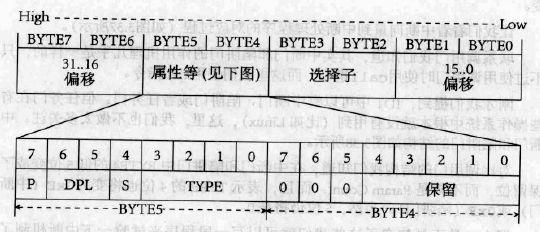 Linux 內核系列(七):操作系統開發之中斷門與陷阱門
Linux 內核系列 — 中斷與異常 a. 概述 中斷門與陷阱門的作用機理幾乎完全一致,兩者的差別僅在於調用方式:調用門使用 call 指令,而中斷門與陷阱門則使用 in
 Android 新手入門:用 Canvas 與 Paint 完成圖片顯示與繪圖
 在 Android 中,圖片顯示與繪圖經常需要 Bitmap、Canvas、Paint 等
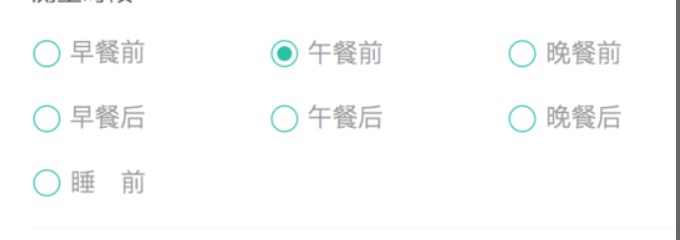 Android 組件式開發(2):打造網格布局的 RadioButton 矩陣
前言 在 Android 中,我們通常透過 RadioGroup 管理一組 RadioButton,以達到單選互斥的效果。但有些需求需要 N 行 N 列的 RadioBu
 Android 登入介面優化:自訂 EditText 背景
預設的 EditText 外觀較為樸素,若要讓登入頁更一致,可利用 drawable shape 建立圓角、白底