

編輯:關於 Android 開發
Android Support Library 23.3.0 是當時發布的最新版本,主要修復了 Support v4、AppCompat、RecyclerView、MediaRouter、Design Support Library 以及 v7 Preference 等庫的若干 bug,詳細更新日誌可參考官方地址。
在 Support v4 包中新增了一個 API:AppLaunchChecker。
先看看這個類。官方的說法是:它可以查看 app 過去是否已被啟動過,通過 hasStartedFromLauncher() 方法判斷當前啟動是否由 home screen 觸發。
使用很簡單,在啟動 activity 的 onCreate() 裡調用如下靜態方法:
@Override
protected void onCreate(Bundle savedInstanceState) {
    super.onCreate(savedInstanceState);
    setContentView(R.layout.activity_main);
    // AppLaunchChecker.onActivityCreate(this);
}
然後在其他你想判斷的地方進行判斷即可:
@Override
protected void onResume() {
    super.onResume();
    if (AppLaunchChecker.hasStartedFromLauncher(this)) {
        Toast.makeText(this, "it's started from launcher", Toast.LENGTH_SHORT).show();
    } else {
        Toast.makeText(this, "it's not started from launcher", Toast.LENGTH_SHORT).show();
    }
}
用法就這麼簡單。
那麼這個工具類有什麼用?我們平時啟動 app 有兩種形式:一種是點擊屏幕上的圖標啟動;另一種是通過 web 界面打開 app。通常我們會對兩種形式做不同處理,因此需要判斷究竟是不是從主屏幕啟動的。
看下它的源碼:
package android.support.v4.app;

import android.app.Activity;
import android.content.Context;
import android.content.Intent;
import android.content.SharedPreferences;
import android.support.v4.content.IntentCompat;
import android.support.v4.content.SharedPreferencesCompat;

/**
 * This class provides APIs for determining how an app has been launched.
 */
public class AppLaunchChecker {
    private static final String SHARED_PREFS_NAME = "android.support.AppLaunchChecker";
    private static final String KEY_STARTED_FROM_LAUNCHER = "startedFromLauncher";

    public static boolean hasStartedFromLauncher(Context context) {
        return context.getSharedPreferences(SHARED_PREFS_NAME, 0)
                .getBoolean(KEY_STARTED_FROM_LAUNCHER, false);
    }

    public static void onActivityCreate(Activity activity) {
        final SharedPreferences sp = activity.getSharedPreferences(SHARED_PREFS_NAME, 0);
        if (sp.getBoolean(KEY_STARTED_FROM_LAUNCHER, false)) {
            return;
        }
        final Intent launchIntent = activity.getIntent();
        if (launchIntent == null) {
            return;
        }
        if (Intent.ACTION_MAIN.equals(launchIntent.getAction())
                && (launchIntent.hasCategory(Intent.CATEGORY_LAUNCHER)
                    || launchIntent.hasCategory(IntentCompat.CATEGORY_LEANBACK_LAUNCHER))) {
            SharedPreferencesCompat.EditorCompat.getInstance().apply(
                    sp.edit().putBoolean(KEY_STARTED_FROM_LAUNCHER, true));
        }
    }
}從源碼不難看出,onActivityCreate() 的邏輯是:判斷 Intent 的 action 和 category,若符合桌面啟動特徵,就往 SharedPreferences 裡存一個 true;而 hasStartedFromLauncher() 只是去讀這個布爾值。
但問題在於:一旦 SharedPreference 裡存了 true,此後每次 hasStartedFromLauncher() 都會返回 true。因為保存變量時,它並沒有把"並非從主屏幕啟動"的 false 寫回去。所以個人覺得這個設計不太合理(也許該類的真正用途不在於此)。
最後,我改了一版這個工具類,讓它能每次正確判斷 app 究竟是從主屏幕啟動,還是其他方式啟動的。代碼如下:
public class AppLaunchChecker {
    private static final String SHARED_PREFS_NAME = "android.support.AppLaunchChecker";
    private static final String KEY_STARTED_FROM_LAUNCHER = "startedFromLauncher";

    public static boolean hasStartedFromLauncher(Context context) {
        return context.getSharedPreferences(SHARED_PREFS_NAME, 0)
                .getBoolean(KEY_STARTED_FROM_LAUNCHER, false);
    }

    public static void onActivityCreate(Activity activity) {
        final SharedPreferences sp = activity.getSharedPreferences(SHARED_PREFS_NAME, 0);
        final Intent launchIntent = activity.getIntent();
        if (launchIntent == null) {
            return;
        }
        if (Intent.ACTION_MAIN.equals(launchIntent.getAction())
                && (launchIntent.hasCategory(Intent.CATEGORY_LAUNCHER)
                    || launchIntent.hasCategory(IntentCompat.CATEGORY_LEANBACK_LAUNCHER))) {
            SharedPreferencesCompat.EditorCompat.getInstance().apply(
                    sp.edit().putBoolean(KEY_STARTED_FROM_LAUNCHER, true));
        } else {
            SharedPreferencesCompat.EditorCompat.getInstance().apply(
                    sp.edit().putBoolean(KEY_STARTED_FROM_LAUNCHER, false));
        }
    }
}
類名、方法名都保持一致,使用方式也一樣,so easy~~
博文到此結束,感謝大家支持,謝謝~
 Android 教學:用 ImageView 選擇並顯示本地圖片
用 ImageView 輕鬆選擇並顯示手機裡的圖片 本文示範如何透過一個隱式 Intent,開啟系統圖庫挑選本地圖片並顯示在 ImageView 上。 運行效果如下:
 Android 原始碼在線搜尋技巧:快速定位類別與方法
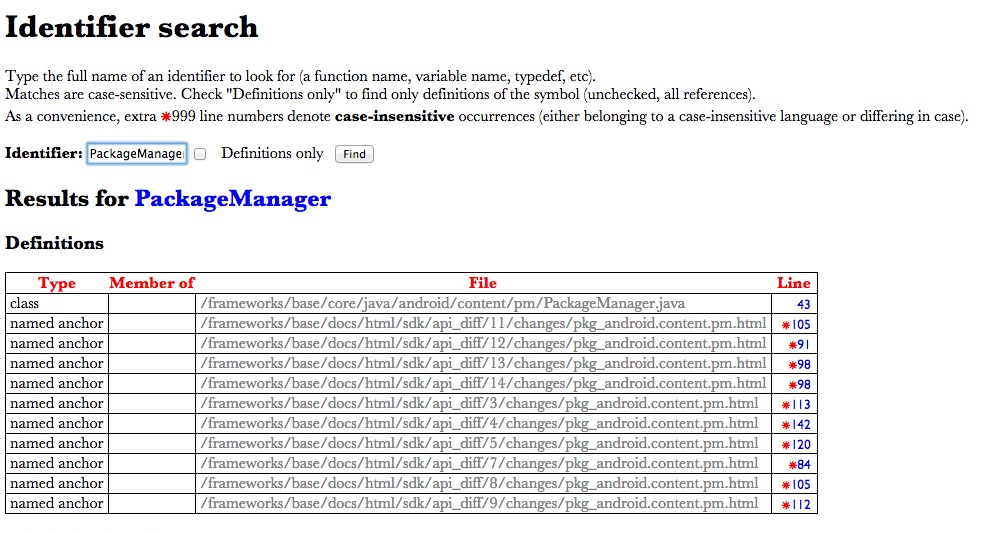
 在搜尋引擎普及之前,工程師遇到問題時常常只能直接閱讀原始碼。即使現在可以透過網路找到答案,若想理解 Android
 HTML5 四叉樹碰撞檢測:以 Canvas 與 WebGL 呈現 2D/3D 可視化
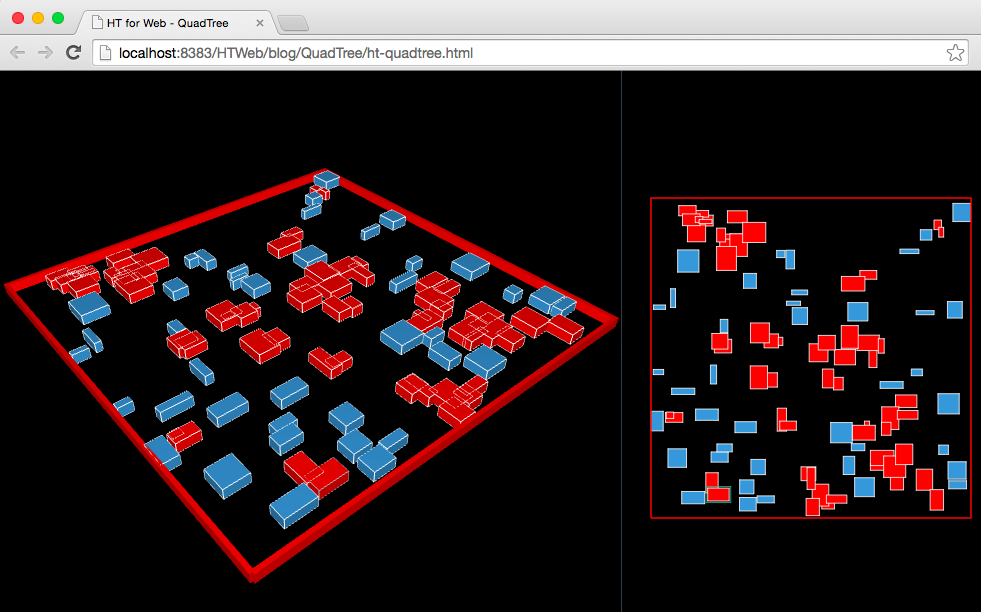
QuadTree 是什麼QuadTree 四叉樹是一種樹狀資料結構,每個節點通常有四個子節點,可將二維平面遞迴分割成更小的區域。它常用於空間索引、可視區域裁剪與碰撞檢測,
 用 IOS_Dialog_Library 做出 iOS 7 風格的底部動作選單
本文轉載自:https://blog.csdn.net/zhangphil/article/details/44940339 想在 Android 上做出類似 iOS 7