

編輯:關於 Android 開發
本文示範如何透過一個隱式 Intent,開啟系統圖庫挑選本地圖片並顯示在 ImageView 上。
運行效果如下:
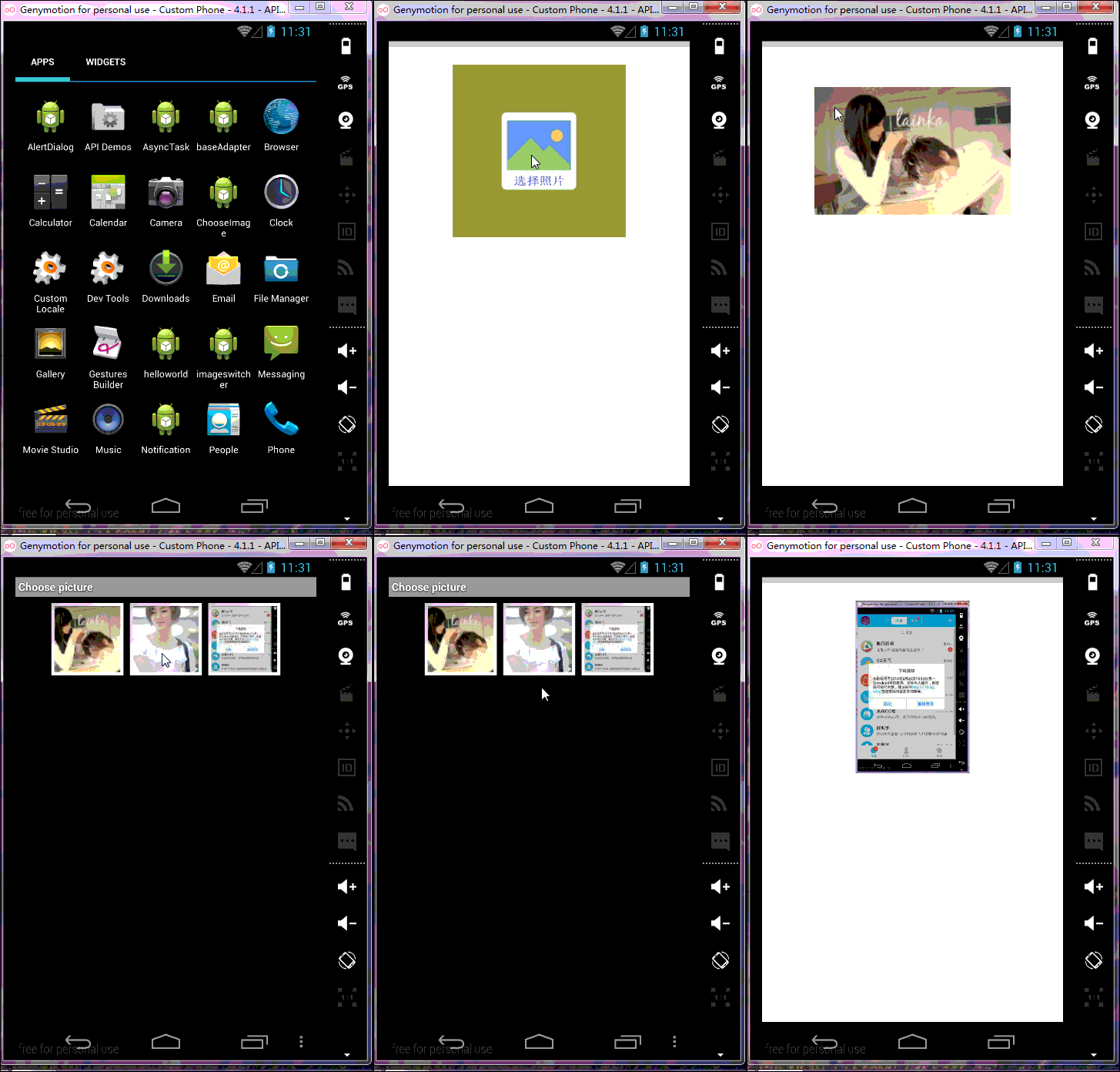
模擬器圖庫裡只有三張圖,畫質也比較感人,還請多多包涵。
<relativelayout xmlns:android="https://schemas.android.com/apk/res/android" xmlns:tools="https://schemas.android.com/tools" android:layout_width="match_parent" android:layout_height="match_parent"> <imageview android:id="@+id/image_choose" android:layout_width="250dp" android:layout_height="250dp" android:background="#CC0000" android:layout_centerhorizontal="true" android:layout_margintop="30dp" android:src="@drawable/default_bg" android:padding="5dp"> </imageview></relativelayout>
package com.example.chooseimage; import android.os.Bundle; import android.provider.MediaStore; import android.app.Activity; import android.content.Intent; import android.view.View; import android.view.View.OnClickListener; import android.view.Window; import android.widget.ImageView; public class MainActivity extends Activity implements OnClickListener { private ImageView image_choose; @Override protected void onCreate(Bundle savedInstanceState) { super.onCreate(savedInstanceState); requestWindowFeature(Window.FEATURE_NO_TITLE); setContentView(R.layout.activity_main); image_choose = (ImageView) findViewById(R.id.image_choose); image_choose.setOnClickListener(this); } @Override public void onClick(View v) { switch (v.getId()) { case R.id.image_choose: { Intent intent = new Intent(Intent.ACTION_PICK, null); intent.setDataAndType(MediaStore.Images.Media.EXTERNAL_CONTENT_URI, "image/*"); startActivityForResult(intent, 0x1); break; } } } @Override protected void onActivityResult(int requestCode, int resultCode, Intent data) { if (requestCode == 0x1 && resultCode == RESULT_OK) { if (data != null) { image_choose.setImageURI(data.getData()); } } super.onActivityResult(requestCode, resultCode, data); } }
 Xamarin Android 實作:在 Toolbar 圖示上做出數字提示(Badge)
讓 App 圖示也能顯示未讀數量 最近用 Xamarin 做一個 Android 應用,需求是:打開 App 時若有新訊息,得在 Toolbar 或首頁圖示上標出數字提示
 React-Native Android 通信原理(二):Javascript 向 Native 通信全流程
 前一篇分析了 Native 端向 Javascript 端通
 Android 捕獲程式異常崩潰:CrashHandler 全局監控與線程堆棧記錄
為什麼需要崩潰捕獲 Android 裝置型號繁多,加上各家廠商的客製化系統差異極大,我們不可能把每一種設備情境都測過一遍。因此「完全沒有 bug 的應用」幾乎是個不可能任
 Android 拼圖遊戲開發筆記:從規則封裝到界面更新
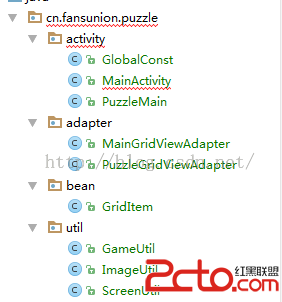
拼圖遊戲的整體結構 這款拼圖遊戲可以拆成入口頁、遊戲頁、資料模型、規則工具與圖片工具幾個部分。入口頁負責選擇難度與圖片,遊戲頁負責顯示拼圖、處理點擊與判斷完成狀態。 規