

編輯:關於 Android 開發

在數字的加減乘除運算中,若某個字段值為空值(null),輸出的結果往往會讓人失望,得不到期待的數值。此時可以透過 coalesce 方式,將凡是取值為 null 的字段轉換成預設值再進行運算,從而改善運算效果。
coalesce 函式用法:coalesce(字段名, 預設值),很簡單吧~
演示如下:
[root@dbserver ~]# su - postgres
-bash-3.2$ psql music
psql (9.5beta2)
輸入 "help" 來獲取幫助信息.

music=# create table test_null(id int, num1 int, num2 int);
CREATE TABLE

// 插入數據,有的取值為正常數字,有的則為空值 null
music=# insert into test_null values(1,100,100);
INSERT 0 1
music=# insert into test_null values(2,200,200);
INSERT 0 1
music=# insert into test_null values(3,null,100);
INSERT 0 1
music=# insert into test_null values(4,300,null);
INSERT 0 1
music=# insert into test_null values(5,null,500);
INSERT 0 1

// 查看表中的数据,發現 null 值的字段全部為空
music=# select * from test_null;
 id | num1 | num2
----+------+------
  1 |  100 |  100
  2 |  200 |  200
  3 |      |  100
  4 |  300 |
  5 |      |  500
(5 行記錄)

// 直接運算查看結果,會發現凡是遇到空值的運算結果均為空
music=# select num1+num2 from test_null;
?column?
----------
      200
      400
(5 行記錄)

// 使用 coalesce 函式之後便可處理 null 的問題
music=# select coalesce(num1,0)+coalesce(num2,0) from test_null;
?column?
----------
      200
      400
      100
      300
      500
(5 行記錄)
在這裡,coalesce 設定的預設值為 0,同樣也可以設為其他數值,比如人體體溫可設預設值為 36、冰點為 0、沸點為 100 等。
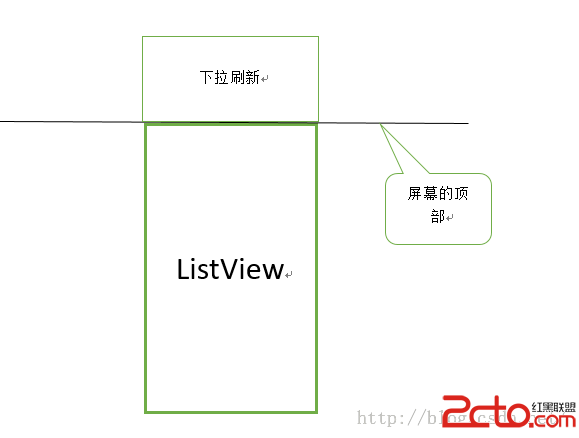 Android 自訂下拉重新整理與上拉載入更多 ListView 教學
打造順暢的列表體驗:下拉重新整理與上拉載入更多 在許多 App 的列表頁面中,使用者只要將手指往下滑,就能看見「下拉重新整理」提示;當手指釋放後,列表會進入刷新狀態,稍待
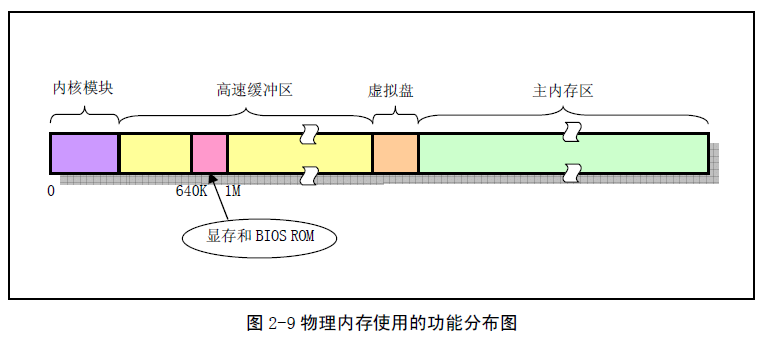 Linux 0.11 內核剖析:分頁記憶體管理的初始化
 【版權所有,轉載請註明出處。出處:https://www.cnblogs.com/joey-hua/p/55977
 Android 開發問題排查筆記:環境、UI、打包與相容性
 在日常 Android 開發中,很多問題並不是單一知識點,而是環境、構建、UI、系統版本與調試工具共同造成的。
 釋放 Android 的函數式能量(一):Kotlin Lambda 表達式入門
背景:為何要在 Android 上談函數式 Java 8 已內建若干函數式工具,但 Android 開發者過去很長一段時間無法立即使用。既然官方語言支援落後,社群便轉而尋