

編輯:關於 Android 開發
踏入 Android 開發的第一步,往往從熟悉開發環境與專案結構開始。本文整理了入門階段最需要掌握的幾個重點,適合剛起步的新手快速上手。
環境安裝部分各家教學已相當完整,此處不再贅述,直接進入正題。
在 Android Studio 中,一個專案(Project)等同於一個 Module,理解各資料夾的職責是入門關鍵:
res:存放所有應用資源,基本上決定了 APK 的最終大小。
java:存放 Java 原始碼。
manifests:清單檔,記錄所有配置,也是每次執行的第一個存取入口。
res 底下又細分為:drawable(圖片資源)、layout(版面配置)、menu(選單專用配置)、mipmap(自 Android 4.3 起 Google 強烈建議用於放置圖示,可提升渲染速度與畫質、降低 GPU 壓力)、values(字串、主題、顏色、樣式)。
常用控制項:
TextView:顯示文字的核取方塊式控制項。
EditText:可輸入文字的控制項,額外多了 hint(輸入提示)與 inputType(輸入類型)兩個屬性。
常見屬性包含 android:id、layout_width、layout_height、text、textSize、textColor、background 等。
在 layout 的 main.xml 中,透過 TextView 與 EditText 即可完成一個簡單的姓名輸入介面:
<!-- wrap_content: 包含實際內容; match_parent: 鋪滿父容器 -->
<TextView
 android:id="@+id/textView1"
 android:layout_width="wrap_content"
 android:layout_height="match_parent"
 android:text="姓名:"
 android:textSize="28sp"
 android:textColor="#000000" />

<EditText
 android:hint="請輸入你的姓名"
 android:id="@+id/editText1"
 android:layout_width="match_parent"
 android:layout_height="match_parent" />
掌握 these 基礎後,就能進一步組合出更豐富的圖形介面。
 安卓開源項目精選(第三期):23 個值得收藏的組件與工具
本期精選匯總了近期收錄的優質 Android 開源項目,涵蓋圖片壓縮、動效組件、掃碼、彈幕、MVP 框架等方向,方便大家快速找到合適的工具。 圖片與媒體 Advance
 BroadcastReceiver 兩種註冊方式詳解:靜態 vs 動態
 BroadcastReceiver 即「廣播接收者」,顧名思義,它負責接收來自系統與應用中的廣播消
 2015 Android Dev Summit 安卓開發峰會第一天現場紀實
 今年的 Google I/O 沒抽到票,無法到現場參加。不過 11 月舉行的 Android
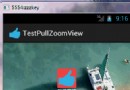 PullToZoomListViewEx 實作下拉縮放頭像:還原新浪微博登入頁的拉伸動效(一)
 如果你仔細觀察過新浪微博的手機客戶端,會發現登入頁有一個很細膩的互動:手