編輯:關於android開發
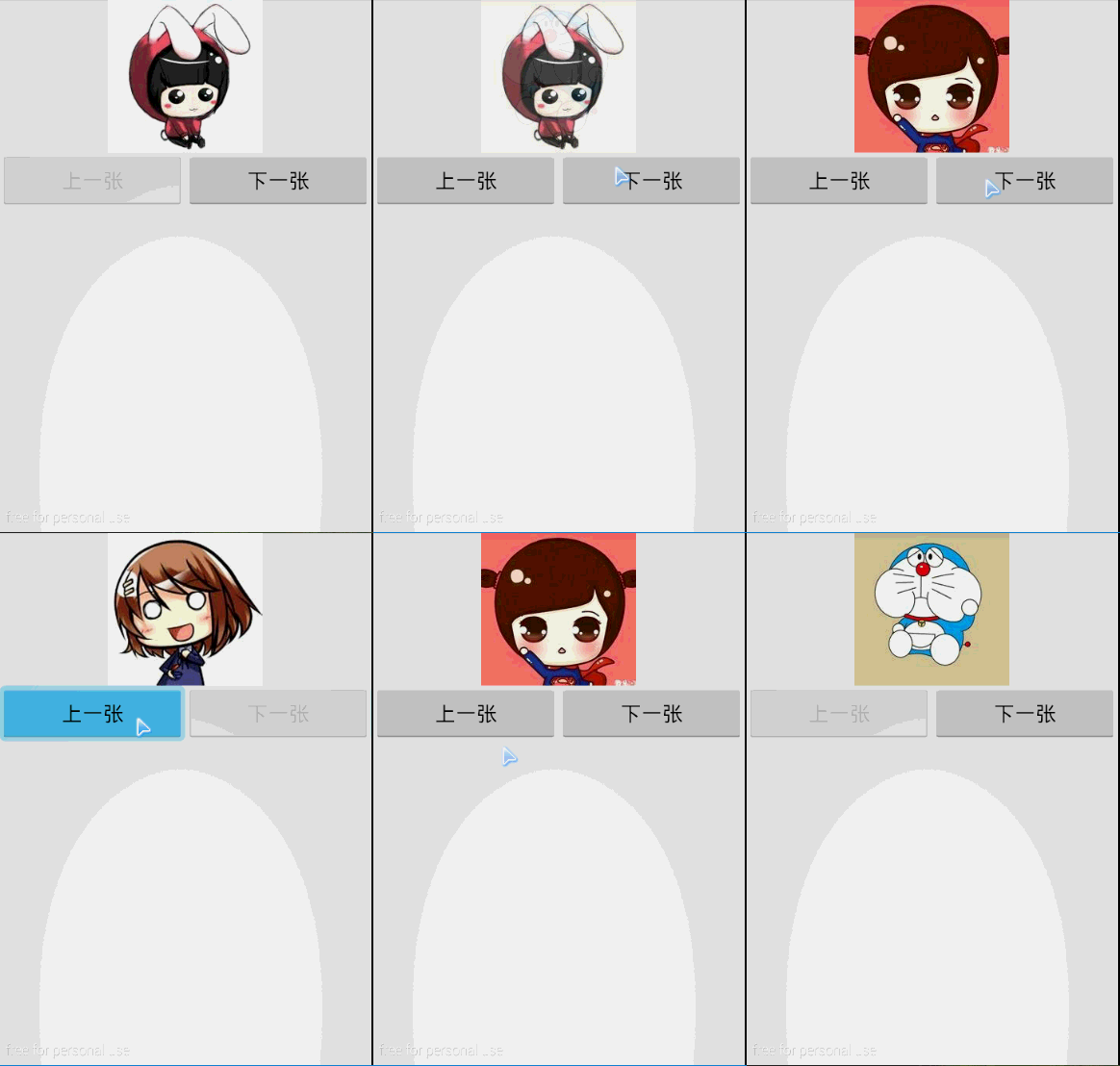
測試代碼:
activity_main.xml:
<?xml version="1.0" encoding="utf-8"?>
<LinearLayout xmlns:android="http://schemas.android.com/apk/res/android"
    android:id="@+id/MyLayout"
    android:layout_width="fill_parent"
    android:layout_height="fill_parent"
    android:orientation="vertical" >

    <ImageSwitcher
        android:id="@+id/imageSwitcher"
        android:layout_gravity="center"
        android:layout_width="wrap_content"
        android:layout_height="wrap_content" />

    <LinearLayout
        android:layout_width="fill_parent"
        android:layout_height="wrap_content"
        android:orientation="horizontal" >

        <Button
            android:id="@+id/btnPrevious"
            android:layout_width="wrap_content"
            android:layout_height="wrap_content"
            android:layout_weight="1"
            android:enabled="false"
            android:text="上一張" />

        <Button
            android:id="@+id/btnNext"
            android:layout_width="wrap_content"
            android:layout_height="wrap_content"
            android:layout_weight="1"
            android:enabled="true"
            android:text="下一張" />
    </LinearLayout>

</LinearLayout>
MainActivity.java:
package com.example.zz;


import android.app.Activity;
import android.os.Bundle;
import android.view.View;
import android.view.View.OnClickListener;
import android.view.ViewGroup.LayoutParams;
import android.view.animation.AnimationUtils;
import android.widget.Button;
import android.widget.ImageSwitcher;
import android.widget.ImageView;
import android.widget.ViewSwitcher.ViewFactory;

public class MainActivity extends Activity {
    private ImageSwitcher imageSwitcher;
    private Button btnPrevious;
    private Button btnNext;
    private int foot=0;
    private int[] imgRes=new int[]{R.drawable.a,R.drawable.b,R.drawable.c,R.drawable.d,R.drawable.e,};

    public void onCreate(Bundle savedInstanceState) {
        super.onCreate(savedInstanceState); // 生命周期方法
        super.setContentView(R.layout.activity_main); // 設置要使用的布局管理器
    imageSwitcher=(ImageSwitcher)findViewById(R.id.imageSwitcher);
    btnPrevious=(Button)findViewById(R.id.btnPrevious);
    btnNext=(Button)findViewById(R.id.btnNext);

    imageSwitcher.setFactory(new ViewFactory() {//設置轉化工廠

        @Override
        public View makeView() {
            ImageView imageView=new ImageView(MainActivity.this);
            imageView.setBackgroundColor(0xFFFFFFFF);
            imageView.setScaleType(ImageView.ScaleType.CENTER);//居中顯示
            imageView.setLayoutParams(new ImageSwitcher.LayoutParams(LayoutParams.MATCH_PARENT,LayoutParams.MATCH_PARENT));//定義組件
            return imageView;
        }
    });
    imageSwitcher.setImageResource(imgRes[foot++]);//初始化時顯示,必須放在工廠後面,否則會報NullPointerException
    imageSwitcher.setInAnimation(AnimationUtils.loadAnimation(this, android.R.anim.fade_in));//設置動畫
    imageSwitcher.setOutAnimation(AnimationUtils.loadAnimation(this, android.R.anim.fade_out));//設置動畫
    btnPrevious.setOnClickListener(new OnClickListener() {

        public void onClick(View v) {
            MainActivity.this.imageSwitcher.setImageResource(imgRes[foot--]);
            MainActivity.this.checkBtnEnable();

        }
    });
    btnNext.setOnClickListener(new OnClickListener() {

        public void onClick(View v) {
            MainActivity.this.imageSwitcher.setImageResource(imgRes[foot++]);
            MainActivity.this.checkBtnEnable();

        }
    });

    }

    protected void checkBtnEnable() {//判斷按鈕可用狀態
        if(this.foot<this.imgRes.length-1){
            this.btnNext.setEnabled(true);
        }else{
            this.btnNext.setEnabled(false);
        }
        if(this.foot==0){
            this.btnPrevious.setEnabled(false);
        }else {
            this.btnPrevious.setEnabled(true);
        }

    }
}
 Android 手機衛士12--進程管理,android12--
Android 手機衛士12--進程管理,android12-- 1.本進程不能被選中,所以先將checkbox隱藏掉--手機衛士 不能自殺 if(getItem(po
 Android Picasso 獲取遠程圖片並顯示,
Android Picasso 獲取遠程圖片並顯示, Picasso是Square公司開源的一個Android圖形緩存庫,地址http://square.git
 Android音樂播放器源碼(歌詞.均衡器.收藏.qq5.0菜單.通知),android.qq5.0
Android音樂播放器源碼(歌詞.均衡器.收藏.qq5.0菜單.通知),android.qq5.0一款Android音樂播放器源碼,基本功能都實現了 qq5.0菜單(歌
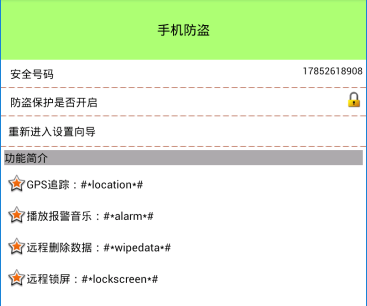 手機安全衛士——手機防盜頁面,安全衛士防盜頁面
手機安全衛士——手機防盜頁面,安全衛士防盜頁面LostFindActivity.java public class LostFindActivity extends A