編輯:關於android開發
錯誤1:java.lang.UnsatisfiedLinkError: Native method not found: 本地方法沒有找到
1、本地函數名寫錯
2、忘記加載.so文件 沒有調用System.loadlibrary
錯誤2:findLibrary returned null
1、System.loadLibrary("libhello"); 加載動態鏈接庫時 動態鏈接庫名字寫錯
2、平台類型錯誤 把只支持arm平台的.so文件部署到了 x86cpu的設備上
查看幫助文檔:
APP_ABI
By default, the NDK build system will generate machine code for the 'armeabi' ABI. This corresponds to an ARMv5TE based CPU with software floating point operations. You can use APP_ABI to select a different ABI.
For example, to support hardware FPU instructions on ARMv7 based devices, use:
APP_ABI := armeabi-v7a
Or to support the IA-32 instruction set, use:
APP_ABI := x86
Or to support the MIPS instruction set, use:
APP_ABI := mips
Or to support all at the same time, use:
APP_ABI := armeabi armeabi-v7a x86 mips
Or even better, since NDK r7, you can also use the special value 'all' which means "all ABIs supported by this NDK release":
APP_ABI := all
For the list of all supported ABIs and details about their usage and limitations, please read CPU-ARCH-ABIS.
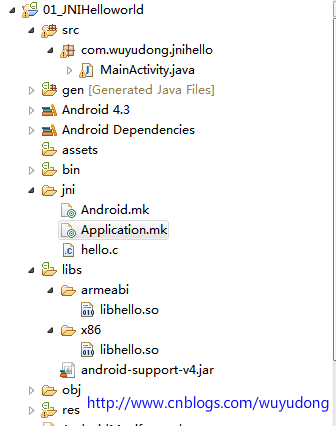
在jni目錄下創建 Application.mk 在裡面指定
APP_ABI := armeabi x86
重新編譯後可以看到分成兩個平台編譯,生成2個.so文件
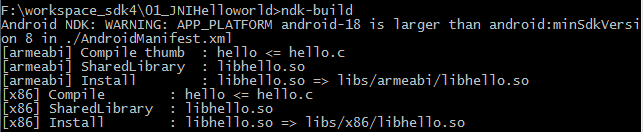
我們可以看到上面的編譯過程中出現警告,可以在 Application.mk 指定:
APP_PLATFORM := android-8
 android 集成系統分享和第三方分享案例
android 集成系統分享和第三方分享案例 現在很多的應用基本都會集成分享這個功能,該功能包括系統分享(比如郵件,短信)和第三方分享(比如QQ和微信)。其中有些公司
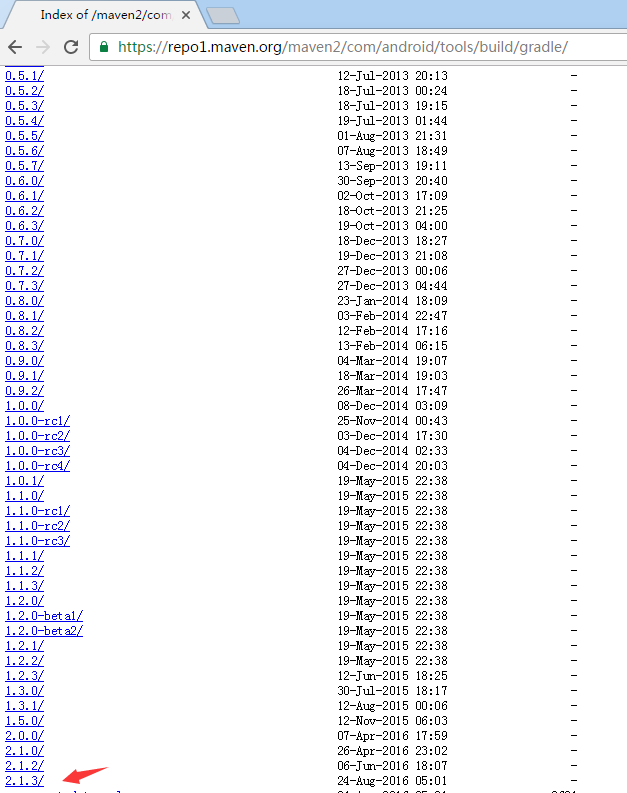 解決 Could not find com.android.tools.build:gradle 問題,couldnotfindntldr
解決 Could not find com.android.tools.build:gradle 問題,couldnotfindntldr今天拉同事最新的代碼,編譯時老是
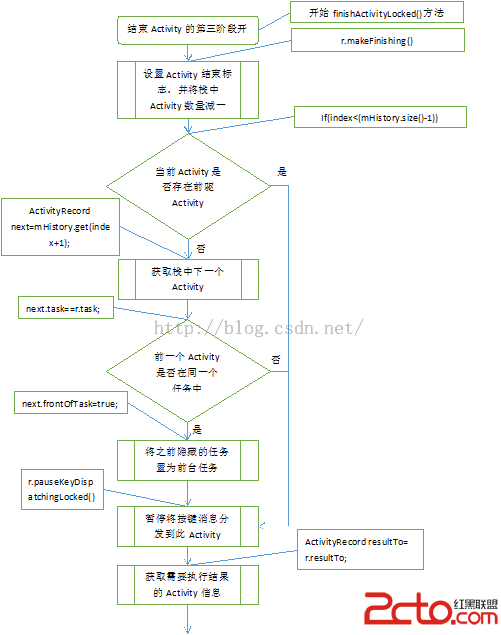 深入剖析Android四大組件(八)——結束Activity的4個階段
深入剖析Android四大組件(八)——結束Activity的4個階段 當我們試圖結束Activity的時候,ActivityManagerService的行為將會是怎樣
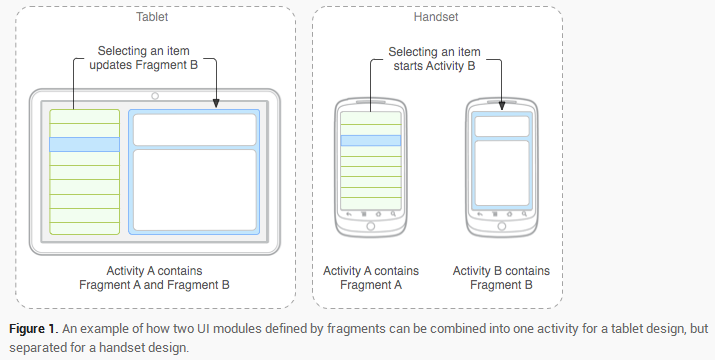 Android Fragment 基本介紹,androidfragment
Android Fragment 基本介紹,androidfragmentFragment 源碼:http://www.jinhusns.com/Products/Dow