編輯:關於android開發
代碼如下:
    <android.support.v7.widget.Toolbar
        android:id="@+id/toolbar"
        android:layout_width="match_parent"
        android:layout_height="wrap_content"
        android:background="?attr/colorPrimary"
        android:minHeight="?attr/actionBarSize"/>

    <android.support.v4.widget.DrawerLayout
        android:id="@+id/dl_home"
        android:layout_width="match_parent"
        android:layout_height="match_parent">

        <FrameLayout
            android:id="@+id/dl_container"
            android:layout_width="match_parent"
            android:layout_height="match_parent"/>

        <LinearLayout
            android:id="@+id/dl_menu"
            android:layout_width="match_parent"
            android:layout_height="match_parent"
            android:layout_gravity="end"
            android:background="@color/white"
            android:orientation="vertical"/>

    </android.support.v4.widget.DrawerLayout>
        mToolbar = (Toolbar) findViewById(R.id.toolbar);
        dlHome = (DrawerLayout) findViewById(R.id.dl_home);
        drawerToggle = new ActionBarDrawerToggle(this, dlHome, mToolbar, 0, 0);
        drawerToggle.syncState();
問題描述:
使用Toolbar、DrawerLayout和ActionBarDrawerToggle實現側滑菜單效果,按鈕點擊實現左側滑出是沒問題,但改成右側滑出
報錯:No drawer view found with gravity LEFT
解決辦法:添加一個mToolbar菜單按鈕的監聽,具體實現辦法如下:
                mToolbar.setNavigationOnClickListener(new View.OnClickListener() {
            @Override
            public void onClick(View v) {
                if (dlHome.isDrawerOpen(GravityCompat.END)) {
                    dlHome.closeDrawers();
                } else {
                    dlHome.openDrawer(Gravity.END);
                }
            }
        });
問題就解決了。
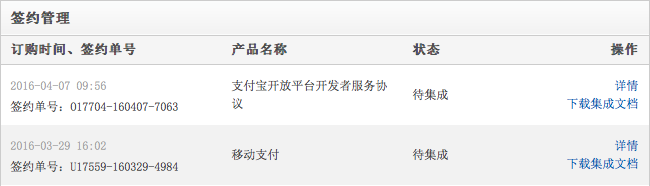 移動應用支付系列一:支付寶支付,移動應用支付系列
移動應用支付系列一:支付寶支付,移動應用支付系列 在移動應用滿天飛的時代,隨著移動支付的盛行,很多應用中都集成了支付功能。之前的支付一直不是我負責,近期這個項目我負責訂
 消息總線EventBus的基本使用(二十)
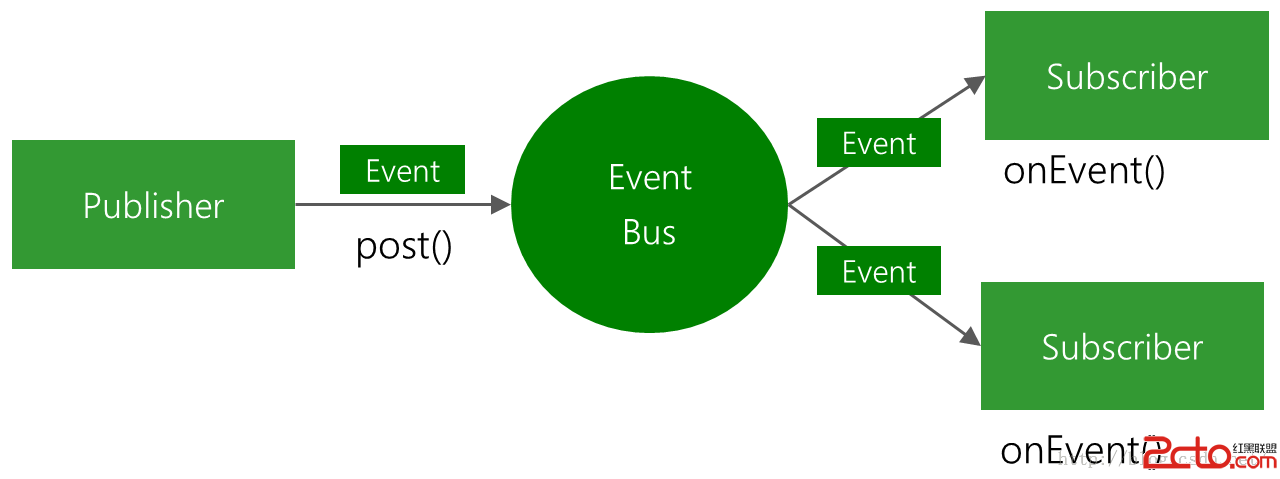
消息總線EventBus的基本使用(二十) (一).前言: 今天我們的項目繼續更新,今天我們主要講解消息總線EventBus的基本使用方法,後
 Android多媒體--MediaCodec 中文API文檔,mediacodecapi
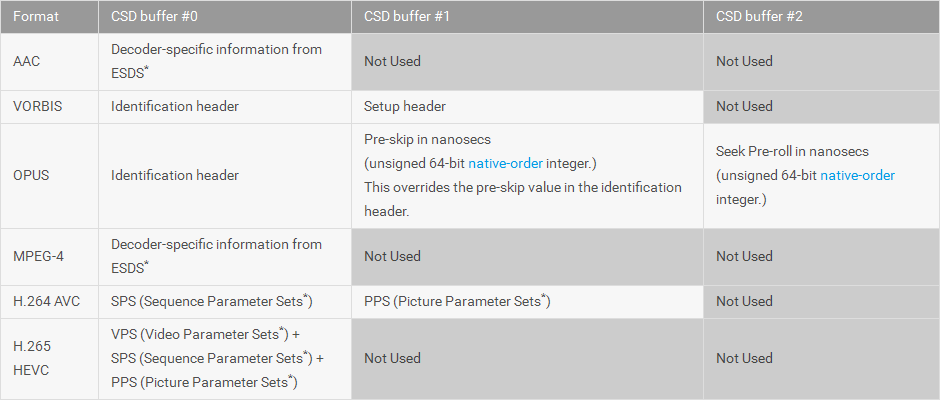
Android多媒體--MediaCodec 中文API文檔,mediacodecapi*由於工作需要,需要利用MediaCodec實現Playback及Transcod
 Adapter模式實戰-重構鴻洋的Android建行圓形菜單
Adapter模式實戰-重構鴻洋的Android建行圓形菜單 對於很多開發人員來說,炫酷的UI效果是最吸引他們注意力的,很多人也因為這些炫酷的效果而去學習一些比較知名