編輯:關於android開發
 1 AlertDialog.Builder builder = new AlertDialog.Builder(getActivity());
 2 builder.setTitle("測試");
 3
 4 LayoutInflater inflater = getActivity().getLayoutInflater();
 5 View view = inflater.inflate(R.layout.dialogfragment_num_input, null);
 6 builder.setView(view);
 7
 8 builder.setPositiveButton("確定",
 9         new DialogInterface.OnClickListener() {
10             @Override
11             public void onClick(DialogInterface dialog, int id) {
12
13                 Field field = null;
14
15                 try {
16                     //通過反射獲取dialog中的私有屬性mShowing
17                     field = dialog.getClass().getSuperclass().getDeclaredField("mShowing");
18                     field.setAccessible(true);//設置該屬性可以訪問
19                 } catch (Exception ex) {
20
21                 }
22
23                 String inputValue = String.valueOf(mEdit.getText());
24                 if (inputValue == null || "".equals(inputValue)) {
25                     try {
26                         //設置dialog不可關閉
27                         field.set(dialog, false);
28                         dialog.dismiss();
29                     } catch (Exception ex) {
30                     }
31                 } else {
32
33                    //
34                    //做自己的事
35                    //
36                     try {
37                         //關閉
38                         field.set(dialog, true);
39                         dialog.dismiss();
40                     } catch (Exception ex) {
41                     }
42                 }
43             }
44         });
45 builder.setNegativeButton("取消",
46         new DialogInterface.OnClickListener() {
47             @Override
48             public void onClick(DialogInterface dialog, int id) {
49
50                 Field field = null;
51
52                 try {
53                     //通過反射獲取dialog中的私有屬性mShowing
54                     field = dialog.getClass().getSuperclass().getDeclaredField("mShowing");
55                     field.setAccessible(true);//設置該屬性可以訪問
56                 } catch (Exception ex) {
57                 }
58
59                 try {
60                     field.set(dialog, true);
61                     dialog.dismiss();
62                 } catch (Exception ex) {
63                 }
64
65             }
66         });
67
68
69 builder.create();
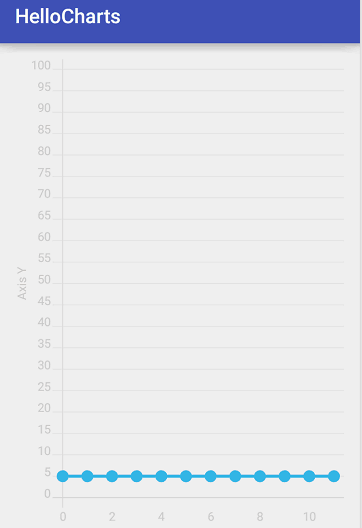 圖表框架HelloCharts(1)線形圖,hellocharts線形
圖表框架HelloCharts(1)線形圖,hellocharts線形效果圖 1. 導入 .aar 2. fragment_
 Android 在外部存儲讀寫文件,android讀寫
Android 在外部存儲讀寫文件,android讀寫本文主要介紹android中如何在外部存儲讀寫數據 sd卡的路徑 sdcard:2.3之前的sd卡路徑 mnt/sd
 Android動態資源加載原理和應用
Android動態資源加載原理和應用 動態加載資源原理 通常我們調用getResources()方法獲取資源文件 public Resources getResourc
 Cordova系列學習教程02 開發環境的准備和運行
Cordova系列學習教程02 開發環境的准備和運行 主要用Eclipse來搭建環境: 下載Eclipse 安裝ADThttp://de