編輯:關於android開發
由於做的項目,要有個動畫的等待效果,第一時間想到的就是Gif(懶,省事),但是試了好多據說能播放Gif的控件,也寫過,但是放到魅族手機上就是不能播放,所有就想了個招,既然Gif能在浏覽器上播放,那android 的 WebView 也能播放,寫了個Demo,果然能播放。
1、將gif的文件放到android的資源文件夾裡面
2、寫個html,將android的gif源放到WebView裡面去加載
<RelativeLayout xmlns:android="http://schemas.android.com/apk/res/android"
    xmlns:tools="http://schemas.android.com/tools"
    android:layout_width="match_parent"
    android:layout_height="match_parent"
    android:paddingLeft="@dimen/activity_horizontal_margin"
    android:paddingRight="@dimen/activity_horizontal_margin"
    android:paddingTop="@dimen/activity_vertical_margin"
    android:paddingBottom="@dimen/activity_vertical_margin"
    tools:context=".MainActivity">

    <WebView
        android:id="@+id/webview"
        android:layout_width="match_parent"
        android:layout_height="match_parent">
    </WebView>

</RelativeLayout>
3、代碼中使用
  @Override
    protected void onCreate(Bundle savedInstanceState) {
        super.onCreate(savedInstanceState);
        setContentView(R.layout.activity_main);

        WebView webView = (WebView) findViewById(R.id.webview);
        webView.loadDataWithBaseURL(null,
                "<HTML><body bgcolor='#f3f3f3'><div align=center><IMG src='file:///android_asset/load_wait_1_gif.gif'/></div></body></html>",
                "text/html", "UTF-8",null);

    }
好了,現在就可以播放了,感覺能夠適配任何機型
 android加固—1.如何檢驗so文件是否加殼成功,androidso
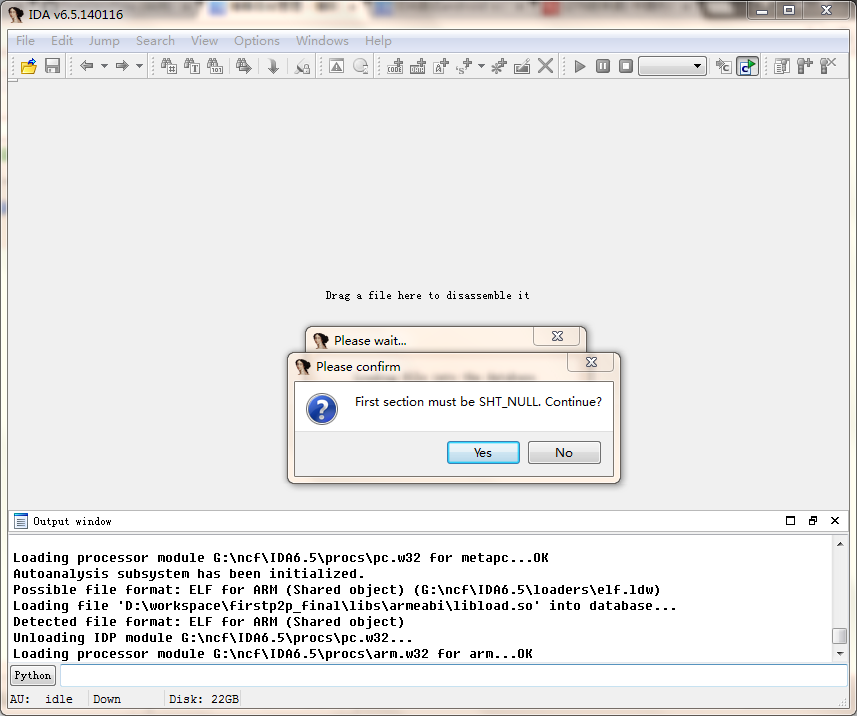
android加固—1.如何檢驗so文件是否加殼成功,androidso程序對so文件加殼後,如何驗證是否加殼成功呢,首先除了能在應用中正常運行外,還要用IDA來檢測:
 EditText 關於控件的一些技巧
EditText 關於控件的一些技巧 1.避免EditText輸入日期時的驗證 當在EditText輸入日期時,通常需要對輸入的日期進行驗證,然而我們可以用Butto
 Android應用開發教程之九:應用程序界面五大布局
1. 線性布局(LinearLayout) 線性布局的形式可以分為兩種,第一種橫向線性布局 第二種縱向線性布局,總而言之都是以線性的形式 一個個排
 [android] 天氣app布局練習(二),androidapp
[android] 天氣app布局練習(二),androidapp主要練習一下GridView MainActivity.java package com.examp