編輯:關於android開發
事件監聽篇---第二篇
下面是各種常用控件的事件監聽的使用
①EditText(編輯框)的事件監聽---OnKeyListener
②RadioGroup、RadioButton(單選按鈕)的事件監聽---OnCheckedChangeListener
③CheckBox(多選按鈕)的事件監聽---OnCheckedChangeListener
④Spinner(下拉列表)的事件監聽---OnItemSelectedListener
⑤Menu(菜單)的事件處理---onMenuItemSelected
⑥Dialog(對話框)的事件監聽---DialogInterface.OnClickListener()
第一個例子:EditText的事件監聽
 1 package org.hualang.eventtest2;
 2
 3 import android.app.Activity;
 4 import android.os.Bundle;
 5 import android.view.KeyEvent;
 6 import android.view.View;
 7 import android.widget.EditText;
 8 import android.widget.TextView;
 9
10 public class EventTest2 extends Activity {
11     /** Called when the activity is first created. */
12     private TextView mytext;
13     private EditText edittext;
14     @Override
15     public void onCreate(Bundle savedInstanceState) {
16         super.onCreate(savedInstanceState);
17         setContentView(R.layout.main);
18         mytext = (TextView)findViewById(R.id.mytext);
19         edittext = (EditText)findViewById(R.id.edittext);
20         /**
21          * 設置當EditText為空,則提示“請輸入賬號”
22          * 在配置文件main.xml中可以用android:hint="請輸入賬號"來實現
23          */
24         edittext.setHint("請輸入賬號");
25         //下面為EditText事件監聽
26         edittext.setOnKeyListener(new EditText.OnKeyListener()
27         {
28
29             @Override
30             public boolean onKey(View arg0, int arg1, KeyEvent arg2) {
31                 //得到文字,顯示在TextView中
32                 mytext.setText("內容:"+edittext.getText().toString());
33                 return false;
34             }
35
36         });
37     }
38 }
main.xml
 1 <?xml version="1.0" encoding="utf-8"?>
 2 <LinearLayout xmlns:android="http://schemas.android.com/apk/res/android"
 3     android:orientation="vertical"
 4     android:layout_width="fill_parent"
 5     android:layout_height="fill_parent"
 6     >
 7 <TextView
 8     android:layout_width="fill_parent"
 9     android:layout_height="wrap_content"
10     android:id="@+id/mytext"
11     />
12 <EditText
13     android:id="@+id/edittext"
14     android:layout_width="fill_parent"
15     android:layout_height="wrap_content"
16     android:textSize="10pt"
17 />
18 </LinearLayout>
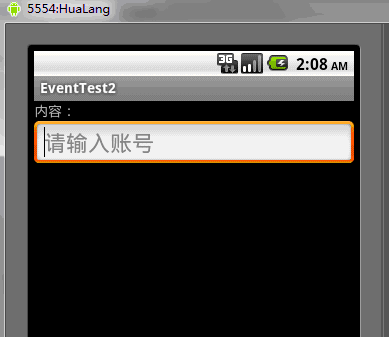
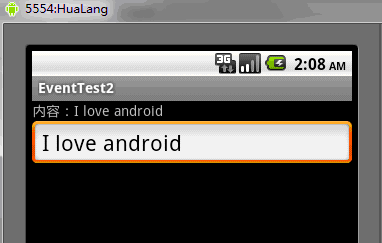
運行結果如下:
第二個例子:單選按鈕的事件監聽處理
 1 package org.hualang.eventtest;
 2
 3 import android.app.Activity;
 4 import android.os.Bundle;
 5 import android.view.Gravity;
 6 import android.widget.RadioButton;
 7 import android.widget.RadioGroup;
 8 import android.widget.Toast;
 9
10 public class EventTest3 extends Activity {
11     /** Called when the activity is first created. */
12     private RadioGroup group;
13     private RadioButton radio1,radio2,radio3,radio4;
14     @Override
15     public void onCreate(Bundle savedInstanceState) {
16         super.onCreate(savedInstanceState);
17         setContentView(R.layout.main);
18
19         group = (RadioGroup)findViewById(R.id.radiogroup1);
20         radio1 = (RadioButton)findViewById(R.id.button1);
21         radio2 = (RadioButton)findViewById(R.id.button2);
22         radio3 = (RadioButton)findViewById(R.id.button3);
23         radio4 = (RadioButton)findViewById(R.id.button4);
24
25         group.setOnCheckedChangeListener(new RadioGroup.OnCheckedChangeListener() {
26
27             @Override
28             public void onCheckedChanged(RadioGroup group, int checkedId) {
29                 // TODO Auto-generated method stub
30                 if (checkedId == radio2.getId())
31                 {
32                     showMessage("正確答案:" + radio2.getText()+",恭喜你,答對了");
33                 }
34                 else
35                 {
36                     showMessage("對不起,雖然很多,但不是公認的最多");
37                 }
38             }
39         });
40     }
41     public void showMessage(String str)
42     {
43         Toast toast = Toast.makeText(this, str, Toast.LENGTH_SHORT);
44         toast.setGravity(Gravity.TOP, 0, 220);
45         toast.show();
46     }
47 }
main.xml
 1 <?xml version="1.0" encoding="utf-8"?>
 2 <LinearLayout xmlns:android="http://schemas.android.com/apk/res/android"
 3     android:orientation="vertical"
 4     android:layout_width="fill_parent"
 5     android:layout_height="fill_parent"
 6     >
 7     <TextView
 8         android:id="@+id/mytextview"
 9         android:layout_width="fill_parent"
10         android:layout_height="wrap_content"
11         android:text="哪個城市的美女最多?"
12     />
13     <RadioGroup
14         android:id="@+id/radiogroup1"
15         android:layout_width="wrap_content"
16         android:layout_height="wrap_content"
17         android:orientation="vertical"
18     >
19         <RadioButton
20             android:id="@+id/button1"
21             android:layout_width="wrap_content"
22             android:layout_height="wrap_content"
23             android:text="杭州"
24         />
25         <RadioButton
26             android:id="@+id/button2"
27             android:layout_width="wrap_content"
28             android:layout_height="wrap_content"
29             android:text="重慶"
30         />
31         <RadioButton
32             android:id="@+id/button3"
33             android:layout_width="wrap_content"
34             android:layout_height="wrap_content"
35             android:text="成都"
36         />
37         <RadioButton
38             android:id="@+id/button4"
39             android:layout_width="wrap_content"
40             android:layout_height="wrap_content"
41             android:text="香港"
42         />
43     </RadioGroup>
44 </LinearLayout>
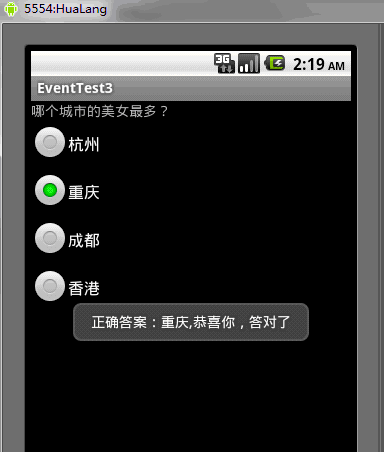
運行結果如下:
第三個例子:復選框的事件處理
  1 package org.hualang.eventtest4;
  2
  3 import android.app.Activity;
  4 import android.os.Bundle;
  5 import android.view.Gravity;
  6 import android.view.View;
  7 import android.widget.Button;
  8 import android.widget.CheckBox;
  9 import android.widget.CompoundButton;
 10 import android.widget.CompoundButton.OnCheckedChangeListener;
 11 import android.widget.Toast;
 12
 13 public class EventTest4 extends Activity {
 14     /** Called when the activity is first created. */
 15     private CheckBox ch1,ch2,ch3,ch4,ch5;
 16     private Button mybutton;
 17     @Override
 18     public void onCreate(Bundle savedInstanceState) {
 19         super.onCreate(savedInstanceState);
 20         setContentView(R.layout.main);
 21
 22         mybutton = (Button)findViewById(R.id.mybutton);
 23         ch1 = (CheckBox)findViewById(R.id.check1);
 24         ch2 = (CheckBox)findViewById(R.id.check2);
 25         ch3 = (CheckBox)findViewById(R.id.check3);
 26         ch4 = (CheckBox)findViewById(R.id.check4);
 27         ch5 = (CheckBox)findViewById(R.id.check5);
 28
 29         ch1.setOnCheckedChangeListener(new CheckBox.OnCheckedChangeListener()
 30         {
 31
 32             @Override
 33             public void onCheckedChanged(CompoundButton arg0, boolean arg1) {
 34                 // TODO Auto-generated method stub
 35                 if(ch1.isChecked())
 36                 {
 37                     showMessage("你選擇了"+ch1.getText());
 38                 }
 39             }
 40
 41         });
 42         ch2.setOnCheckedChangeListener(new CheckBox.OnCheckedChangeListener()
 43         {
 44
 45             @Override
 46             public void onCheckedChanged(CompoundButton arg0, boolean arg1) {
 47                 // TODO Auto-generated method stub
 48                 if(ch3.isChecked())
 49                 {
 50                     showMessage("你選擇了"+ch2.getText());
 51                 }
 52             }
 53
 54         });
 55         ch3.setOnCheckedChangeListener(new CheckBox.OnCheckedChangeListener()
 56         {
 57
 58             @Override
 59             public void onCheckedChanged(CompoundButton arg0, boolean arg1) {
 60                 // TODO Auto-generated method stub
 61                 if(ch3.isChecked())
 62                 {
 63                     showMessage("你選擇了"+ch3.getText());
 64                 }
 65             }
 66
 67         });
 68         ch4.setOnCheckedChangeListener(new CheckBox.OnCheckedChangeListener()
 69         {
 70
 71             @Override
 72             public void onCheckedChanged(CompoundButton arg0, boolean arg1) {
 73                 // TODO Auto-generated method stub
 74                 if(ch4.isChecked())
 75                 {
 76                     showMessage("你選擇了"+ch4.getText());
 77                 }
 78             }
 79
 80         });
 81         ch5.setOnCheckedChangeListener(new CheckBox.OnCheckedChangeListener()
 82         {
 83
 84             @Override
 85             public void onCheckedChanged(CompoundButton arg0, boolean arg1) {
 86                 // TODO Auto-generated method stub
 87                 if(ch5.isChecked())
 88                 {
 89                     showMessage("你選擇了"+ch5.getText());
 90                 }
 91             }
 92
 93         });
 94
 95         mybutton.setOnClickListener(new Button.OnClickListener()
 96         {
 97
 98             @Override
 99             public void onClick(View arg0) {
100                 // TODO Auto-generated method stub
101                 int num = 0;
102                 if(ch1.isChecked())
103                 {
104                     num++;
105                 }
106                 if(ch2.isChecked())
107                 {
108                     num++;
109                 }
110                 if(ch3.isChecked())
111                 {
112                     num++;
113                 }
114                 if(ch4.isChecked())
115                 {
116                     num++;
117                 }
118                 if(ch5.isChecked())
119                 {
120                     num++;
121                 }
122
123                 showMessage("謝謝參與,您一共選擇了"+num+"項");
124
125             }
126
127         });
128     }
129
130
131
132     public void showMessage(String str)
133     {
134         Toast toast = Toast.makeText(this, str, Toast.LENGTH_SHORT);
135         toast.setGravity(Gravity.TOP, 0, 220);
136         toast.show();
137     }
138 }
 1 <?xml version="1.0" encoding="utf-8"?>
 2 <LinearLayout xmlns:android="http://schemas.android.com/apk/res/android"
 3     android:orientation="vertical"
 4     android:layout_width="fill_parent"
 5     android:layout_height="fill_parent"
 6     >
 7     <TextView
 8         android:layout_width="fill_parent"
 9         android:layout_height="wrap_content"
10         android:text="你喜歡哪些智能手機系統"
11         />
12     <CheckBox
13         android:id="@+id/check1"
14         android:layout_width="fill_parent"
15         android:layout_height="wrap_content"
16         android:text="蘋果 ios"
17     />
18     <CheckBox
19         android:id="@+id/check2"
20         android:layout_width="fill_parent"
21         android:layout_height="wrap_content"
22         android:text="谷歌 Android"
23     />
24     <CheckBox
25         android:id="@+id/check3"
26         android:layout_width="fill_parent"
27         android:layout_height="wrap_content"
28         android:text="RIM BlackBerry"
29     />
30     <CheckBox
31         android:id="@+id/check4"
32         android:layout_width="fill_parent"
33         android:layout_height="wrap_content"
34         android:text="微軟 Windows phone 7"
35     />
36     <CheckBox
37         android:id="@+id/check5"
38         android:layout_width="fill_parent"
39         android:layout_height="wrap_content"
40         android:text="諾基亞 symbian"
41     />
42     <Button
43         android:id="@+id/mybutton"
44         android:layout_width="fill_parent"
45         android:layout_height="wrap_content"
46         android:text="確定"
47     />
48
49 </LinearLayout>
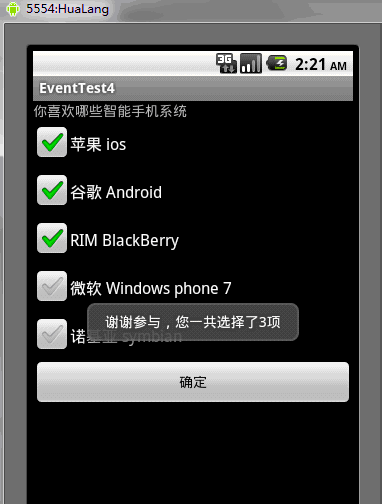
運行結果:
第四個例子:Spinner下拉菜單的事件處理
 1 package org.hualang.eventtest5;
 2
 3 import android.app.Activity;
 4 import android.os.Bundle;
 5 import android.view.View;
 6 import android.widget.AdapterView;
 7 import android.widget.ArrayAdapter;
 8 import android.widget.Spinner;
 9 import android.widget.TextView;
10
11 public class EventTest5 extends Activity {
12     /** Called when the activity is first created. */
13     private static final String[] citys={"杭州","北京","成都","大連","深圳","南京"};
14     private TextView text;
15     private Spinner spinner;
16     private ArrayAdapter<String> adapter;
17     @Override
18     public void onCreate(Bundle savedInstanceState) {
19         super.onCreate(savedInstanceState);
20         setContentView(R.layout.main);
21         text=(TextView)findViewById(R.id.text);
22         spinner=(Spinner)findViewById(R.id.spinner);
23
24         //將可選內容與ArrayAdapter連接
25         adapter=new ArrayAdapter<String>(this,android.R.layout.simple_spinner_item,citys);
26         //設置下拉列表風格
27         adapter.setDropDownViewResource(android.R.layout.simple_spinner_dropdown_item);
28         //將adapter添加到spinner中
29         spinner.setAdapter(adapter);
30         //添加Spinner事件監聽
31         spinner.setOnItemSelectedListener(new Spinner.OnItemSelectedListener()
32         {
33
34             @Override
35             public void onItemSelected(AdapterView<?> arg0, View arg1,
36                     int arg2, long arg3) {
37                 // TODO Auto-generated method stub
38                 text.setText("你所在的城市是:"+citys[arg2]);
39                 //設置顯示當前選擇的項
40                 arg0.setVisibility(View.VISIBLE);
41             }
42
43             @Override
44             public void onNothingSelected(AdapterView<?> arg0) {
45                 // TODO Auto-generated method stub
46
47             }
48
49         });
50     }
51 }
main.xml
 1 <?xml version="1.0" encoding="utf-8"?>
 2 <LinearLayout xmlns:android="http://schemas.android.com/apk/res/android"
 3     android:orientation="vertical"
 4     android:layout_width="fill_parent"
 5     android:layout_height="fill_parent"
 6     >
 7 <TextView
 8     android:id="@+id/text"
 9     android:layout_width="fill_parent"
10     android:layout_height="wrap_content"
11     android:text="您所在的城市"
12     />
13 <Spinner
14     android:id="@+id/spinner"
15     android:layout_width="wrap_content"
16     android:layout_height="wrap_content"
17     android:layout_centerHorizontal="true"
18 />
19 </LinearLayout>
運行結果如下:
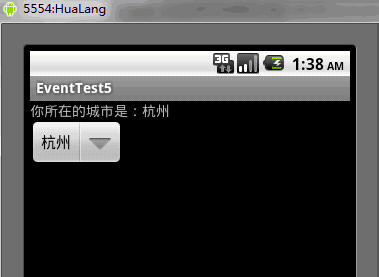
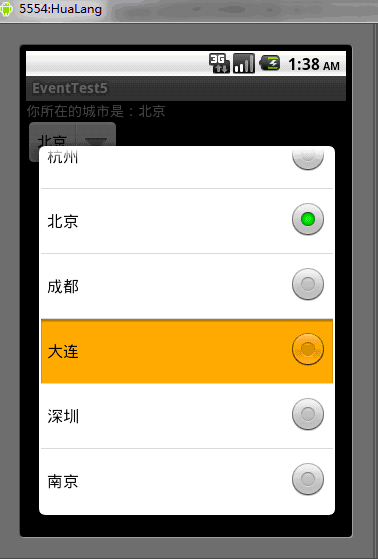
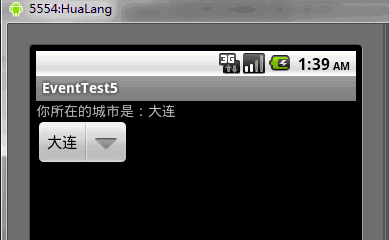
第五個例子:Menu(菜單)的事件處理
 1 package org.hualang.eventtest6;
 2
 3 import android.app.Activity;
 4 import android.os.Bundle;
 5 import android.view.Menu;
 6 import android.view.MenuInflater;
 7 import android.view.MenuItem;
 8 import android.widget.Toast;
 9
10 public class EventTest6 extends Activity {
11     /** Called when the activity is first created. */
12     @Override
13     public void onCreate(Bundle savedInstanceState) {
14         super.onCreate(savedInstanceState);
15         setContentView(R.layout.main);
16     }
17
18     @Override
19     public boolean onCreateOptionsMenu(Menu menu) {
20         // TODO Auto-generated method stub
21         MenuInflater inflater = getMenuInflater();
22         //設置menu界面為res/menu/menu.xml
23         inflater.inflate(R.menu.menu, menu);
24         return true;
25     }
26
27     @Override
28     public boolean onMenuItemSelected(int featureId, MenuItem item) {
29         //得到當前選中的MenuItem的ID
30         int itemId = item.getItemId();
31         switch(itemId)
32         {
33         case R.id.apple:
34             Toast toast = Toast.makeText(this, "這是蘋果", Toast.LENGTH_SHORT);
35             toast.show();
36             break;
37         case R.id.banana:
38             Toast toast2 = Toast.makeText(this, "這是香蕉", Toast.LENGTH_SHORT);
39             toast2.show();
40             break;
41         case R.id.exit:
42             EventTest6.this.finish();
43             break;
44         }
45         return true;
46     }
47
48
49 }
res/menu/menu.xml
 1 <?xml version="1.0" encoding="utf-8"?>
 2 <menu xmlns:android="http://schemas.android.com/apk/res/android">
 3     <item android:id="@+id/apple"
 4         android:title="蘋果"
 5     />
 6     <item android:id="@+id/banana"
 7         android:title="香蕉"
 8         />
 9     <item android:id="@+id/exit"
10         android:title="退出"
11         />
12 </menu>
運行結果如下:
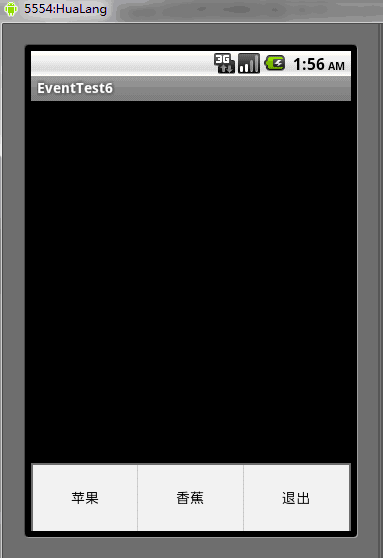
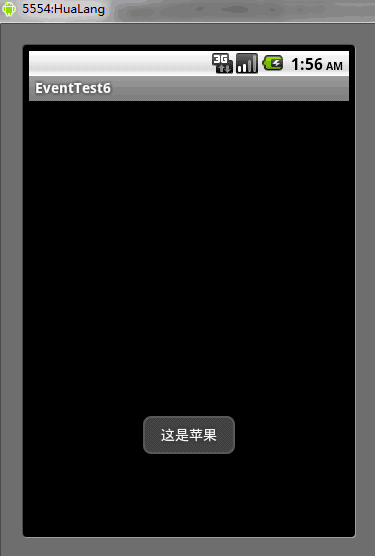
第六個例子:對話框的事件處理
 1 package org.hualang.dialog;
 2
 3 import android.app.Activity;
 4 import android.app.AlertDialog;
 5 import android.app.Dialog;
 6 import android.app.ProgressDialog;
 7 import android.content.DialogInterface;
 8 import android.content.DialogInterface.OnClickListener;
 9 import android.os.Bundle;
10 import android.view.LayoutInflater;
11 import android.view.View;
12
13 public class MainActivity extends Activity {
14     /** Called when the activity is first created. */
15     ProgressDialog myDialog;
16     @Override
17     public void onCreate(Bundle savedInstanceState) {
18         super.onCreate(savedInstanceState);
19         setContentView(R.layout.main);
20
21         Dialog dialog = new AlertDialog.Builder(MainActivity.this)
22         .setTitle("登錄提示")
23         .setMessage("這裡需要登錄")
24         .setPositiveButton("確定", new DialogInterface.OnClickListener() {
25
26             @Override
27             public void onClick(DialogInterface dialog, int which) {
28                 // TODO Auto-generated method stub
29                 LayoutInflater factory = LayoutInflater.from(MainActivity.this);
30                 final View DialogView = factory.inflate(R.layout.dialog, null);
31                 AlertDialog dlg = new AlertDialog.Builder(MainActivity.this)
32                 .setTitle("登錄框")
33                 .setView(DialogView)
34                 .setPositiveButton("確定", new DialogInterface.OnClickListener() {
35
36                     @Override
37                     public void onClick(DialogInterface dialog, int whichButton) {
38                         // TODO Auto-generated method stub
39                         myDialog = ProgressDialog.show(MainActivity.this, "請等待...", "正在為你登錄", true);
40                         new Thread()
41                         {
42                             public void run()
43                             {
44                                 try
45                                 {
46                                     sleep(3000);
47                                 }catch(Exception e)
48                                 {
49                                     e.printStackTrace();
50                                 }finally
51                                 {
52                                     myDialog.dismiss();
53                                 }
54                             }
55                         }.start();
56                     }
57                 }).setNegativeButton("取消",
58                         new DialogInterface.OnClickListener() {
59
60                             @Override
61                             public void onClick(DialogInterface dialog, int which) {
62                                 // TODO Auto-generated method stub
63                                 MainActivity.this.finish();
64                             }
65                         }).create();
66                 dlg.show();
67             }
68         }).setNeutralButton("退出", new DialogInterface.OnClickListener() {
69
70             @Override
71             public void onClick(DialogInterface dialog, int which) {
72                 // TODO Auto-generated method stub
73                 MainActivity.this.finish();
74             }
75         }).create();
76         dialog.show();
77
78     }
79 }
res/layout/dialog.xml
 1 <?xml version="1.0" encoding="utf-8"?>
 2 <LinearLayout xmlns:android="http://schemas.android.com/apk/res/android"
 3     android:orientation="vertical"
 4     android:layout_width="fill_parent"
 5     android:layout_height="fill_parent"
 6     >
 7     <TextView
 8         android:id="@+id/username"
 9         android:layout_width="wrap_content"
10         android:layout_height="wrap_content"
11         android:layout_marginLeft="20dip"
12         android:layout_marginRight="20dip"
13         android:text="賬號"
14         android:gravity="left"
15         android:textAppearance="?android:attr/textAppearanceMedium"
16     />
17     <EditText
18         android:id="@+id/myusername"
19         android:layout_height="wrap_content"
20         android:layout_width="fill_parent"
21         android:layout_marginLeft="20dip"
22         android:layout_marginRight="20dip"
23         android:scrollHorizontally="true"
24         android:autoText="false"
25         android:capitalize="none"
26         android:gravity="fill_horizontal"
27         android:textAppearance="?android:attr/textAppearanceMedium"
28     />
29     <TextView
30         android:id="@+id/password"
31         android:layout_width="fill_parent"
32         android:layout_height="wrap_content"
33         android:layout_marginLeft="20dip"
34         android:layout_marginRight="20dip"
35         android:text="密碼"
36         android:gravity="left"
37         android:textAppearance="?android:attr/textAppearanceMedium"
38     />
39     <EditText
40         android:id="@+id/mypassword"
41         android:layout_width="fill_parent"
42         android:layout_height="wrap_content"
43         android:layout_marginLeft="20dip"
44         android:layout_marginRight="20dip"
45         android:scrollHorizontally="true"
46         android:autoText="false"
47         android:capitalize="none"
48         android:gravity="fill_horizontal"
49         android:password="true"
50     />
51 </LinearLayout>
運行結果:
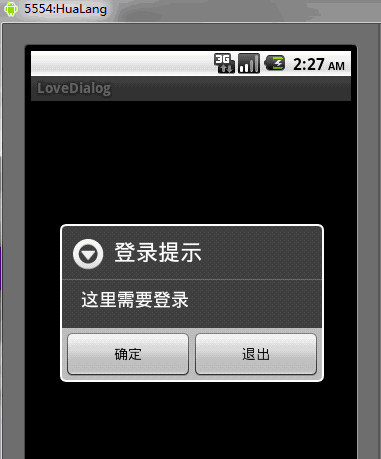
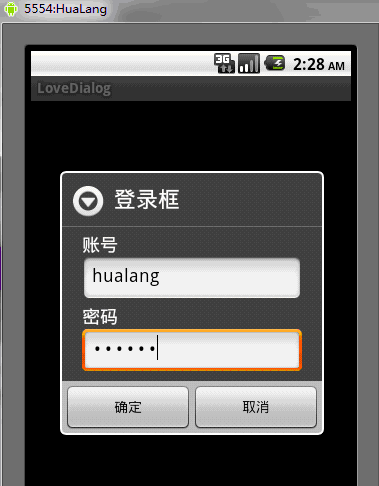
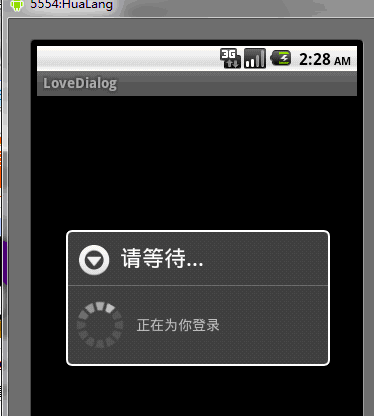
轉自:http://www.iteye.com/topic/1060815
 淺談FloatingActionButton(懸浮按鈕),floatingactionbutton
淺談FloatingActionButton(懸浮按鈕),floatingactionbutton一、介紹 這個類是繼承自ImageView的,所以對於這個控件我們可以使
 [android] 手機衛士黑名單功能(ListView優化),androidlistview
[android] 手機衛士黑名單功能(ListView優化),androidlistview上一篇記錄了使用ListView展示出來了100條數據,當慢慢拖動的時候,不
 Android--音樂播放器
Android--音樂播放器 1、什麼是Open Core? Open Core是 Android 多媒體框架的核心,所有 Android平台的音頻、視頻的采用以及播
 android 之 ExpandableListView列表中的列表,androidlistview列表
android 之 ExpandableListView列表中的列表,androidlistview列表有時候,我們需要設計這樣一個界面,外面有一個列表,當我們點擊其中列