編輯:關於android開發
ExpandableListView(可折疊的列表)
一、ExpandableListView(可折疊的列表)和ListView有很多地方差不多的,使用也差不多,只是他們使用適配器不一樣的,ExpandableListView使用的是ExpandableAdapter適配器,常用的有BaseExpandableAdapter和SimpleExpandableAdapter。常用的屬性:
android:childDivider:指定各組內部子類表項之間分割線,圖片不會完全顯示,分割子列表項是一條直線。
android:childIndicator:顯示在子列表旁邊的Drawable對象,可以是一個圖像
android:childIndicatorEnd:子列表項指示符的結束約束位置
android:childIndicatorLeft:子列表項指示符的左邊約束位置
android:childIndicatorRight:子列表指示符的右邊約束位置
android:childIndicatorStart:子列表指示符的開始約束位置
android:groupIndicator:顯示在組列表旁邊的Drawable對象,可以是一個圖像
android:indicatorEnd:組列表項指示器的結束約束位置
android:indicatorLeft:組列表項指示器的左邊約束位置
二、使用例子
adapter:
package com.example.test3;


import android.content.Context;
import android.view.LayoutInflater;
import android.view.View;
import android.view.ViewGroup;
import android.widget.BaseExpandableListAdapter;
import android.widget.ImageView;
import android.widget.TextView;

import java.util.ArrayList;
import java.util.List;

/**
 * Created by coder-tu on 2016/1/18.
 */
public class MyExpandabedAdapter extends BaseExpandableListAdapter {
    private Context mContext;
    private List<String> parentData;
    private List<ArrayList<Item>> childData;

    public MyExpandabedAdapter(Context mContext, List<ArrayList<Item>> childData, List<String> parentData) {
        this.mContext = mContext;
        this.childData = childData;
        this.parentData = parentData;
    }

    @Override
    public int getGroupCount() {
        return parentData.size();
    }

    @Override
    public int getChildrenCount(int i) {
        return childData.get(i).size();
    }

    @Override
    public Object getGroup(int i) {
        return parentData.get(i);
    }

    @Override
    public Object getChild(int i, int i1) {
        return childData.get(i).get(i1);
    }

    @Override
    public long getGroupId(int i) {
        return i;
    }

    @Override
    public long getChildId(int i, int i1) {
        return i;
    }

    @Override
    public boolean hasStableIds() {
        return false;
    }

    @Override
    public View getGroupView(int i, boolean b, View view, ViewGroup viewGroup) {
        ViewHolder1 viewHolder1 = null;
        if (view  == null){
            viewHolder1 = new ViewHolder1();
            view = LayoutInflater.from(mContext).inflate(R.layout.parent,viewGroup,false);
            viewHolder1.textView1 = (TextView) view.findViewById(R.id.text1);
            view.setTag(viewHolder1);
        }else{
            viewHolder1 = (ViewHolder1) view.getTag();
        }
        viewHolder1.textView1.setText(parentData.get(i));
        return view;
    }

    @Override
    public View getChildView(int i, int i1, boolean b, View view, ViewGroup viewGroup) {
        ViewHolder2 viewHolder2 = null;
        if (view == null){
            viewHolder2 = new ViewHolder2();
            view = LayoutInflater.from(mContext).inflate(R.layout.item,viewGroup,false);
            viewHolder2.imageView2 = (ImageView) view.findViewById(R.id.image2);
            viewHolder2.textView2 = (TextView) view.findViewById(R.id.text2);
            view.setTag(viewHolder2);
        }
        else{
            viewHolder2 = (ViewHolder2) view.getTag();
        }
        viewHolder2.imageView2.setImageResource(childData.get(i).get(i1).getId());
        viewHolder2.textView2.setText(childData.get(i).get(i1).getContent());
        return view;
    }

    @Override
    public boolean isChildSelectable(int i, int i1) {
        return true;
    }
    class  ViewHolder1{
        public TextView textView1;
    }
    class  ViewHolder2{
        public ImageView imageView2;
        public TextView textView2;
    }
}
布局文件
Java文件
package com.example.test3;

import android.app.Activity;
import android.os.Bundle;
import android.view.View;
import android.widget.ExpandableListView;
import android.widget.Toast;

import java.util.ArrayList;
import java.util.List;
public class MainActivity extends Activity{
    private ExpandableListView expandableListView;
    private List<String> parentData;
    private List<ArrayList<Item>> childData;
    private MyExpandabedAdapter adapter;
    @Override
    protected void onCreate(Bundle savedInstanceState){
        super.onCreate(savedInstanceState);
        setContentView(R.layout.activity_main);
        expandableListView = (ExpandableListView) findViewById(R.id.expandableListView);
        parentData = new ArrayList<>();
        parentData.add(new String("父母1"));
        parentData.add(new String("父母2"));
        parentData.add(new String("父母3"));
//        給父母1准備數據
        ArrayList<Item> arrayList1 = new ArrayList<>();
        arrayList1.add(new Item(R.mipmap.ic_launcher,"父母1--孩子1"));
        arrayList1.add(new Item(R.mipmap.ic_launcher,"父母1--孩子2"));
        arrayList1.add(new Item(R.mipmap.ic_launcher,"父母1--孩子3"));
//        給父母2准備數據
        ArrayList<Item> arrayList2 = new ArrayList<>();
        arrayList2.add(new Item(R.mipmap.ic_launcher,"父母2--孩子1"));
        arrayList2.add(new Item(R.mipmap.ic_launcher,"父母2--孩子2"));
        arrayList2.add(new Item(R.mipmap.ic_launcher,"父母2--孩子3"));
//        給父母3准備數據
        ArrayList<Item> arrayList3 = new ArrayList<>();
        arrayList3.add(new Item(R.mipmap.ic_launcher,"父母3--孩子1"));
        arrayList3.add(new Item(R.mipmap.ic_launcher,"父母3--孩子2"));
        arrayList3.add(new Item(R.mipmap.ic_launcher,"父母3--孩子3"));

        childData = new ArrayList<>();
        childData.add(arrayList1);
        childData.add(arrayList2);
        childData.add(arrayList3);
        adapter = new MyExpandabedAdapter(MainActivity.this,childData,parentData);
        expandableListView.setAdapter(adapter);
        expandableListView.setOnChildClickListener(new ExpandableListView.OnChildClickListener() {
            @Override
            public boolean onChildClick(ExpandableListView parent, View children, int parentPosition, int childPosition, long id) {
                Toast.makeText(MainActivity.this,"你好",Toast.LENGTH_LONG).show();
                return false;
            }
        });
    }
}
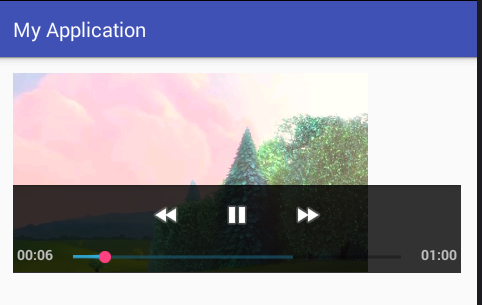
效果圖:
 Android 視頻播放器 VideoView 的使用,播放本地視頻 和 網絡 視頻,androidvideoview
Android 視頻播放器 VideoView 的使用,播放本地視頻 和 網絡 視頻,androidvideoview1、布局文件 <?xml version=1
 android Gui系統之WMS(2)----窗口的添加,androidwms
android Gui系統之WMS(2)----窗口的添加,androidwmsAndroid系統很多,但是最常用的就兩類,一類是有系統進場管理的,系統窗口。還有一類就是
 Android開發錯誤匯總,android開發匯總
Android開發錯誤匯總,android開發匯總【錯誤信息】 [2011-01-19 16:39:10 - ApiDemos] WARNING: Application
 在Android Studio中進行單元測試和UI測試,androidui
在Android Studio中進行單元測試和UI測試,androidui 本篇教程翻譯自Google I/O 2015中關於測試的codelab,掌握科學上網的同學請點