編輯:關於Android編程
Android GZip:
gzip是GNUzip的縮寫,它是一個GNU自由軟件的文件壓縮程序。
HTTP協議上的GZIP編碼是一種用來改進WEB應用程序性能的技術。一般服務器中都安裝有這個功能模塊的,服務器端不需做改動。
當浏覽器支持gzip 格式的時候, 服務器端會傳輸gzip格式的數據。
從Http 技術細節上講,就是 http request 頭中 有 "Accept-Encoding", "gzip" ,response 中就有返回頭Content-Encoding=gzip
我們現在從浏覽器上訪問玩啥網站都是gzip格式傳輸的。
但是我們現在Android 客戶端,沒有用gzip 格式訪問。
同樣的的道理,我們可以在android 客戶端 request 頭中加入 "Accept-Encoding", "gzip" ,來讓服務器傳送gzip 數據。
具體代碼如下。
  private String getJsonStringFromGZIP(HttpResponse response) {
    String jsonString = null;
    try {
      InputStream is = response.getEntity().getContent();
      BufferedInputStream bis = new BufferedInputStream(is);
      bis.mark(2);
      // 取前兩個字節
      byte[] header = new byte[2];
      int result = bis.read(header);
      // reset輸入流到開始位置
      bis.reset();
      // 判斷是否是GZIP格式
      int headerData = getShort(header);
      // Gzip 流 的前兩個字節是 0x1f8b
      if (result != -1 && headerData == 0x1f8b) {
        LogUtil.d("HttpTask", " use GZIPInputStream ");
        is = new GZIPInputStream(bis);
      } else {
        LogUtil.d("HttpTask", " not use GZIPInputStream");
        is = bis;
      }
      InputStreamReader reader = new InputStreamReader(is, "utf-8");
      char[] data = new char[100];
      int readSize;
      StringBuffer sb = new StringBuffer();
      while ((readSize = reader.read(data)) > 0) {
        sb.append(data, 0, readSize);
      }
      jsonString = sb.toString();
      bis.close();
      reader.close();
    } catch (Exception e) {
      LogUtil.e("HttpTask", e.toString(),e);
    }

    LogUtil.d("HttpTask", "getJsonStringFromGZIP net output : " + jsonString );
    return jsonString;
  }

  private int getShort(byte[] data) {
    return (int)((data[0]<<8) | data[1]&0xFF);
  }
參考 ,注意實際使用中,我發現gzip 流前兩個字節是0x1e8b ,不是0x1f8b .後來檢查一下code ,代碼處理錯誤,加上第二個字節的時候需 &0xFF0x1f8b
可參考標准
http://www.gzip.org/zlib/rfc-gzip.html#file-format
http://xmagicj.diandian.com/post/2011-08-08/3641381
感謝閱讀,希望能幫助到大家,謝謝大家對本站的支持!
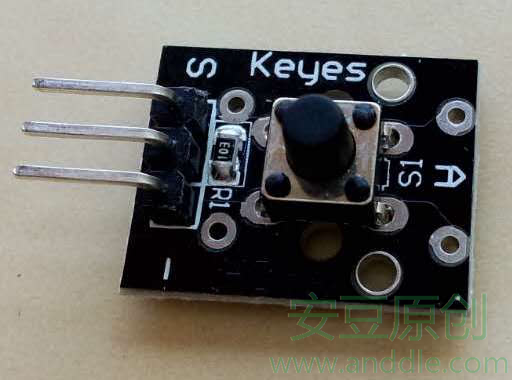 手把手教你智能硬件開發(五) 開關按鈕
第5節 按鈕開關對於硬件的控制,我們常用硬件開關來控制Arduino開發板上其他外接硬件的通斷邏輯。比如,一盞LED燈,硬件上最好有個開關,按一下開關,就讓LED燈亮,再
 nodejs+ionic+cordova+intellijIdea搭建webApp環境分析
第一次使用nodejs+ionic+cordova+intellijIdea搭建webApp開發環境,由於nodejs、ionic、cordova、andriod都是第一
 Android實現類似ListView模式的回收和更新機制的瀑布流
博客地址:http://blog.csdn.net/u010593680/article/details/43771857(轉載請保留原文地址) 項目地址:https:/
 ReactNative實現ListView分組,懸浮效果
實現效果其實在ReactNative中實現ListView的分組效果的方式與Android中的ExpandableListview非常相似,只是在表現形式上更趨近於IOS