編輯:關於Android編程
開發中碰到問題之後實現的,覺得可能有的開發者用的到或則希望獨立成一個小功能DEMO,所以就放出來這麼一個DEMO。
原本覺得是最後完成後發網站客戶端的,可是這樣體現不出一個功能一個功能的分析實現效果,而且周期時間長,所以就完成一部分,發一部分,敬請諒解。
下面的菜單彈出效果在很多的新聞閱讀器上都有,比如今日頭條、360新聞等。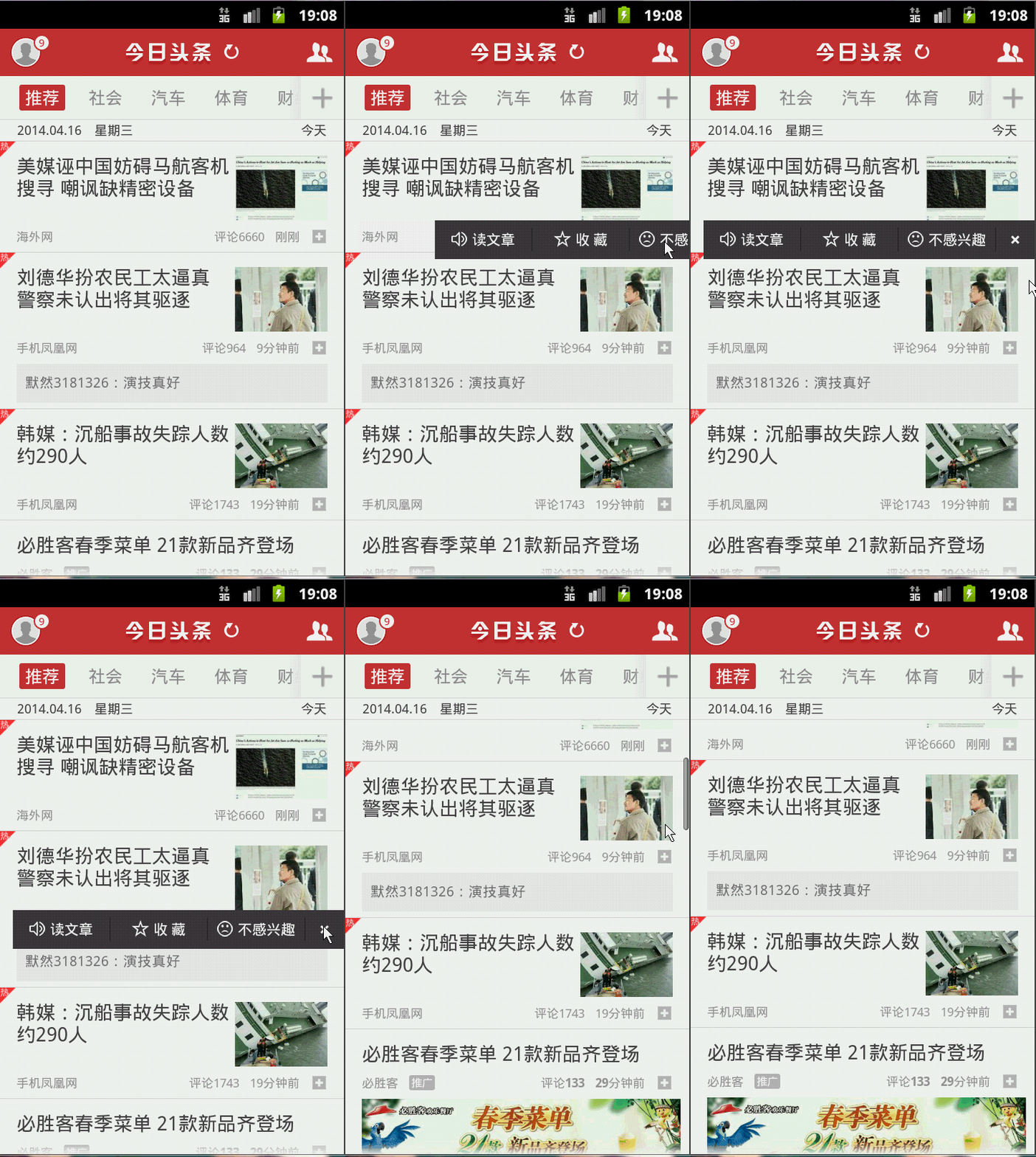
其實這個實現起來很簡單,看其效果,其實就是一個PopupWindow,之後設定相應postion的按鈕點擊屬性,之後獲取按鈕的位置,給它設置動畫顯示消失就可以出現了。
下面看看代碼的思路:
由於整體是一個LISTVIEW,所以我把點擊的事件寫到了對應的Adapter適配器中。
public class MyAdapter extends BaseAdapter {
  LayoutInflater inflater = null;
  Activity activity;
  ArrayList<News> newslist;
  private PopupWindow popupWindow;

  public MyAdapter(Activity activity, ArrayList<News> newslist) {
    this.activity = activity;
    this.newslist = newslist;
    inflater = (LayoutInflater) activity.getSystemService(Context.LAYOUT_INFLATER_SERVICE);
    initPopWindow();
  }

  @Override
  public int getCount() {
    return newslist != null ? newslist.size() : 0;
  }

  @Override
  public News getItem(int position) {
    if (newslist != null && newslist.size() != 0) {
      return newslist.get(position);
    }
    return null;
  }

  @Override
  public long getItemId(int position) {
    return position;
  }

  @Override
  public View getView(final int position, View convertView, ViewGroup parent) {
    View vi = convertView;
    final ViewHolder holder;
    if (vi == null) {
      vi = inflater.inflate(R.layout.listview_item, null);
      holder = new ViewHolder();
      holder.item_title = (TextView) vi.findViewById(R.id.item_title);
      holder.item_content = (TextView) vi.findViewById(R.id.item_content);
      holder.button_showpop = (ImageView) vi.findViewById(R.id.button_showpop);
      vi.setTag(holder);
    } else {
      holder = (ViewHolder) vi.getTag();
    }
    News news = getItem(position);
    holder.item_title.setText(news.getTitle());
    holder.item_content.setText(news.getContent());
    holder.button_showpop .setOnClickListener(new popAction(position));
    return vi;
  }

  public class ViewHolder {
    TextView item_title;
    TextView item_content;
    ImageView button_showpop;
  }

  /**
   * 初始化popWindow
   * */
  private void initPopWindow() {
    View popView = inflater.inflate(R.layout.listview_pop, null);
    popupWindow = new PopupWindow(popView, LayoutParams.WRAP_CONTENT, LayoutParams.WRAP_CONTENT);
    popupWindow.setBackgroundDrawable(new ColorDrawable(0));
    //設置popwindow出現和消失動畫
    popupWindow.setAnimationStyle(R.style.PopMenuAnimation);
    btn_pop_close = (ImageView) popView.findViewById(R.id.btn_pop_close);
  }

  /** popWindow 關閉按鈕 */
  private ImageView btn_pop_close;

  /**
   * 顯示popWindow
   * */
  public void showPop(View parent, int x, int y,int postion) {
    //設置popwindow顯示位置
    popupWindow.showAtLocation(parent, 0, x, y);
    //獲取popwindow焦點
    popupWindow.setFocusable(true);
    //設置popwindow如果點擊外面區域,便關閉。
    popupWindow.setOutsideTouchable(true);
    popupWindow.update();
    if (popupWindow.isShowing()) {

    }
    btn_pop_close.setOnClickListener(new OnClickListener() {
      public void onClick(View paramView) {
        popupWindow.dismiss();
      }
    });
  }

  /**
   * 每個ITEM中more按鈕對應的點擊動作
   * */
  public class popAction implements OnClickListener{
    int position;
    public popAction(int position){
      this.position = position;
    }
    @Override
    public void onClick(View v) {
      int[] arrayOfInt = new int[2];
      //獲取點擊按鈕的坐標
      v.getLocationOnScreen(arrayOfInt);
      int x = arrayOfInt[0];
      int y = arrayOfInt[1];
      showPop(v, x , y, position);
    }
  }
}
就這麼多的內容,很簡單,日後碰到這類相關的效果,也就不用怕了。
下面是我經過上述代碼實現的效果:
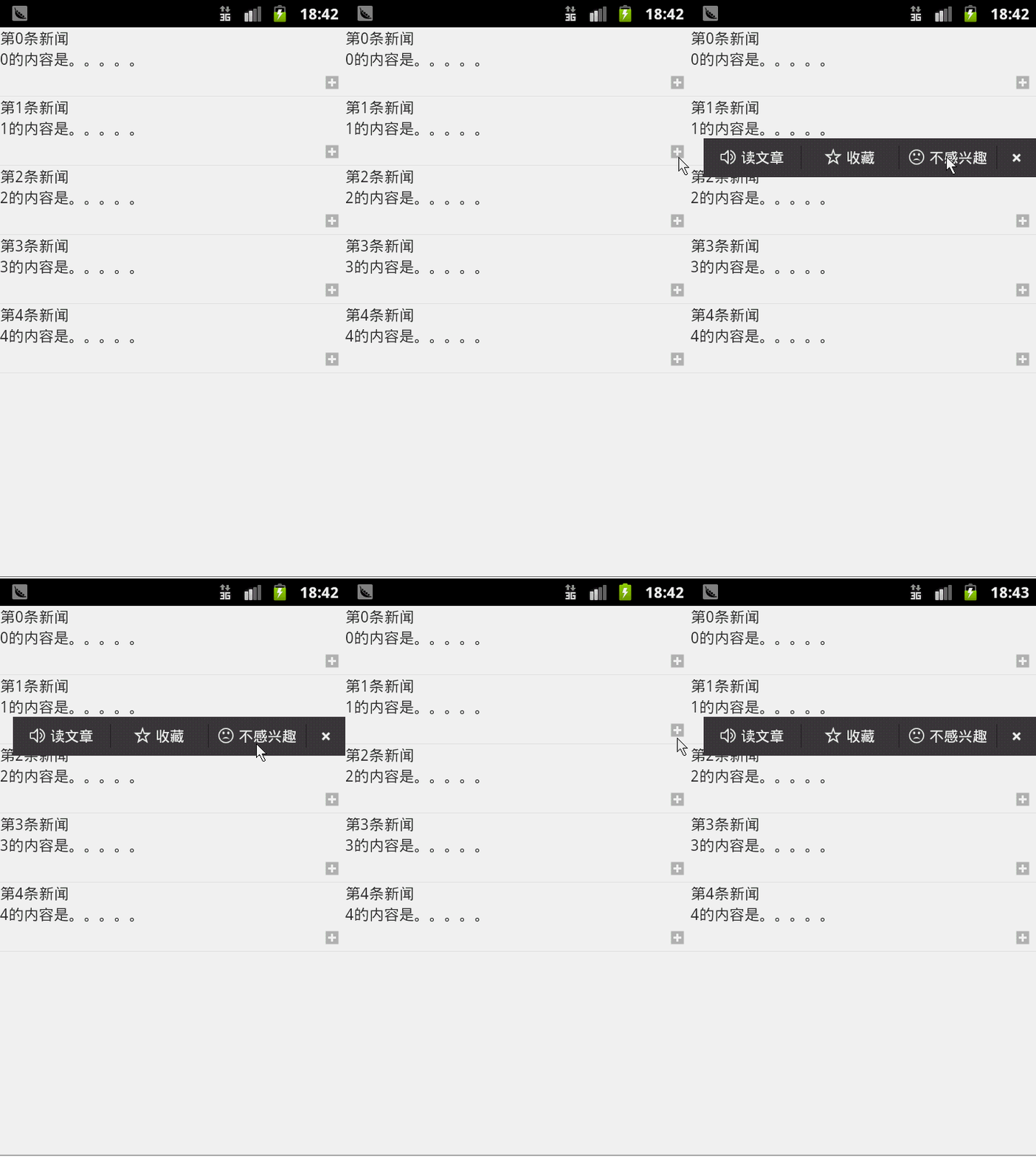
下面放上該效果源碼DEMO的下載地址:下載地址
以上就是本文的全部內容,希望對大家的學習有所幫助,也希望大家多多支持本站。
 Android自定義DataTimePicker實例代碼(日期選擇器)
筆者有一段時間沒有發表關於Android的文章了,關於Android自定義組件筆者有好幾篇想跟大家分享的,後期會記錄在博客中。本篇博客給大家分享的是自定義一個日期選擇器,
 GreenDao的實用封裝
前面簡單介紹了下GreenDao的使用,從前面的介紹看來是不是覺得有點 so easy。對就是這麼簡單。曾經有位大神說作為一位合格的程序員就要在學習別人的東西時,有點自己
 解決GridView內容顯示不全問題
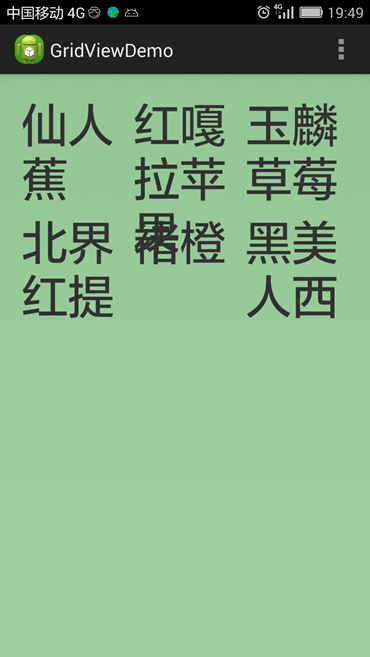
我用GridView來顯示一些字符串,而字符串的長度是不固定的,然後就遇到問題了:有時字符重疊,有時顯示不全,有時兩種問題同時出現。見下圖: 圖一 GridView顯示重
 【Android自定義View實戰】之獲取驗證碼倒計時按鈕
在Android開發中,我們不可避免的會做到注冊功能,而現在的注冊大多數都是用手機去注冊的,那麼注冊的時候都會要求用獲取驗證碼的方式去驗證,我們接下來就來實戰一下自定義