編輯:關於Android編程
本文實例為大家分享了SwipeRefreshLayout下拉刷新源碼,供大家參考,具體內容如下
1.SwipeRefreshLayout是Google在support v4 19.1版本的library更新的一個下拉刷新組件,實現刷新效果更方便。
弊端:只有下拉
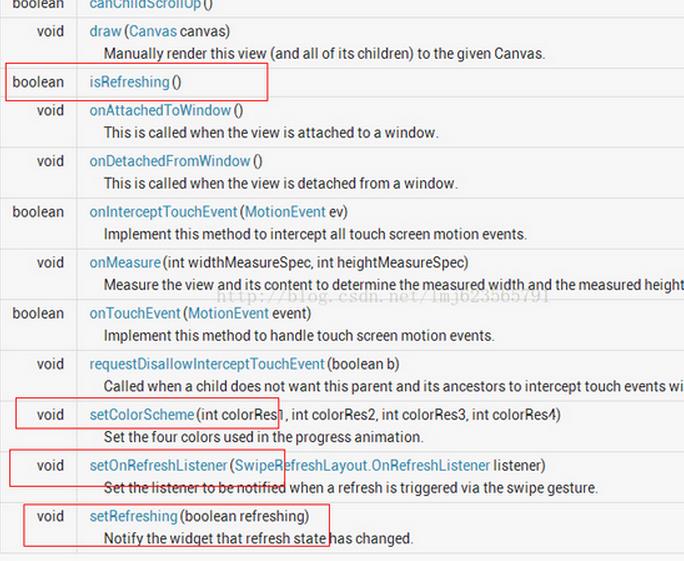
//設置刷新控件圈圈的顏色
swipe_refresh_layout.setColorSchemeResources(android.R.color.holo_blue_light, android.R.color.holo_orange_light, android.R.color.holo_red_light, android.R.color.holo_green_light);
//設置刷新控件背景色
swipe_refresh_layout.setProgressBackgroundColorSchemeColor(getResources().getColor(android.R.color.white));
//設置滑動距離
swipe_refresh_layout.setDistanceToTriggerSync(100);
//設置大小模式
swipe_refresh_layout.setSize(SwipeRefreshLayout.DEFAULT);
//設置下拉刷新控件狀態隱藏
swipe_refresh_layout.setRefreshing(false);
2.在xml文件中引用android.support.v4.widget.SwipeRefreshLayout控件,在裡面可以放置任何一個控件,例如ListView,gridview等。
<RelativeLayout xmlns:android="http://schemas.android.com/apk/res/android"
 android:layout_width="match_parent"
 android:layout_height="match_parent" >

 <android.support.v4.widget.SwipeRefreshLayout
  android:id="@+id/id_swipe_ly"
  android:layout_width="match_parent"
  android:layout_height="match_parent" >

  <ListView
   android:id="@+id/id_listview"
   android:layout_width="match_parent"
   android:layout_height="match_parent" >
  </ListView>
 </android.support.v4.widget.SwipeRefreshLayout>

</RelativeLayout>
3.Java代碼
public class MainActivity extends Activity implements SwipeRefreshLayout.OnRefreshListener {

 private SwipeRefreshLayout swipeLayout;
 private ListView listView;
 private ListViewAdapter adapter;
 private List<ItemInfo> infoList;

 @Override
 protected void onCreate(Bundle savedInstanceState) {
  super.onCreate(savedInstanceState);
  setContentView(R.layout.activity_main);

  swipeLayout = (SwipeRefreshLayout) this.findViewById(R.id.swipe_refresh);
  swipeLayout.setOnRefreshListener(this);

  // 頂部刷新的樣式
  swipeLayout.setColorScheme(android.R.color.holo_red_light, android.R.color.holo_green_light,
    android.R.color.holo_blue_bright, android.R.color.holo_orange_light);

  infoList = new ArrayList<ItemInfo>();
  ItemInfo info = new ItemInfo();
  info.setName("coin");
  infoList.add(info);
  listView = (ListView) this.findViewById(R.id.listview);
  adapter = new ListViewAdapter(this, infoList);
  listView.setAdapter(adapter);
 }

 public void onRefresh() {
  new Handler().postDelayed(new Runnable() {
   public void run() {
    swipeLayout.setRefreshing(false);
    ItemInfo info = new ItemInfo();
    info.setName("coin-refresh");
    infoList.add(info);
    adapter.notifyDataSetChanged();
   }
  }, 500);
 }
}
以上就是本文的全部內容,希望對大家的學習有所幫助,也希望大家多多支持本站。
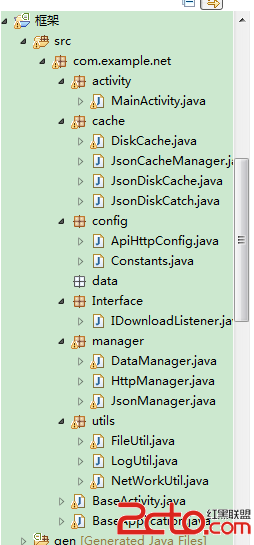 android 從零開始搭建框架系列(1)
工作幾年發現自己沒留下啥東西,天天開發開發,沒總結過。 這次想總結下。故而寫這個系列的博客。希望對廣大的開發者有所幫助。OK 首先先分析下 框架的作用,以及框架所應擁有的
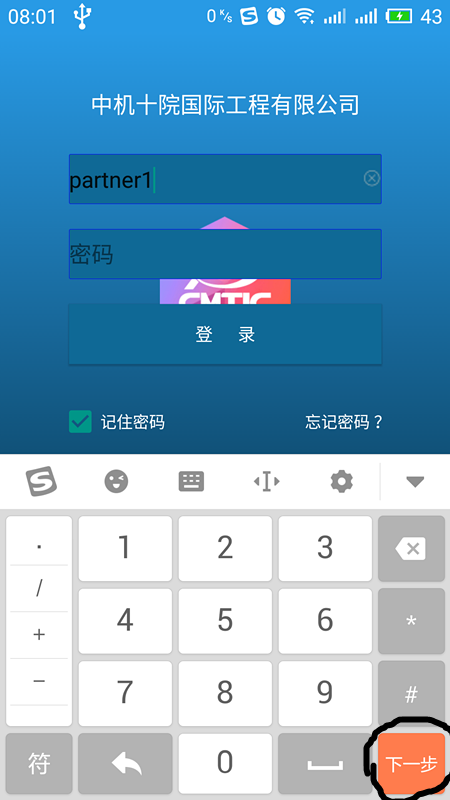 Android開發中利用imeOptions屬性將鍵盤回車鍵改成搜索等功能鍵
Android中鍵盤輸入是用戶輸入交互的最常用最直接的手段,關於鍵盤輸入,有幾點可以提高用戶使用體驗。第一:彈出鍵盤整體頁面上移,使鍵盤不遮擋控件,需要在AndroidM
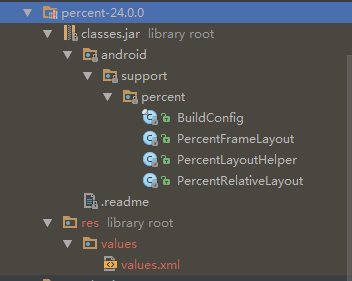 Android 百分比布局詳解及實例代碼
Android 百分比布局1.引入:compile com.android.support:percent:24.0.02.點開源碼可以看到,主要有兩個布局類Percen
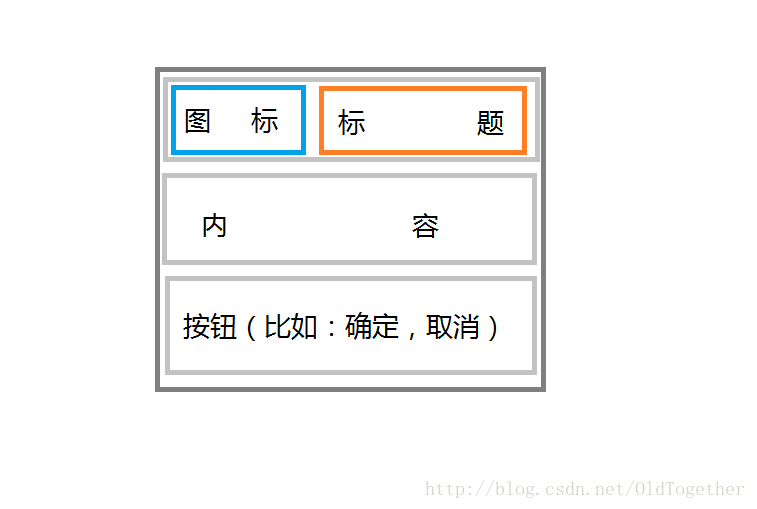 Android常用對話框使用大全
日常生活中我們隨處可見對話框,上面有很多提示信息,更加方便提示用戶進行不同的操作。一、對話框的兩個特點和一些常見的對話框1.當彈出對話框是會結束UI線程(即主線程);2.