編輯:關於Android編程
本文所要講的是Android斷點續傳的內容,以實例的形式進行了詳細介紹。
一、斷點續傳的原理
其實斷點續傳的原理很簡單,就是在http的請求上和一般的下載有所不同而已。
打個比方,浏覽器請求服務器上的一個文時,所發出的請求如下:
假設服務器域名為www.jizhuomi.com/android,文件名為down.zip。
get /down.zip http/1.1
accept: image/gif, image/x-xbitmap, image/jpeg, image/pjpeg, application/vnd.ms-
excel, application/msword, application/vnd.ms-powerpoint, */*
accept-language: zh-cn
accept-encoding: gzip, deflate
user-agent: mozilla/4.0 (compatible; msie 5.01; windows nt 5.0)
connection: keep-alive
服務器收到請求後,按要求尋找請求的文件,提取文件的信息,然後返回給浏覽器,返回信息如下:
200
content-length=106786028
accept-ranges=bytes
date=mon, 30 apr 2001 12:56:11 gmt
etag=w/"02ca57e173c11:95b"
content-type=application/octet-stream
server=microsoft-iis/5.0
last-modified=mon, 30 apr 2001 12:56:11 gmt
所謂斷點續傳,也就是要從文件已經下載的地方開始繼續下載。所以在客戶端浏覽器傳給web服務器的時候要多加一條信息--從哪裡開始。
下面是用自己編的一個“浏覽器”來傳遞請求信息給web服務器,要求從2000070字節開始。
get /down.zip http/1.0
user-agent: netfox
range: bytes=2000070-
accept: text/html, image/gif, image/jpeg, *; q=.2, */*; q=.2
仔細看一下就會發現多了一行 range: bytes=2000070-
這一行的意思就是告訴服務器down.zip這個文件從2000070字節開始傳,前面的字節不用傳了。
服務器收到這個請求以後,返回的信息如下:
206
content-length=106786028
content-range=bytes 2000070-106786027/106786028
date=mon, 30 apr 2001 12:55:20 gmt
etag=w/"02ca57e173c11:95b"
content-type=application/octet-stream
server=microsoft-iis/5.0
last-modified=mon, 30 apr 2001 12:55:20 gmt
和前面服務器返回的信息比較一下,就會發現增加了一行:
content-range=bytes 2000070-106786027/106786028
返回的代碼也改為206了,而不再是200了。
知道了以上原理,就可以進行斷點續傳的編程了。
二、java實現斷點續傳的關鍵幾點
用什麼方法實現提交range: bytes=2000070-?
當然用最原始的socket是肯定能完成的,不過那樣太費事了,其實java的net包中提供了這種功能。代碼如下:
Java代碼
url url = new url("http://www.jizhuomi.com/android/down.zip");
httpurlconnection httpconnection = (httpurlconnection)url.openconnection();
//設置user-agent
httpconnection.setrequestproperty("user-agent","netfox");
//設置斷點續傳的開始位置
httpconnection.setrequestproperty("range","bytes=2000070");
//獲得輸入流
inputstream input = httpconnection.getinputstream();
    從輸入流中取出的字節流就是down.zip文件從2000070開始的字節流。

    大家看,其實斷點續傳用java實現起來還是很簡單的吧。

    接下來要做的事就是怎麼保存獲得的流到文件中去了。

    保存文件采用的方法:我采用的是io包中的randaccessfile類。

    操作相當簡單,假設從2000070處開始保存文件,代碼如下:

Java代碼
randomaccess osavedfile = new randomaccessfile("down.zip","rw");
long npos = 2000070;
//定位文件指針到npos位置
osavedfile.seek(npos);
byte[] b = new byte[1024];
int nread;
//從輸入流中讀入字節流,然後寫到文件中
while((nread=input.read(b,0,1024)) > 0)
{
  osavedfile.write(b,0,nread);
}
    怎麼樣,也很簡單吧。

    接下來要做的就是整合成一個完整的程序了。包括一系列的線程控制等等。

    三、斷點續傳內核的實現

    主要用了6個類,包括一個測試類。

    sitefilefetch.java負責整個文件的抓取,控制內部線程(filesplitterfetch類)。

    filesplitterfetch.java負責部分文件的抓取。

    fileaccess.java負責文件的存儲。

    siteinfobean.java要抓取的文件的信息,如文件保存的目錄,名字,抓取文件的url等。

    utility.java工具類,放一些簡單的方法。

    testmethod.java測試類。

    四、實例源碼

    下面是源程序:

Java代碼
/*
**sitefilefetch.java
*/
package netfox;
import java.io.*;
import java.net.*;

public class sitefilefetch extends thread {

siteinfobean siteinfobean = null; //文件信息bean
long[] nstartpos; //開始位置
long[] nendpos; //結束位置
filesplitterfetch[] filesplitterfetch; //子線程對象
long nfilelength; //文件長度
boolean bfirst = true; //是否第一次取文件
boolean bstop = false; //停止標志
file tmpfile; //文件下載的臨時信息
dataoutputstream output; //輸出到文件的輸出流

public sitefilefetch(siteinfobean bean) throws ioexception
{
siteinfobean = bean;
//tmpfile = file.createtempfile ("zhong","1111",new file(bean.getsfilepath()));
tmpfile = new file(bean.getsfilepath()+file.separator + bean.getsfilename()+".info");
if(tmpfile.exists ())
{
bfirst = false;
read_npos();
}
else
{
nstartpos = new long[bean.getnsplitter()];
nendpos = new long[bean.getnsplitter()];
}
}

public void run()
{
//獲得文件長度
//分割文件
//實例filesplitterfetch
//啟動filesplitterfetch線程
//等待子線程返回
try{
if(bfirst)
{
nfilelength = getfilesize();
if(nfilelength == -1)
{
system.err.println("file length is not known!");
}
else if(nfilelength == -2)
{
system.err.println("file is not access!");
}
else
{
for(int i=0;i<nstartpos.length;i++)
{
nstartpos = (long)(i*(nfilelength/nstartpos.length));
}
for(int i=0;i<nendpos.length-1;i++)
{
nendpos = nstartpos[i+1];
}
nendpos[nendpos.length-1] = nfilelength;
}
}
//啟動子線程
filesplitterfetch = new filesplitterfetch[nstartpos.length];
for(int i=0;i<nstartpos.length;i++)
{
filesplitterfetch = new filesplitterfetch(siteinfobean.getssiteurl(),
siteinfobean.getsfilepath() + file.separator + siteinfobean.getsfilename(),
nstartpos,nendpos,i);
utility.log("thread " + i + " , nstartpos = " + nstartpos + ", nendpos = " + nendpos);
filesplitterfetch.start();
}
// filesplitterfetch[npos.length-1] = new filesplitterfetch(siteinfobean.getssiteurl(),
siteinfobean.getsfilepath() + file.separator + siteinfobean.getsfilename(),npos[npos.length-1],nfilelength,npos.length-1);
// utility.log("thread " + (npos.length-1) + " , nstartpos = " + npos[npos.length-1] + ",
nendpos = " + nfilelength);
// filesplitterfetch[npos.length-1].start();

//等待子線程結束
//int count = 0;
//是否結束while循環
boolean breakwhile = false;

while(!bstop)
{
write_npos();
utility.sleep(500);
breakwhile = true;

for(int i=0;i<nstartpos.length;i++)
{
if(!filesplitterfetch.bdownover)
{
breakwhile = false;
break;
}
}
if(breakwhile)
break;

//count++;
//if(count>4)
// sitestop();
}

system.err.println("文件下載結束!");
}
catch(exception e){e.printstacktrace ();}
}

//獲得文件長度
public long getfilesize()
{
int nfilelength = -1;
try{
url url = new url(siteinfobean.getssiteurl());
httpurlconnection httpconnection = (httpurlconnection)url.openconnection ();
httpconnection.setrequestproperty("user-agent","netfox");

int responsecode=httpconnection.getresponsecode();
if(responsecode>=400)
{
processerrorcode(responsecode);
return -2; //-2 represent access is error
}

string sheader;

for(int i=1;;i++)
{
//datainputstream in = new datainputstream(httpconnection.getinputstream ());
//utility.log(in.readline());
sheader=httpconnection.getheaderfieldkey(i);
if(sheader!=null)
{
if(sheader.equals("content-length"))
{
nfilelength = integer.parseint(httpconnection.getheaderfield(sheader));
break;
}
}
else
break;
}
}
catch(ioexception e){e.printstacktrace ();}
catch(exception e){e.printstacktrace ();}

utility.log(nfilelength);

return nfilelength;
}

//保存下載信息(文件指針位置)
private void write_npos()
{
try{
output = new dataoutputstream(new fileoutputstream(tmpfile));
output.writeint(nstartpos.length);
for(int i=0;i<nstartpos.length;i++)
{
// output.writelong(npos);
output.writelong(filesplitterfetch.nstartpos);
output.writelong(filesplitterfetch.nendpos);
}
output.close();
}
catch(ioexception e){e.printstacktrace ();}
catch(exception e){e.printstacktrace ();}
}

//讀取保存的下載信息(文件指針位置)
private void read_npos()
{
try{
datainputstream input = new datainputstream(new fileinputstream(tmpfile));
int ncount = input.readint();
nstartpos = new long[ncount];
nendpos = new long[ncount];
for(int i=0;i<nstartpos.length;i++)
{
nstartpos = input.readlong();
nendpos = input.readlong();
}
input.close();
}
catch(ioexception e){e.printstacktrace ();}
catch(exception e){e.printstacktrace ();}
}

private void processerrorcode(int nerrorcode)
{
system.err.println("error code : " + nerrorcode);
}

//停止文件下載
public void sitestop()
{
bstop = true;
for(int i=0;i<nstartpos.length;i++)
filesplitterfetch.splitterstop();
}
}
/*
**filesplitterfetch.java
*/
package netfox;

import java.io.*;
import java.net.*;

public class filesplitterfetch extends thread {

string surl; //file url
long nstartpos; //file snippet start position
long nendpos; //file snippet end position
int nthreadid; //threads id
boolean bdownover = false; //downing is over
boolean bstop = false; //stop identical
fileaccessi fileaccessi = null; //file access interface

public filesplitterfetch(string surl,string sname,long nstart,long nend,int id) throws ioexception
{
this.surl = surl;
this.nstartpos = nstart;
this.nendpos = nend;
nthreadid = id;
fileaccessi = new fileaccessi(sname,nstartpos);
}

public void run()
{
while(nstartpos < nendpos && !bstop)
{
try{
url url = new url(surl);
httpurlconnection httpconnection = (httpurlconnection)url.openconnection ();
httpconnection.setrequestproperty("user-agent","netfox");
string sproperty = "bytes="+nstartpos+"-";
httpconnection.setrequestproperty("range",sproperty);
utility.log(sproperty);

inputstream input = httpconnection.getinputstream();
//logresponsehead(httpconnection);

byte[] b = new byte[1024];
int nread;
while((nread=input.read(b,0,1024)) > 0 && nstartpos < nendpos && !bstop)
{
nstartpos += fileaccessi.write(b,0,nread);
//if(nthreadid == 1)
// utility.log("nstartpos = " + nstartpos + ", nendpos = " + nendpos);
}

utility.log("thread " + nthreadid + " is over!");
bdownover = true;
//npos = fileaccessi.write (b,0,nread);
}
catch(exception e){e.printstacktrace ();}
}
}

//打印回應的頭信息
public void logresponsehead(httpurlconnection con)
{
for(int i=1;;i++)
{
string header=con.getheaderfieldkey(i);
if(header!=null)
//responseheaders.put(header,httpconnection.getheaderfield(header));
utility.log(header+" : "+con.getheaderfield(header));
else
break;
}
}

public void splitterstop()
{
bstop = true;
}
}

/*
**fileaccess.java
*/
package netfox;
import java.io.*;

public class fileaccessi implements serializable{

randomaccessfile osavedfile;
long npos;

public fileaccessi() throws ioexception
{
this("",0);
}

public fileaccessi(string sname,long npos) throws ioexception
{
osavedfile = new randomaccessfile(sname,"rw");
this.npos = npos;
osavedfile.seek(npos);
}

public synchronized int write(byte[] b,int nstart,int nlen)
{
int n = -1;
try{
osavedfile.write(b,nstart,nlen);
n = nlen;
}
catch(ioexception e)
{
e.printstacktrace ();
}

return n;
}
}

/*
**siteinfobean.java
*/
package netfox;

public class siteinfobean {

private string ssiteurl; //sites url
private string sfilepath; //saved files path
private string sfilename; //saved files name
private int nsplitter; //count of splited downloading file

public siteinfobean()
{
//default value of nsplitter is 5
this("","","",5);
}

public siteinfobean(string surl,string spath,string sname,int nspiltter)
{
ssiteurl= surl;
sfilepath = spath;
sfilename = sname;
this.nsplitter = nspiltter;
}

public string getssiteurl()
{
return ssiteurl;
}

public void setssiteurl(string value)
{
ssiteurl = value;
}

public string getsfilepath()
{
return sfilepath;
}

public void setsfilepath(string value)
{
sfilepath = value;
}

public string getsfilename()
{
return sfilename;
}

public void setsfilename(string value)
{
sfilename = value;
}

public int getnsplitter()
{
return nsplitter;
}

public void setnsplitter(int ncount)
{
nsplitter = ncount;
}
}

/*
**utility.java
*/
package netfox;

public class utility {

public utility()
{
}

public static void sleep(int nsecond)
{
try{
thread.sleep(nsecond);
}
catch(exception e)
{
e.printstacktrace ();
}
}

public static void log(string smsg)
{
system.err.println(smsg);
}

public static void log(int smsg)
{
system.err.println(smsg);
}
}

/*
**testmethod.java
*/
package netfox;

public class testmethod {

public testmethod()
{ ///xx/weblogic60b2_win.exe
try{
siteinfobean bean = new siteinfobean("http://localhost/xx/weblogic60b2_win.exe","l:\\temp","weblogic60b2_win.exe",5);
//siteinfobean bean = new siteinfobean("http://localhost:8080/down.zip","l:\\temp","weblogic60b2_win.exe",5);
sitefilefetch filefetch = new sitefilefetch(bean);
filefetch.start();
}
catch(exception e){e.printstacktrace ();}
}

public static void main(string[] args)
{
new testmethod();
}
}
以上就是對Android 斷點續傳的資料整理,後續繼續補充相關資料,謝謝大家對本站的支持!
 android源碼解析(十九)--)Dialog加載繪制流程
前面兩篇文章,我們分析了Activity的布局文件加載、繪制流程,算是對整個Android系統中界面的顯示流程有了一個大概的了解,其實Android系統中所有的顯示控件(
 Android平台中實現數據存儲的5種方式
本文介紹Android中的5種數據存儲方式,具體內容如下 數據存儲在開發中是使用最頻繁的,在這裡主要介紹Android平台中實現數據存儲的5種方式,
 淘淘商城---8.6
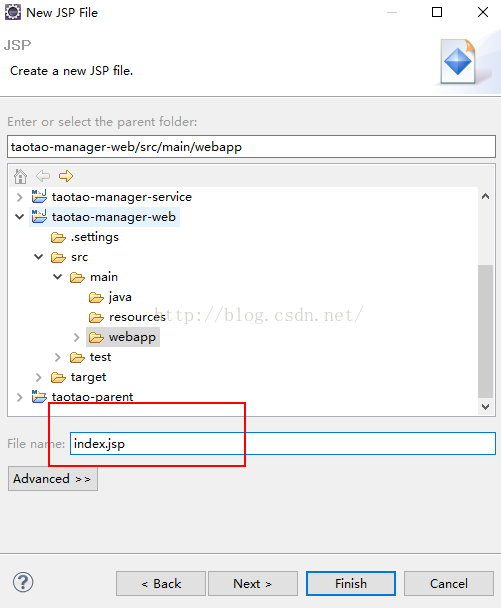
1、測試Maven工程1.1、創建歡迎頁在webapp下創建一個index.jsp的歡迎頁index.jsp: <%@ page language=&qu
 Android漫游記(2)---ELF可執行文件格式
ELF是類Unix類系統,當然也包括Android系統上的可執行文件格式(也包括.so和.o類文件)。可以理解為Android系統上的exe或者dll文件&
 一、初識GVR ---- Android VR視頻/Google VR for Android /VR Pano/VR Video
業余時間充足,於是想弄點自己的東西,找來找去還是回到當初感興趣的VR。目