編輯:關於Android編程
Android網絡編程分為兩種:基於http協議的,和基於socket的。
基於Http協議:HttpClient、HttpURLConnection、AsyncHttpClient框架等
基於Socket:
(1)針對TCP/IP的Socket、ServerSocket
(2)針對UDP/IP的DatagramSocket、DatagramPackage
(3)Apache Mina框架
一、HttpURLConnection的實現方式
String response = null;
Url url = new URL(path);
HttpURLConnection connection = (HttpURLConnection) url.openConnection(); // 新建連接實例
connection.setConnectTimeout(20000);// 設置連接超時時間,單位毫秒
//connection.setReadTimeout(20000);// 設置讀取數據超時時間,單位毫秒
connection.setDoInput(true);// 是否打開輸入流 true|false
connection.setRequestMethod("POST");// 提交方法POST|GET
//connection.setUseCaches(false);// 是否緩存true|false
//connection.setRequestProperty("accept", "*/*");
//connection.setRequestProperty("Connection", "Keep-Alive");
//connection.setRequestProperty("Charset", "UTF-8");
//connection.setRequestProperty("Content-Length", String.valueOf(data.length));
//connection.setRequestProperty("Content-Type", "application/x-www-form-urlencoded");
connection.connect();// 打開連接端口
int responseCode = conn.getResponseCode();
BufferedReader reader = null;
if (responseCode == 200) {
  reader = new BufferedReader(new InputStreamReader(connection.getInputStream(), "utf-8"));
  StringBuffer buffer = new StringBuffer();
  String line = "";
  while ((line = reader.readLine()) != null) {
    buffer.append(line);
  }
  response = buffer.toString();
} else {
  response = "返回碼:"+responseCode;
}
reader.close();
conn.disconnect();
二、HttpClient實現方式
HttpResponse mHttpResponse = null;
HttpEntity mHttpEntity = null;
//創建HttpPost對象
//HttpPost httppost = new HttpPost(path);
//設置httpPost請求參數
//httppost.setEntity(new UrlEncodedFormEntity(params,HTTP.UTF_8));
HttpGet httpGet = new HttpGet(path);
HttpClient httpClient = new DefaultHttpClient();
InputStream inputStream = null;
BufferedReader bufReader = null;
String result = "";
// 發送請求並獲得響應對象
mHttpResponse = httpClient.execute(httpGet);//如果是“POST”方式就傳httppost
if (mHttpResponse.getStatusLine().getStatusCode() == HttpStatus.SC_OK) {
  // 獲得響應的消息實體
  mHttpEntity = mHttpResponse.getEntity();
  // 獲取一個輸入流
  inputStream = mHttpEntity.getContent();
  bufReader = new BufferedReader(new InputStreamReader(inputStream));
  String line = "";
  while (null != (line = bufReader.readLine())) {
    result += line;
  }
  //result = EntityUtils.toString(mHttpResponse.getEntity());
}
if (inputStream != null) {
  inputStream.close();
}
bufReader.close();
if (httpClient != null) {
  httpClient.getConnectionManager().shutdown();
}
三、實用AsyncHttpClient框架的實現方式
AsyncHttpClient client = new AsyncHttpClient();
client.get(url, new AsyncHttpResponseHandler() {
  @Override
  public void onSuccess(int i, Header[] headers, byte[] bytes) {
    String response = new String(bytes, 0, bytes.length, "UTF-8");
  }
  @Override
  public void onFailure(int i, Header[] headers, byte[] bytes, Throwable throwable) {

  }
});
四、使用WebView視圖組件顯示網頁
myWebView.getSettings().setJavaScriptEnabled(true);
myWebView.setWebViewClient(new WebViewClient() {
  @Override
  public boolean shouldOverrideUrlLoading(WebView view, String url) {
    view.loadUrl(url);
    return true;
  }
});
myWebView.loadUrl("http://"+networkAddress);
以上就是Android中網絡通信幾種方式的全部內容,希望對大家的學習有所幫助。
 詳細分析Android中onTouch事件傳遞機制
onTach介紹ontach是Android系統中整個事件機制的基礎。Android中的其他事件,如onClick、onLongClick等都是以onTach為基礎的。o
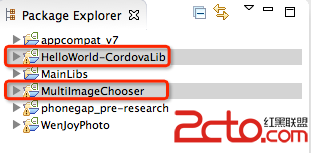 Android基於cordova3.3的插件開發
最近工作的項目,需要用到cordova進行插件開發,具體Cordova的作用,就不再贅述,大家可以自行的去百度就OK了,直接開始。具體的流程,我將已一個小的Demo進行推
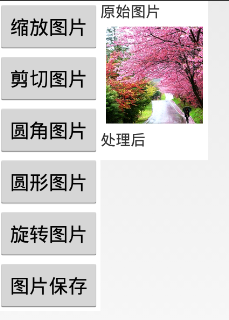 Android實現對圖片的縮放、剪切、旋轉、存儲
一、問題描述 在開發中,當我們需要的有一張大圖片同時還需要一些小圖片時,我們只需要通過代碼對此圖片進行不同比例的縮放即可,這樣大大節約資源,減小了安裝包的尺寸 。除縮
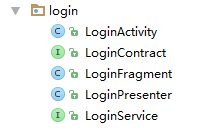 AndroidStudio創建MVP模板
最近仿照官方MVP模式開發,如下:每個模塊都需要寫Activity,Contract,Fragment,Presenter。覺得好麻煩,就想能不能一次創建這幾個類寫到在a