編輯:關於Android編程
最近研究了一下Contacts源碼,仿照上面自己寫了一個TabHostTest程序,現整理如下:
main.xml布局文件:
<?xml version="1.0" encoding="utf-8"?>
<TabHost xmlns:android="http://schemas.android.com/apk/res/android"
 android:id="@android:id/tabhost"
 android:layout_width="match_parent"
 android:layout_height="match_parent">

 <LinearLayout
  android:orientation="vertical"
  android:layout_width="match_parent"
  android:layout_height="match_parent">

  <TabWidget android:id="@android:id/tabs"
   android:layout_width="match_parent"
   android:layout_height="wrap_content"
  />

  <FrameLayout android:id="@android:id/tabcontent"
   android:layout_width="match_parent"
   android:layout_height="0dip"
   android:layout_weight="1"
  />
 </LinearLayout>
</TabHost>
inner.xml文件:
<?xml version="1.0" encoding="utf-8"?>

<TabHost xmlns:android="http://schemas.android.com/apk/res/android"
 android:id="@android:id/tabhost"
 android:layout_width="match_parent"
 android:layout_height="match_parent">

 <LinearLayout
  android:orientation="vertical"
  android:layout_width="match_parent"
  android:layout_height="match_parent">

  <FrameLayout android:id="@android:id/tabcontent"
   android:layout_width="fill_parent"
   android:layout_height="0dip"
   android:layout_weight="1"
  />

  <TabWidget android:id="@android:id/tabs"
   android:layout_width="fill_parent"
   android:layout_height="wrap_content"
  />


 </LinearLayout>
</TabHost>
Main.java (主Activity類):
package com.android.test;

import android.app.Activity;
import android.app.TabActivity;
import android.content.Intent;
import android.os.Bundle;
import android.provider.CallLog.Calls;
import android.provider.Contacts.Intents.UI;
import android.view.Window;
import android.widget.TabHost;

public class Main extends TabActivity implements TabHost.OnTabChangeListener {
 private static final int TAB_INDEX_DIALER = 0;
 private static final int TAB_INDEX_CALL_LOG = 1;
 private static final int TAB_INDEX_CONTACTS = 2;
 private static final int TAB_INDEX_FAVORITES = 3;

 private TabHost mTabHost;

 @Override
 public void onCreate(Bundle savedInstanceState) {
  super.onCreate(savedInstanceState);

  final Intent intent = getIntent();

  requestWindowFeature(Window.FEATURE_NO_TITLE);

  setContentView(R.layout.main);

  mTabHost = getTabHost();
  mTabHost.setOnTabChangedListener(this);

  // Setup the tabs
  setupDialerTab();
  setupCallLogTab();
  setupContactsTab();
  setupFavoritesTab();

  setCurrentTab(intent);
 }

 public void onTabChanged(String tabId) {
   Activity activity = getLocalActivityManager().getActivity(tabId);
   if (activity != null) {
    activity.onWindowFocusChanged(true);
   }
 }
  private void setupCallLogTab() {
   // Force the class since overriding tab entries doesn't work
   Intent intent = new Intent("com.android.phone.action.RECENT_CALLS");

   intent.setClass(this, Inner.class);
   mTabHost.addTab(mTabHost.newTabSpec("call_log")
     .setIndicator("通話記錄",
       getResources().getDrawable(R.drawable.ic_tab_unselected_recent))
     .setContent(intent));
  }

 private void setupDialerTab() {
  Intent intent = new Intent("com.android.phone.action.TOUCH_DIALER");
  intent.setClass(this, Inner.class);

  mTabHost.addTab(mTabHost.newTabSpec("dialer")
    .setIndicator("撥號",
      getResources().getDrawable(R.drawable.ic_tab_unselected_dialer))
    .setContent(intent));
 }

 private void setupContactsTab() {
  Intent intent = new Intent(UI.LIST_DEFAULT);
  intent.setClass(this, Main.class);

  mTabHost.addTab(mTabHost.newTabSpec("contacts")
    .setIndicator("通訊錄",
      getResources().getDrawable(R.drawable.ic_tab_unselected_contacts))
    .setContent(intent));
 }

 private void setupFavoritesTab() {
  Intent intent = new Intent(UI.LIST_STREQUENT_ACTION);
  intent.setClass(this, Inner.class);

  mTabHost.addTab(mTabHost.newTabSpec("favorites")
    .setIndicator("收藏",
      getResources().getDrawable(R.drawable.ic_tab_unselected_starred))
    .setContent(intent));
 }

 /**
  * Sets the current tab based on the intent's request type
  *
  * @param intent Intent that contains information about which tab should be selected
  */
 private void setCurrentTab(Intent intent) {
  // Dismiss menu provided by any children activities
  Activity activity = getLocalActivityManager().
    getActivity(mTabHost.getCurrentTabTag());
  if (activity != null) {
   activity.closeOptionsMenu();
  }

  // Tell the children activities that they should ignore any possible saved
  // state and instead reload their state from the parent's intent
  intent.putExtra("", true);

  // Choose the tab based on the inbound intent
  String componentName = intent.getComponent().getClassName();
  if (getClass().getName().equals(componentName)) {
   if (false) {
    //in a call, show the dialer tab(which allows going back to the call)
    mTabHost.setCurrentTab(TAB_INDEX_DIALER);
   } else if ((intent.getFlags() & Intent.FLAG_ACTIVITY_LAUNCHED_FROM_HISTORY) != 0) {
    // launched from history (long-press home) --> nothing to change
   } else if (true) {
    // The dialer was explicitly requested
    mTabHost.setCurrentTab(TAB_INDEX_DIALER);
   }
  }
 }
}
Inner.java類:
package com.android.test;

import android.app.TabActivity;
import android.content.Intent;
import android.os.Bundle;
import android.view.Window;
import android.widget.TabHost;
import android.widget.TabWidget;
import android.widget.TextView;

public class Inner extends TabActivity implements TabHost.OnTabChangeListener {
 private static final int TAB_INDEX_ALL = 0;
 private static final int TAB_INDEX_MISSED = 1;
 private static final int TAB_INDEX_OUTGOING = 2;
 private static final int TAB_INDEX_RECEIVED = 3;

 private TabHost mTabHost;
 private TabWidget mTabWidget;

 @Override
 public void onCreate(Bundle savedInstanceState) {
  super.onCreate(savedInstanceState);
  requestWindowFeature(Window.FEATURE_NO_TITLE);
  setContentView(R.layout.inner);

  mTabHost = getTabHost();
  mTabHost.setOnTabChangedListener(this);

  setupTabs();
  mTabWidget = mTabHost.getTabWidget();
  mTabWidget.setStripEnabled(false);

  for (int i = 0; i < mTabWidget.getChildCount(); i++) {

   TextView tv = (TextView) mTabWidget.getChildAt(i).findViewById(
     android.R.id.title);
   tv.setTextColor(this.getResources().getColorStateList(
     android.R.color.white));

   tv.setPadding(0, 0, 0,(int) tv.getTextSize());
   tv.setText("Tab" + i);
   mTabWidget.getChildAt(i).getLayoutParams().height =(int ) (3* tv.getTextSize());

   mTabWidget.getChildAt(i).setBackgroundResource(R.drawable.tab_bg);
  }
 }

 public void onTabChanged(String tabId) {

 }

 private void setupTabs() {
  mTabHost.addTab(mTabHost.newTabSpec("all").setIndicator(
    getString(R.string.inner)).setContent(
    new Intent(this, Other.class)));
  mTabHost.addTab(mTabHost.newTabSpec("Missed").setIndicator(
    getString(R.string.inner)).setContent(
    new Intent(this, Other.class)));
  mTabHost.addTab(mTabHost.newTabSpec("Outgoing").setIndicator(
    getString(R.string.inner)).setContent(
    new Intent(this, Other.class)));
  mTabHost.addTab(mTabHost.newTabSpec("Received").setIndicator(
    getString(R.string.inner)).setContent(
    new Intent(this, Other.class)));

 }
}
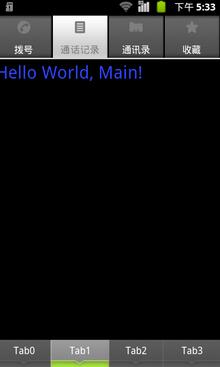
效果圖如下:
以上就是本文的全部內容,希望能給大家一個參考,也希望大家多多支持本站。
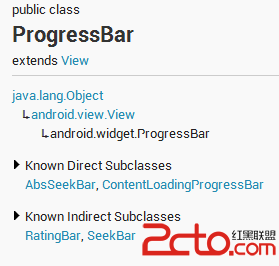 Android ProgressBar詳解以及自定義
版本:1.0日期:2014.5.16版權:© 2014 kince 轉載注明出處 這一次主要說一下Android下的進度條,為什麼是它呢,因為近期被其各種美輪
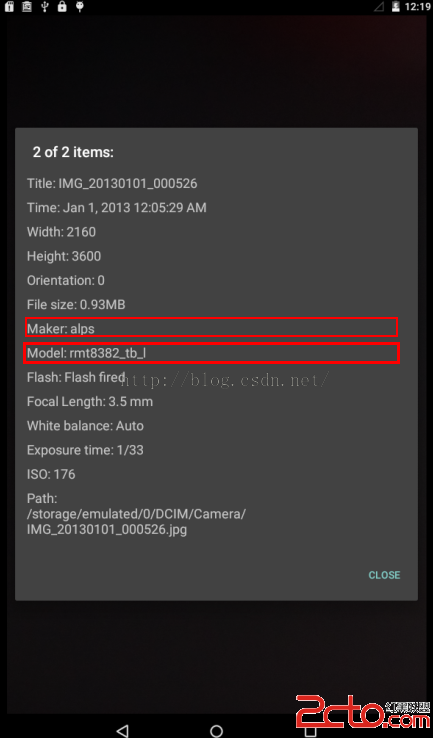 Android系統之路(初識MTK) ------ 默認第一次開機屏幕亮度/日期格式/picture makeer model
今天給大家分享下關於修改MTK平台下系統首次開機的默認屏幕背光亮度,系統語言默認英語情況下修改日期格式,修改拍照屬性,具體修改的地方不清楚或者沒人告知的話,請參照之前幾篇
 Android Studio導入第三方類庫的方法
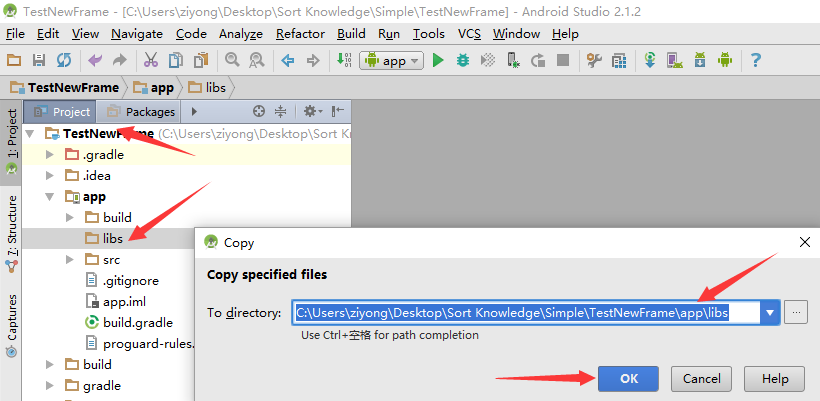
一、導入*.jar包1.直接copy①復制*.jar包,粘貼到主工程目錄的libs下邊②右鍵,將此jar包設置成自己的library③然後在工程右鍵的選擇項目單擊Open
 僅4行代碼實現Android快速文件下載
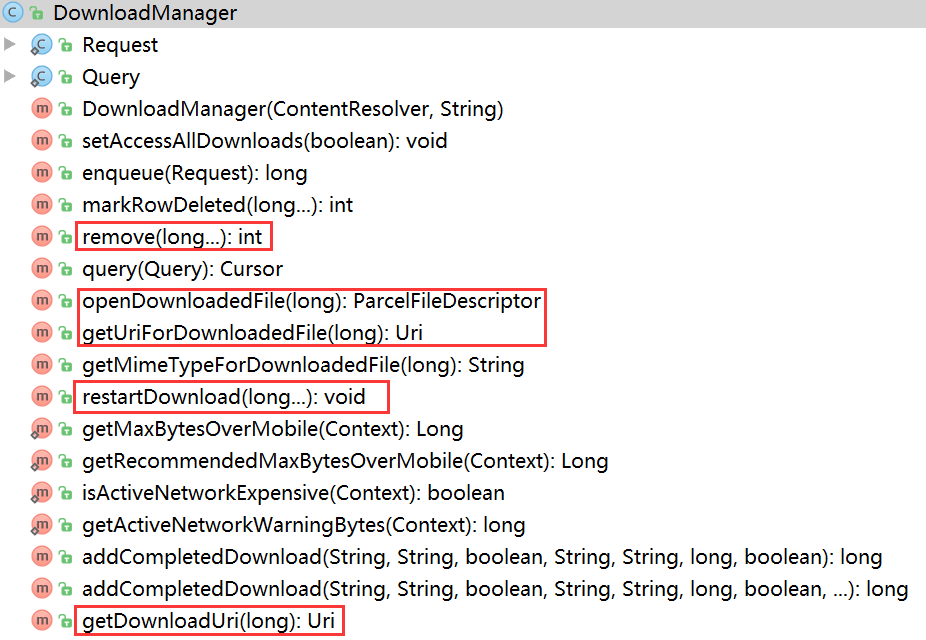
寫在前面的廢話 下載文件,幾乎是所有APP都會用到的功能!算了,還是不廢話了,直接開寫吧。。。 簡單使用 完成一個下載任務只需要4行代碼,什